

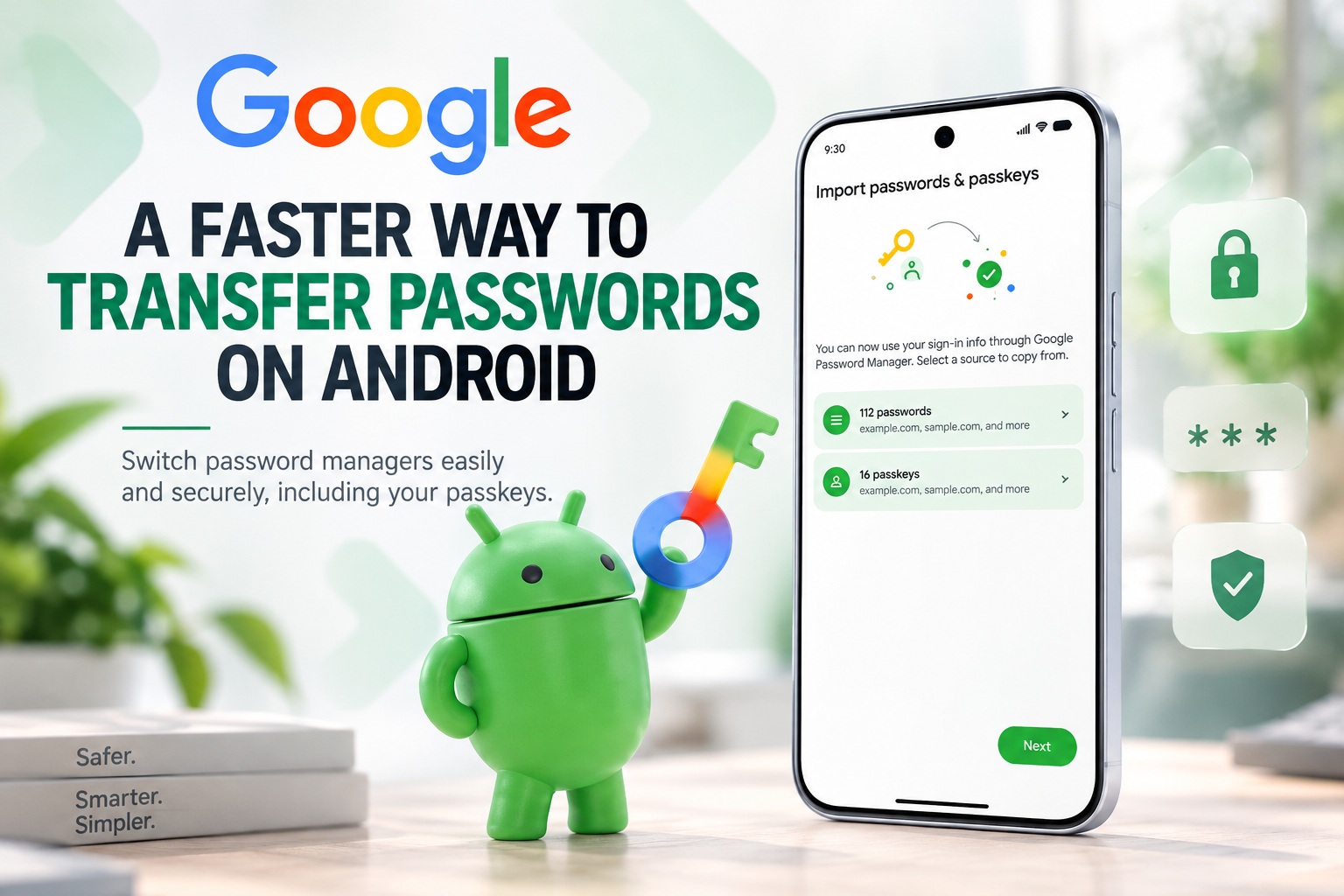
Switching password managers on Android is about to become much less troublesome. Google has introduced a new transfer system that allows users to move passwords and passkeys directly from one supported password manager to another, removing one of the biggest headaches involved in changing services.
Previously, moving credentials between password managers often meant exporting everything into a file first, usually in a format that could leave sensitive information temporarily exposed on the device. The new Android approach is designed to make that process faster, safer and far more convenient by handling the transfer directly between apps.
A More Direct Way To Switch Password Managers
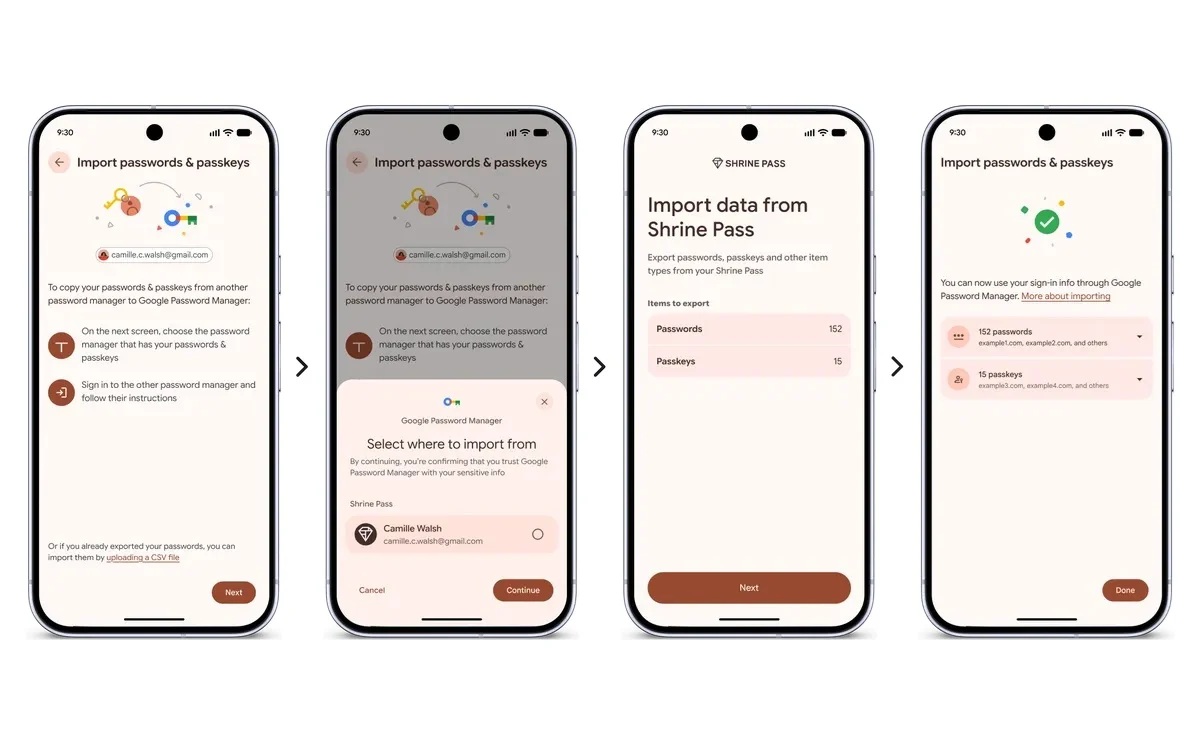
The new process starts inside the password manager that a user wants to move to. From there, users can choose an option to import or copy passwords and passkeys from another supported provider. Android then checks which compatible password managers are already installed on the device and helps coordinate the transfer between them.
After selecting the source password manager and tapping "Continue", Android automatically opens the existing password manager. Users can then review which credentials they want to move and approve the transfer. Once authorised, the selected data is passed directly to the new password manager without requiring the user to manually create, save or upload an intermediary file.
According to Google, the whole process can be completed within seconds. More importantly, the transfer stays within the supported Android framework, which reduces the need for users to handle sensitive credential files themselves.
Passkeys Can Be Moved Too
One of the more useful parts of the new feature is that it does not stop at traditional passwords. Android can also transfer supported passkeys between compatible password managers, making it easier for users to switch services without rebuilding their passwordless login setup from scratch.
Passkeys are becoming increasingly common as companies move toward authentication methods that are designed to be more resistant to phishing and password theft. Instead of typing a password, users can sign in using device-based authentication such as a fingerprint, face scan or screen lock.
Until now, changing password managers could create extra work for anyone who had already built up a large collection of passkeys. If those credentials could not be transferred easily, users might need to recreate them individually across different websites and apps. Direct passkey transfer removes much of that friction and makes the idea of switching password managers far more practical.
Why The Old Export Method Was Less Ideal
Traditional password-manager migration usually involved exporting credentials into a file, commonly a CSV or similar text-based format. While convenient for compatibility, these files are often not encrypted, meaning usernames, passwords and website addresses may be stored as readable text.
That creates a temporary security risk. If the export file is left in the Downloads folder, backed up accidentally, uploaded somewhere, or accessed by another application, sensitive credentials could potentially be exposed.
Users also have to remember to delete the file once the migration is finished, including removing copies from trash or cloud-sync folders. It is an easy step to forget, particularly when the transfer itself already feels like a technical task.
Google's direct transfer method is intended to avoid that problem entirely. Instead of creating a portable file containing a user's entire password collection, the credentials move directly between supported apps after the user gives explicit permission.
The Transfer Still Requires User Approval
The new process does not simply move everything automatically in the background. Users still need to review and authorise the transfer inside their current password manager, which provides an important layer of control.
That means a malicious app should not be able to silently request a complete copy of someone's password vault without interaction. The user is deliberately taken to the existing password manager, where the transfer request can be checked and confirmed.
This type of permission flow is particularly important for credentials because password managers can contain access to email accounts, banking services, cloud storage, social media profiles and other sensitive services. Making migration easier is useful, but maintaining clear user consent is equally important.
Google Password Manager Is Already Supported
The new experience works with Google Password Manager alongside several established third-party password management services. At launch, supported services include:
Google says additional partners are expected to support the transfer system in the future. Wider adoption will be important because the feature becomes significantly more useful when users can freely move credentials between most major password managers rather than being limited to a small selection of apps.
The system is available on devices running Android 8 or later, giving it compatibility with a large number of smartphones and tablets still in active use.
It Could Make Password Managers More Competitive
Beyond convenience, easier password migration could have an interesting effect on the password-manager market. Moving from one provider to another has traditionally involved enough effort that some users simply stay with their existing service, even when they prefer another app.
By reducing that inconvenience, Android effectively lowers the cost of switching. Users can choose a password manager based more on features, pricing, security tools and cross-platform support rather than worrying about how difficult it will be to move their existing credentials.
That could encourage password-manager developers to compete more aggressively on features and usability. Services that offer stronger security monitoring, better family sharing, cleaner interfaces or improved browser support may become easier for users to try without feeling locked into their current ecosystem.
Passkey Portability Is Particularly Important
The inclusion of passkeys is arguably just as significant as the password transfer itself. Passkeys are often promoted as a long-term replacement for conventional passwords, but portability has always been an important concern.
Users generally do not want their login credentials permanently tied to one company or ecosystem. If adopting passkeys makes it difficult to change password managers later, some people may hesitate to rely on them heavily.
Making passkeys transferable helps address that concern. The easier it becomes to move passwordless credentials between trusted services, the more practical passkeys become as a mainstream authentication method.
It also reinforces the idea that users should remain in control of their credentials rather than becoming dependent on whichever password manager they happened to use first.
A Small Android Feature With A Meaningful Security Benefit
At first glance, password-manager migration may sound like a fairly minor Android update. However, it solves a real security problem that has existed for years.
Security advice often encourages people to use password managers, create unique passwords and move toward stronger authentication methods such as passkeys. Yet the process of moving those credentials between services has remained surprisingly old-fashioned, often relying on plain-text export files.
A secure device-to-device or app-to-app transfer mechanism makes the experiencemore consistent with the security expectations surrounding password managers themselves. Users should not have to temporarily expose their entire password vault simply because they want to change providers.
Final Thoughts
Google's new Android password transfer system is a welcome improvement for anyone who has ever considered changing password managers but decided the migration process was too inconvenient. Allowing passwords and passkeys to move directly between supported apps makes the process quicker while reducing the risks associated with storing sensitive credentials in unencrypted export files.
The feature may also become more important as passkeys continue to gain adoption. If users can easily take their credentials with them when switching services, they are less likely to feel locked into a particular password-management platform.
For now, support is limited to Google Password Manager and selected partners such as 1Password, Bitwarden and Dashlane, but Google plans to expand compatibility further. If broader support follows, switching password managers on Android could soon become as simple as choosing a new app, approving the transfer and letting Android handle the rest.











Comments 0