

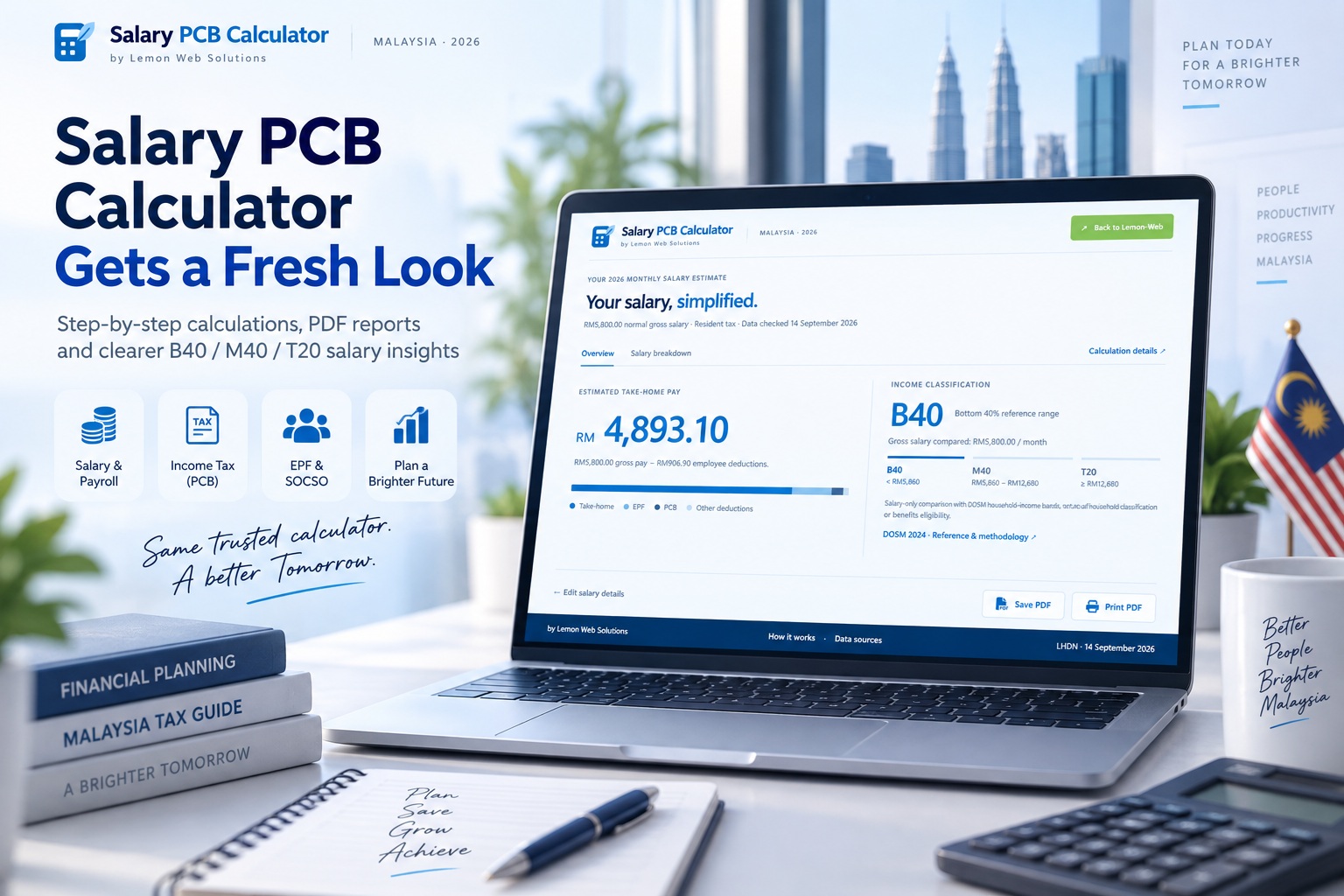
You know the salary stated in your offer letter, but how much of it will actually reach your bank account? That is the question behind Salary PCB Calculator, and this update is all about making the answer easier to find and understand. We have given the app a complete redesign, improved the way you enter your details, and added more useful information to the results. Instead of simply presenting a collection of deductions, the calculator now guides you through the process and helps you see where your money goes.
The updated Salary PCB Calculator by Lemon Web Solutions brings together a light-blue interface, step-by-step navigation, updated calculation references, B40/M40/T20 income comparisons, and downloadable PDF reports. It is a substantial change from the previous version, but the purpose remains straightforward: make Malaysian salary calculations more approachable without turning a quick check into a complicated exercise.
A Cleaner Interface That Gets Straight to the Point
The first thing you will notice is how much quieter the new design feels. The old background image and large central panel have been replaced with a near-white background, light-blue accents, and a more open layout. There are no stacks of cards competing for attention, and the content now follows the same width as the header. Everything from the progress indicator to the navigation buttons lines up neatly, giving the calculator a more consistent appearance.
The layout is also designed around the space available in your browser rather than one long page of information. On typical screen sizes, the main calculation steps fit within the visible area, while longer explanations and advanced settings open separately when needed. Smaller windows and enlarged text can still scroll where necessary, so keeping the interface compact does not mean making information inaccessible. The familiar green Back to Lemon-Web button remains, while a navy footer provides a clear home for the supporting links.
One Step at a Time, Instead of One Long Form
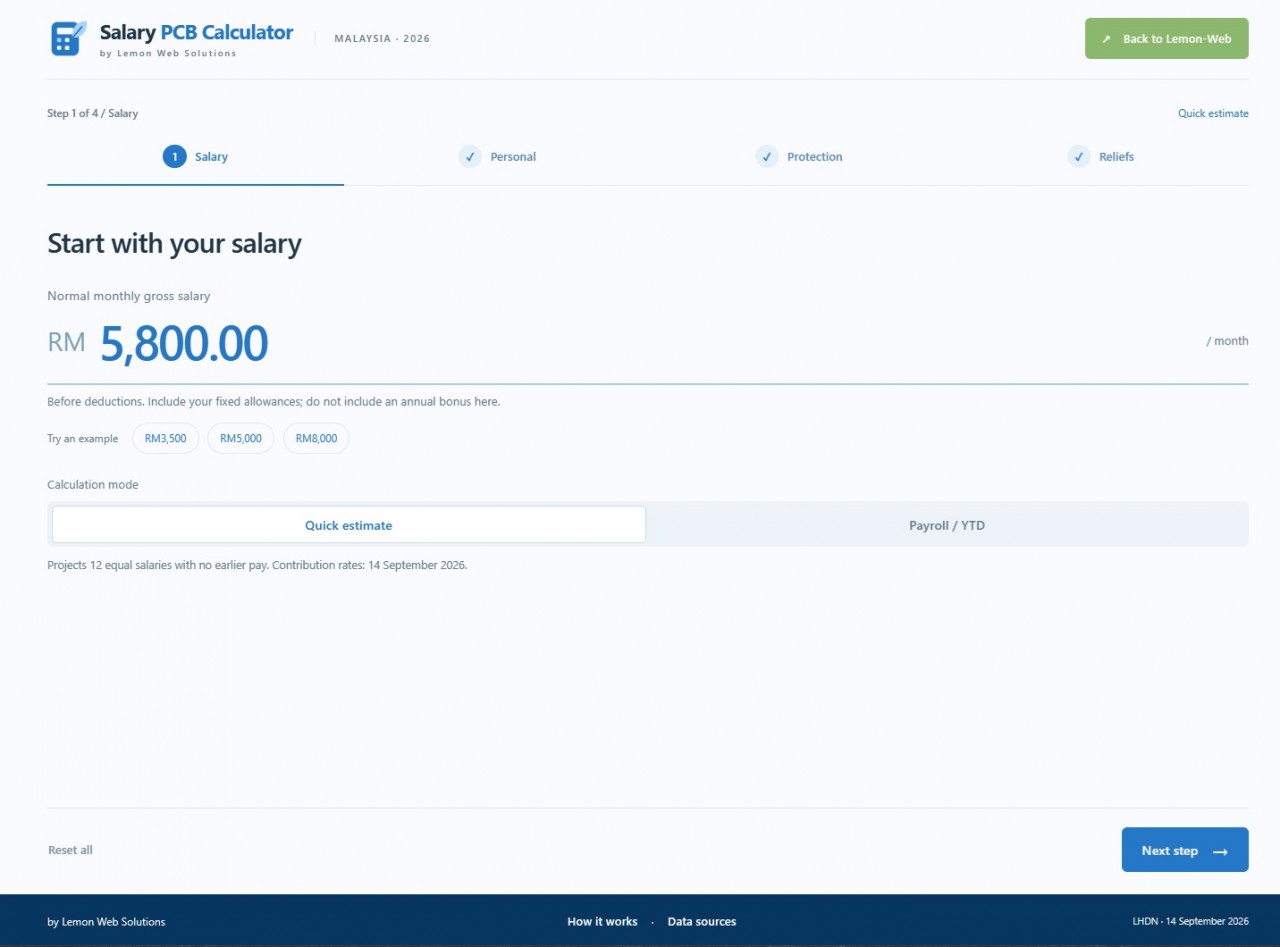
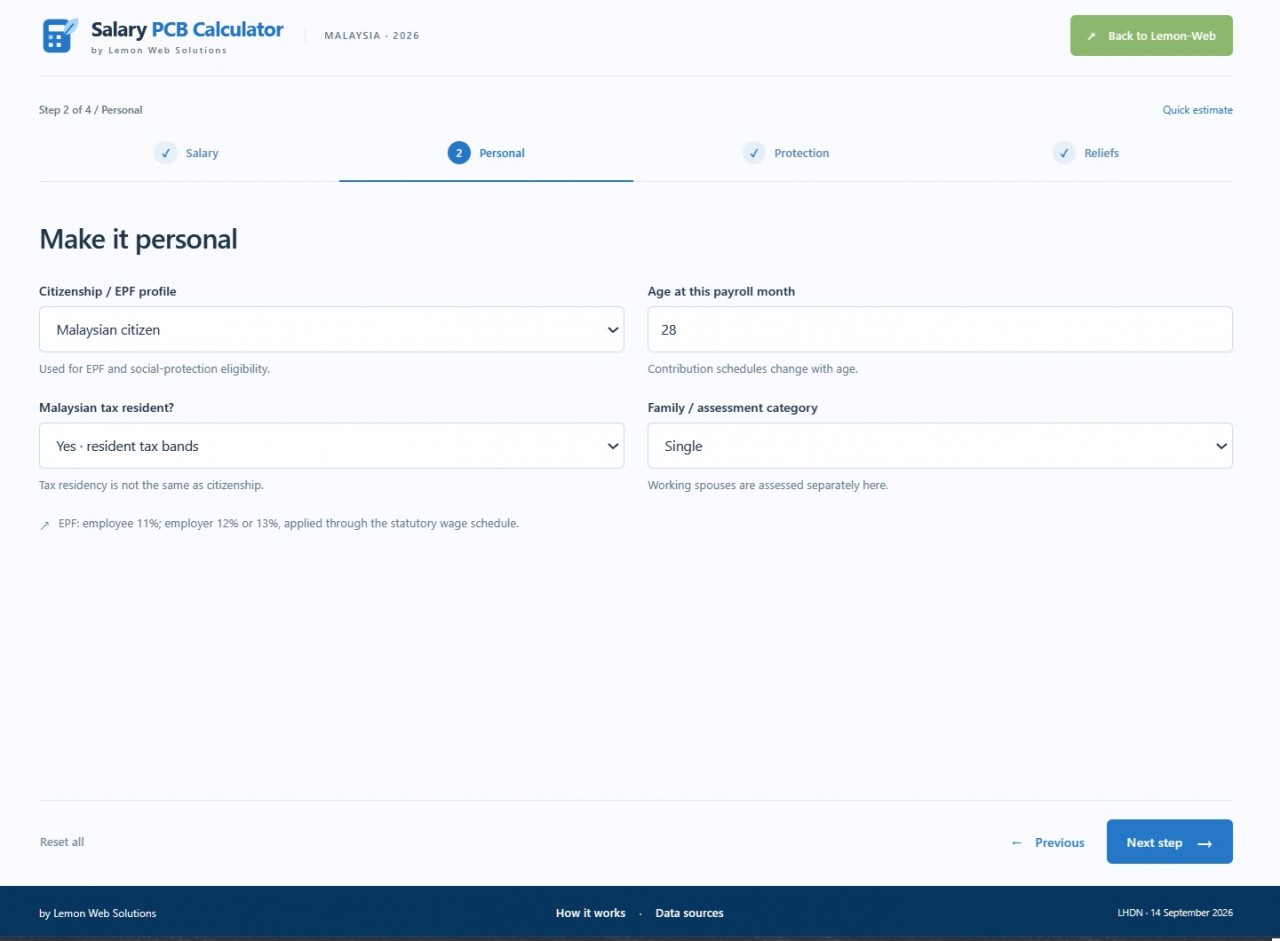
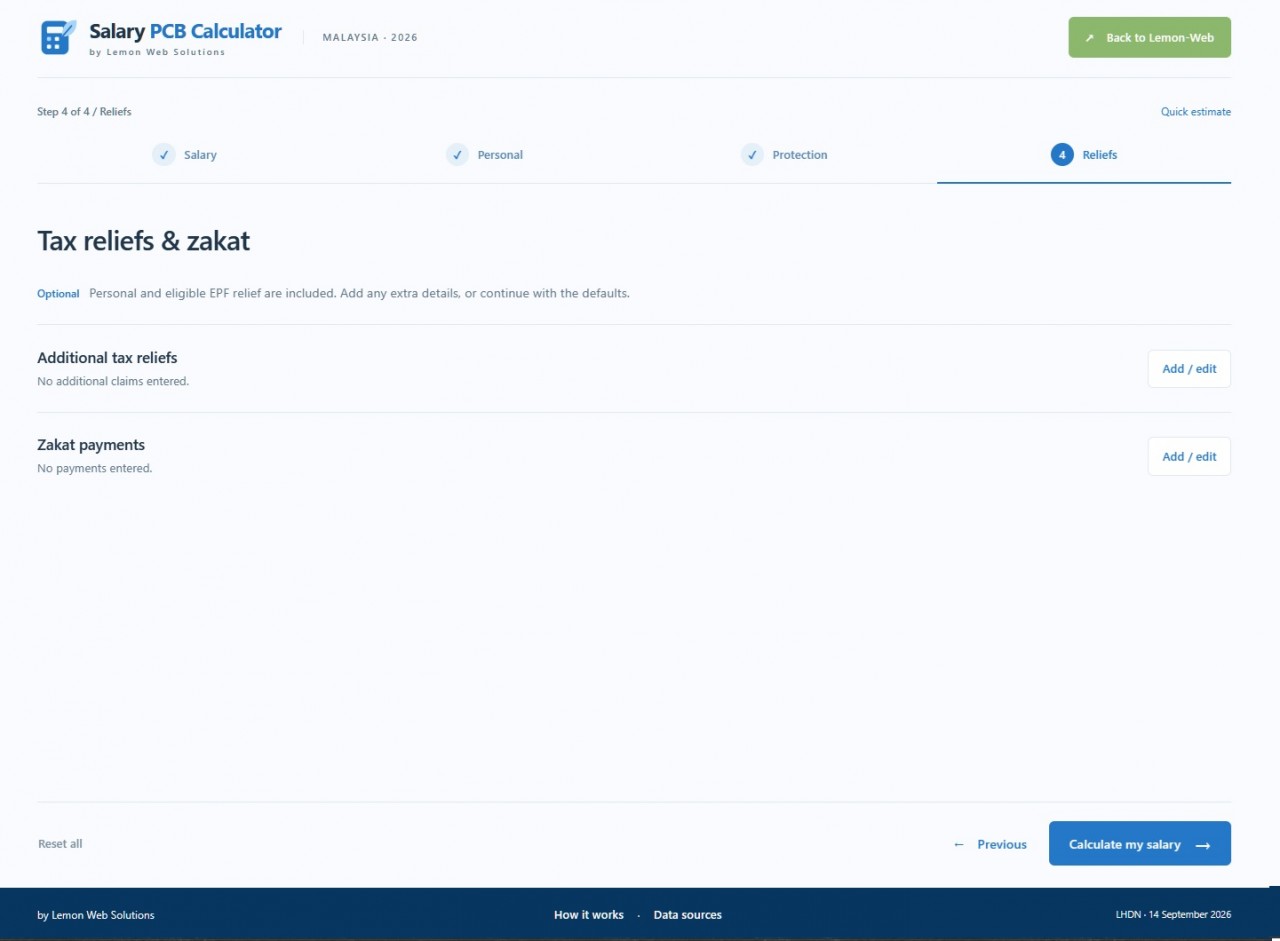
A salary calculator can become intimidating when it presents every possible setting at once. To make the experience more manageable, the updated app shows one section at a time. In Quick estimate mode, you move through Salary, Personal, Protection, and Reliefs before reaching your results. A progress indicator shows where you are, with Previous and Next step buttons keeping the journey straightforward.
You can return to earlier sections without losing the information you have already entered. The calculator also checks relevant inputs as you proceed, helping you correct a missing or invalid value before reaching the final result. Optional reliefs and additional settings remain available, but they do not have to become obstacles to a simple estimate. The idea is to give you useful choices without making every calculation feel like filling in a payroll form.
Even the starting point has received attention. The salary field now uses the simple prompt "enter your gross salary." instead of displaying an example amount that could be mistaken for an existing value. Its alignment has been refined so that the prompt sits properly alongside the RM currency label, while actual salary amounts retain their larger, more prominent appearance. Example salary buttons remain available for anyone who would like to explore the calculator before entering their own figures.
A Quick Estimate or a More Detailed Payroll View
Not every salary calculation needs the same amount of detail. Quick estimate mode is intended for a straightforward projection based on 12 equal monthly salaries, without earlier-year pay history. This makes it a convenient starting point when exploring a salary amount or comparing a few hypothetical scenarios. The assumptions are displayed alongside the mode rather than being left hidden behind the result.
Payroll / YTD mode provides a more detailed route. You can select the payroll month, enter an annual bonus for that month, and include earlier-year amounts such as taxable pay, employee EPF contributions, PCB already deducted, and relevant relief or zakat figures. An additional Earlier pay step appears only when this mode is selected. That keeps the ordinary journey short while making the extra information available when the calculation needs it.
Updated Calculation References, with the Source Clearly Stated
The redesign is not only about appearance. The updated calculation engine uses LHDN's 2026 computerised PCB calculation specification as its tax reference, including the distinction between normal remuneration and additional remuneration such as bonuses. That distinction matters because a payroll estimate can involve more than applying a single percentage to the salary entered. Residency, allowable deductions, earlier payments, and the remaining months in the year can all affect the calculation.
The current release identifies its LHDN reference data as checked on 14 September 2026, with the dated source note available in the app. Supporting references for EPF, SOCSO, EIS, and income comparisons are also separated by the relevant organisation. This makes it easier to understand where the information comes from instead of treating every figure as though it originated from the same source.
The app uses versioned local reference data rather than claiming to fetch live rates automatically. That is an important distinction: a visible verification date tells you which reviewed dataset the calculator is using, not that it silently updates itself whenever a rule changes. Future rate revisions need to be reviewed and incorporated into the application. The Data sources popup keeps that information accessible without crowding the calculation screen.
Clearer Protection Options for LINDUNG 24 Jam
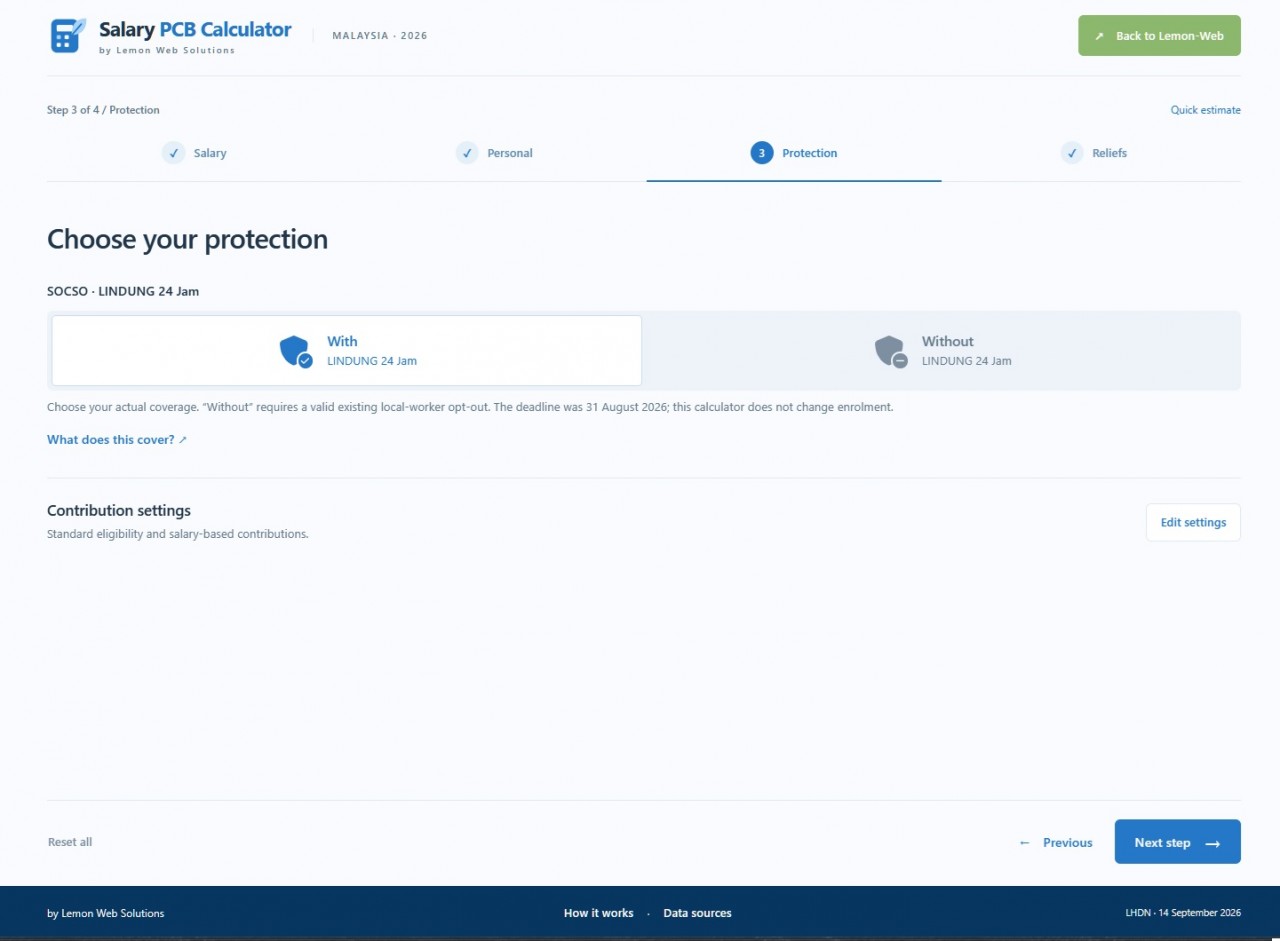
The Protection step now presents With LINDUNG 24 Jam and Without LINDUNG 24 Jam using distinct shield icons. A check badge identifies the included option, while a minus badge identifies the option without that contribution. The labels remain visible, so the choice does not depend on recognising an icon alone. Relevant contribution settings and explanations are available from the same section.
LINDUNG 24 Jam is PERKESO's protection scheme for eligible workers against non-employment injuries, including qualifying accidents outside working hours. Its participation rules depend on the worker's circumstances, so the calculator's selection is intended to reflect an applicable coverage status—not to enrol someone, cancel protection, or create an opt-out. The interface retains eligibility-related guidance rather than presenting the two options as unrestricted choices for every worker.
There is also an important naming distinction worth keeping clear. PERKESO's LINDUNG 24 Jam is separate from KWSP i-Lindung, which provides access to insurance and takaful products through EPF's member protection arrangements. The updated interface uses neutral protection icons rather than borrowing the branding of a different scheme. That keeps the visual presentation helpful without creating confusion about which contribution is being calculated.
A Results Page That Explains More Than the Final Number
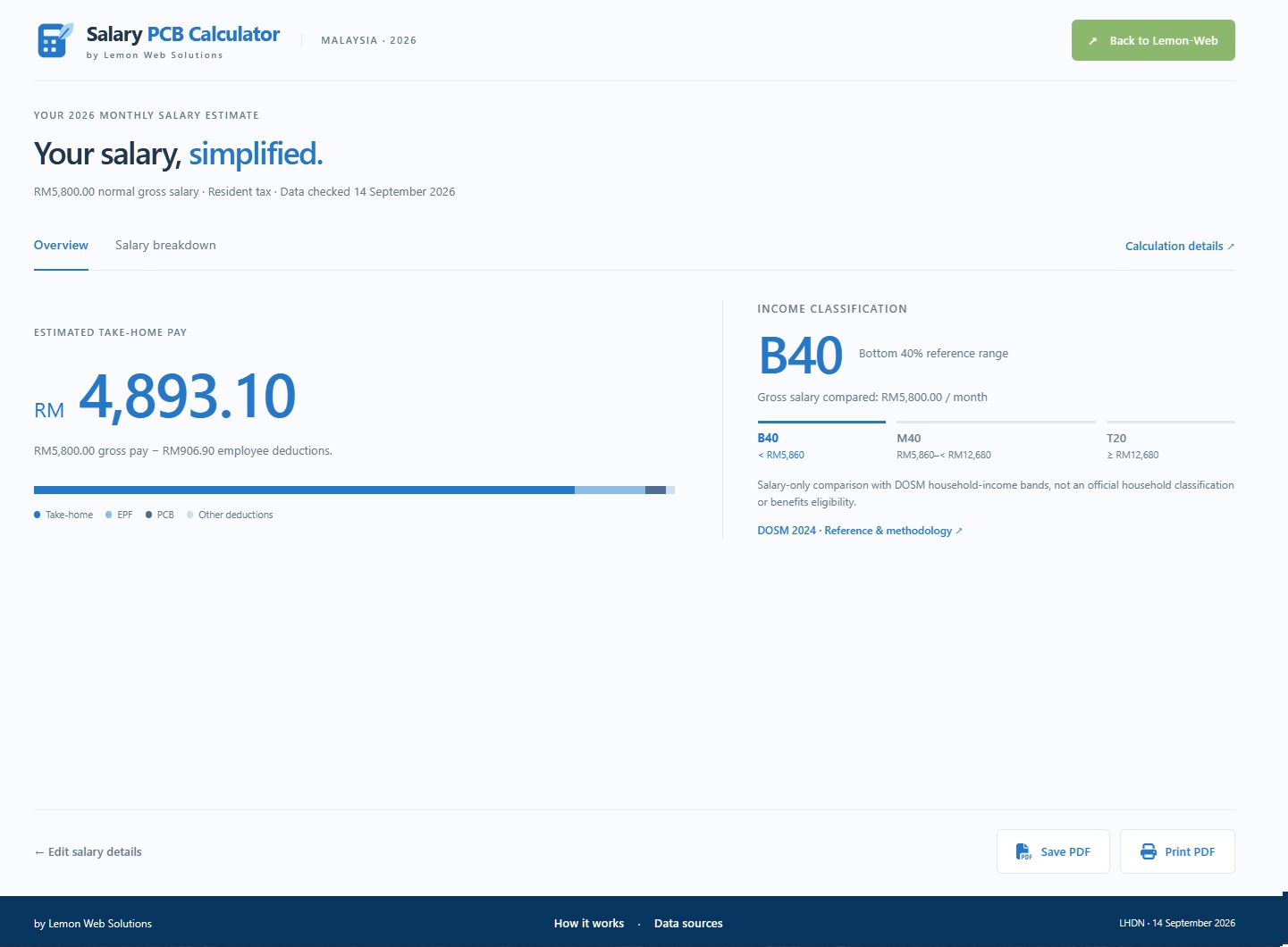
Once the calculation is complete, the estimated take-home amount becomes the main focus. You can see the gross pay used, the total employee deductions, and a visual breakdown of how the amount is divided. The Overview and Salary breakdown tabs keep the result organised without stretching everything into another long page. More detailed workings remain available through Calculation details.
The breakdown separates employee deductions from employer contributions, making it easier to read the two sides of the calculation. EPF, SOCSO, LINDUNG 24 Jam, EIS, and PCB are presented individually, with other entered deductions included where applicable. Employer contributions and total employer cost are shown separately rather than being mixed into the take-home figure. You can also inspect the projected taxable income, reliefs, and tax workings behind the PCB estimate.
B40, M40 and T20 Comparisons Are Included in Your Results
The B40/M40/T20 display is part of the results overview, with no separate household-income section to complete. It uses the normal monthly gross salary you entered and highlights the corresponding benchmark range beside your take-home salary. Change the salary and recalculate, and the comparison updates with it. The same information is carried into the saved and printed reports.
There is an important qualification behind this feature: B40, M40, and T20 refer to household-income groupings, not an official classification of an individual salary. The app therefore labels its result as a salary-only comparison against DOSM's household-income bands. It does not claim to determine your household's actual position from one person's pay, and it should not be treated as a decision about assistance or subsidy eligibility.
This approach keeps the comparison useful without adding another form to the calculation. You do not need to enter a spouse's earnings or collect income details from other household members just to obtain your salary estimate. The display provides context for the number you entered while keeping its limitations visible. Your normal salary is used for this comparison, rather than your take-home amount or a one-off annual bonus.
Save Your Results as a PDF, or Print Them Directly
The old CSV export has been replaced with Save PDF, making the result easier to keep as a readable report. Instead of opening a spreadsheet to make sense of the output, you can save a document containing the salary summary, deductions, employer contributions, tax workings, income comparison, and relevant notes. The PDF contains searchable text rather than simply capturing the screen as an image. It is a more practical format for keeping a personal reference or comparing separate salary scenarios.
Print PDF is available as a separate action, with its own printer icon. This opens the browser's print dialog using the complete report layout, while Save PDF generates a downloadable document directly. Both buttons use recognisable Font Awesome icons, making their different purposes easier to identify. PDF generation takes place in the browser without sending the salary details to an external document-conversion service.
Helpful Information Without the Clutter
The longer explanatory sections now live behind two simple footer links: How it works and Data sources. Clicking either opens a popup containing the relevant guidance or official references, without moving you away from your current calculation. You can close the popup and continue with your existing entries intact. It is a small change, but it helps the main interface remain focused on the task at hand.
Salary calculations are also performed in the browser, without requiring an account or an uploaded payslip. The app does not keep your entered salary figures as a server-side calculation history. Saving a PDF is an action you choose when you need a copy, rather than something the application does automatically. This keeps the experience direct: enter your details, review the estimate, and decide whether to retain the result.
Final Thoughts
This update is about making Salary PCB Calculator easier to use and easier to understand. The light-blue design creates more breathing room, the step-by-step flow reduces the amount of information presented at once, and the results offer a clearer view of deductions and employer contributions. The income comparison adds context without adding another input section, while PDF support makes the result more useful after you leave the page. Together, these changes turn a basic calculation into a more complete salary-checking experience.
The figures remain estimates for planning and comparison, not an official payslip or a substitute for checking your payroll records. PCB itself is the mechanism employers use to deduct income tax from remuneration each month, and LHDN provides its own tools for checking those deductions. For an important discrepancy, compare the same inputs and assumptions with your employer's records and the official calculator.
Open the updated Salary PCB Calculator through Lemon Web Apps and try a calculation with your own details. Whether you are exploring a different salary, checking a deduction, or simply curious about where your pay goes, the goal is the same: fewer distractions, clearer explanations, and a better view of your next payday.











Comments 0