

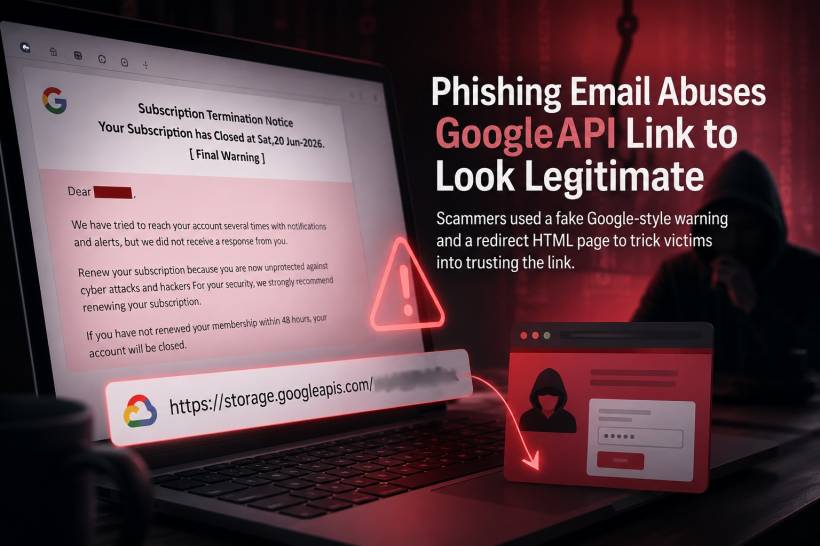
A phishing email can look convincing even when the sender is clearly not Google. One recent example uses an alarming account-lock message, a familiar Google-related web address, and several urgent buttons designed to push the recipient into clicking before checking the details.
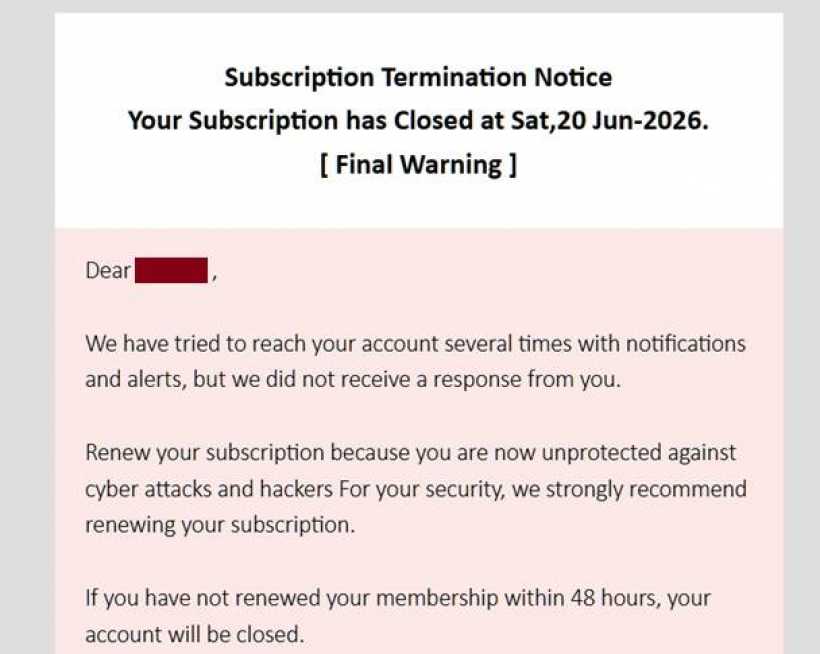
The email claimed that the recipient's account had been locked and that their photos and videos would be removed. It used phrases such as "Subscription Termination Notice," "Final Warning," and "Secure Your Device," while warning that the account would be closed within 48 hours.
At a quick glance, this can sound serious. Many people rely on Gmail, Google Photos, Google Drive, and other Google services every day. The attackers are taking advantage of that familiarity and fear of losing personal data.
It Does Not Actually Come From Google
The first warning sign is the sender address:
This has no connection to Google. A genuine Google security or account notification would normally come from a recognisable Google-owned domain, such as google.com or accounts.google.com, rather than a random-looking domain name.
The Reply-To address is another major red flag:
This is unrelated to the supposed sender and unrelated to Google. Attackers often use different sender and reply-to addresses so that replies go to an inbox they control.
The email headers also reveal that its DKIM signature could not be properly verified. Although the message passed SPF for the attacker-controlled return-path domain, that only means the sending server was permitted to send email for that suspicious domain. It does not prove that the email is legitimate or connected to Google.
Why the Link Looks More Trustworthy Than It Really Is
The most interesting part of this phishing attempt is the link used behind the buttons:
At first glance, storage.googleapis.com looks legitimate because it is a real Google Cloud Storage domain. Google Cloud Storage is a genuine Google service used to host files and web content.
However, the presence of a real Google-owned domain does not automatically make every file hosted there safe.
Attackers can abuse cloud hosting platforms by uploading or linking to malicious content stored in a cloud bucket. In this case, the URL points to an HTML file named IMd02.html. The page likely acts as a redirector: instead of showing the final phishing page immediately, it can quietly send visitors somewhere else after they click.
This gives the attacker several advantages. The visible link appears to use a Google-related domain, which may make people less suspicious. It can also help the phishing message bypass simple filters that only look for obviously malicious domains.
The part after the # symbol, such as #/redirect.html?sym=..., is especially notable. This is called a URL fragment. It is handled inside the visitor's browser and is commonly used by web applications for client-side navigation. A malicious HTML page can use it as part of its redirection logic, helping the attacker hide the final destination until the page is opened.
In other words, the email is not proving that Google sent the message. It is abusing a Google-hosted location to make an attacker-created redirect page look more believable.
The Message Contains Multiple Classic Phishing Signs
The wording is full of pressure and urgency. It claims that the recipient is "unprotected against cyber attacks and hackers," says the account will be closed, and warns that photos and videos will be removed.
These claims are meant to create panic. When people feel rushed, they are more likely to click first and verify later.
The email also mixes unrelated ideas together. It refers to a Gmail account being locked, a subscription being terminated, device security, cyber attacks, membership renewal, and a supposed 90 percent price reduction. Google account security notices do not normally read like a subscription sales promotion.
There are also several buttons and links with different labels, including "Secure Your Device," "Click Here," and "unsubscribe." In a phishing email, every one of these links can lead to the same malicious redirect page. Even an unsubscribe link should not be trusted in a suspicious message, because clicking it can confirm that an email address is active.
How the Attack Could Work After a Click
Once a victim clicks the link, the attacker's redirect page may send them to a fake Google login page, a fake security warning, a deceptive payment screen, or a page that asks them to install software.
The goal may be to steal a Gmail password, capture a verification code, collect payment details, or convince the victim to download a harmful file. Because the attacker can change where the redirect page sends people, the final destination may differ from one victim to another.
This is why checking only the beginning of a link is no longer enough. A domain can be legitimate while the specific content hosted under it is malicious or abused.
How to Stay Safe
When an email claims that a Google account is locked, do not use the buttons inside the email. Instead, open a new browser tab and go directly to Google Account through a trusted bookmark or by typing the address yourself. Any genuine account problem should be visible after signing in normally.
It is also important to inspect the sender address, reply-to address, and overall wording. Random-looking domains, mismatched reply-to addresses, unusual urgency, poor grammar, and unexpected subscription claims are all strong signs of phishing.
In this case, the message combines several warning signs: an unrelated sender domain, an unrelated reply-to address, fake urgency, misleading subscription language, and a redirect page hosted through a Google Cloud Storage URL.
The key lesson is simple: a link containing "googleapis.com" may look familiar, but it does not prove that Google created, approved, or sent the content. Attackers know that trusted-looking domains can make people lower their guard, which is exactly why this kind of phishing technique is so effective.











Comments 0