

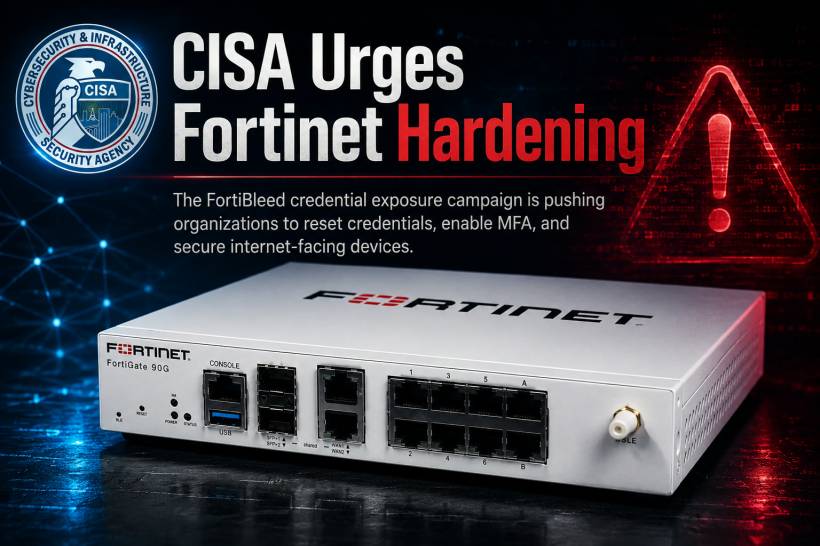
Organisations using Fortinet firewalls and VPN gateways are being urged to review their security settings immediately after reports of a large-scale credential exposure campaign known as FortiBleed.
The concern is not centred on a newly discovered software flaw. Instead, the risk comes from compromised login credentials that attackers may already possess. When valid usernames and passwords are available, criminals may not need to exploit a technical vulnerability at all. They can simply attempt to log in through exposed VPN portals, administrator interfaces or other remote access services.
That is what makes credential-based attacks especially dangerous. A firewall may be fully patched, but it can still become an entry point if an attacker has the right password and the account is not protected by strong authentication controls.
What Is FortiBleed?
FortiBleed refers to reported activity involving leaked credentials associated with tens of thousands of Fortinet devices worldwide, including FortiGate firewalls and SSL VPN gateways.
These devices are often positioned at the edge of an organisation's network. They may control remote access for employees, contractors and administrators, making them attractive targets for attackers looking for an initial way into a company environment.
Once valid credentials are used successfully, the attacker may appear to be a legitimate user. This can make detection harder, especially when security teams are focused mainly on malware alerts or known vulnerability exploitation attempts.
Fortinet has said the activity appears to involve the reuse of credentials exposed in previous incidents, as well as attacks against weak passwords and accounts without multi-factor authentication.
Why Stolen Credentials Are So Valuable to Attackers
A stolen password can be more useful to an attacker than a newly discovered vulnerability.
When attackers log in with legitimate credentials, they may be able to bypass some traditional security controls. They could access internal systems, inspect network resources, create new accounts, change configurations or attempt to move deeper into the environment.
The risks become even greater when administrative accounts are involved. A compromised firewall administrator account may give an attacker visibility into network rules, remote access settings and connected systems.
For organisations that integrate Fortinet authentication with Active Directory, LDAP or other identity platforms, the impact may extend beyond the firewall itself. A compromised account may potentially be reused elsewhere, creating opportunities for lateral movement across the network.
Why Internet-Facing Fortinet Devices Need Immediate Attention
Devices that are directly reachable from the public internet face the highest risk.
Remote administration portals and VPN services are meant to provide access from outside the office, but they must be tightly controlled. When these services are exposed with weak passwords, reused credentials or no MFA, attackers can repeatedly test stolen login details from previous breaches.
This is why edge devices require more than routine patching. They also need strong account controls, limited external access, careful logging and regular reviews of who has administrator or VPN privileges.
A firewall protects the network boundary, but it also becomes a critical security concern when its own management interface is poorly secured.
Immediate Steps Fortinet Administrators Should Take
Organisations using Fortinet products should treat this as a prompt to review their remote-access security posture.
Key actions include:
• Terminate active administrative and VPN sessions where appropriate
• Reset Fortinet administrator and VPN passwords, especially for internet-facing systems
• Enforce strong, unique password policies
• Enable phishing-resistant MFA for administrator and VPN accounts
• Upgrade to supported FortiOS versions that support stronger credential protection
• Review firewall, VPN and authentication logs for unusual activity
• Check for unknown accounts, unexpected password resets or unauthorised configuration changes
• Restrict firewall administration to trusted internal networks or approved management sources
• Remove public internet access to management interfaces wherever possible
These steps help reduce the chance that an exposed or reused password can be turned into a successful intrusion.
Why Password Hashing Still Matters
Credential security is not only about choosing a strong password. It also depends on how those passwords are stored and protected.
Fortinet has advised customers to use supported FortiOS versions that support PBKDF2 hashing for administrator credentials. PBKDF2 is designed to make password-cracking attempts more difficult by increasing the work required to test large numbers of possible passwords.
Older or weaker credential protection methods can make stolen password databases more valuable to attackers. By moving to stronger hashing and removing legacy password settings, organisations can improve their resistance to credential compromise.
However, strong hashing should not be treated as a replacement for MFA. The most effective approach combines secure password storage, unique passwords, MFA and limited administrative access.
Log Reviews Can Reveal Signs of Compromise
Password resets and security upgrades are important, but organisations should also investigate whether suspicious access has already taken place.
Security teams should review:
• Firewall administrator logins
• VPN access records
• Authentication failures and unusual login attempts
• New or unfamiliar user accounts
• Unexpected changes to firewall policies or device settings
• Domain controller logs and identity system activity
• VPN sessions originating from unfamiliar locations or IP addresses
A successful login from an unusual source does not always mean a compromise has occurred. However, it should be investigated, especially when combined with unexpected configuration changes, new accounts or unusual internal access activity.
Reducing Exposure Is Often the Strongest Defence
Many organisations expose management interfaces to the internet for convenience. While this can make remote administration easier, it also creates a direct target for attackers.
The safer approach is to restrict management access to internal networks, trusted source IP addresses or dedicated secure administration channels. If public access is not necessary, it should be removed.
This principle applies beyond Fortinet products. Any internet-facing firewall, VPN gateway, router, remote desktop service or cloud administration portal should be reviewed regularly to ensure it is not exposed more broadly than required.
Credential Attacks Are Becoming More Common
FortiBleed is another reminder that cyberattacks do not always begin with sophisticated zero-day exploits.
Attackers increasingly rely on stolen credentials, password reuse, exposed remote access services and weak identity controls. These methods can be highly effective because they exploit gaps in everyday security practices rather than relying only on rare technical vulnerabilities.
For organisations, this means cybersecurity cannot focus only on patch management. Password hygiene, MFA, access control, log monitoring and configuration reviews are equally important.
Final Thoughts
The FortiBleed reports show how quickly a credential exposure can become a wider network security concern when remote-access devices are exposed to the internet.
For Fortinet administrators, the priority should be clear: reset affected credentials, enable MFA, verify current software and password-protection settings, inspect logs and reduce unnecessary external management access.
Firewalls and VPN gateways sit at one of the most sensitive points in any organisation's network. Keeping them secure requires more than installing updates. It requires continuous attention to who can access them, how they authenticate and whether any unusual activity is taking place.











Comments 0