

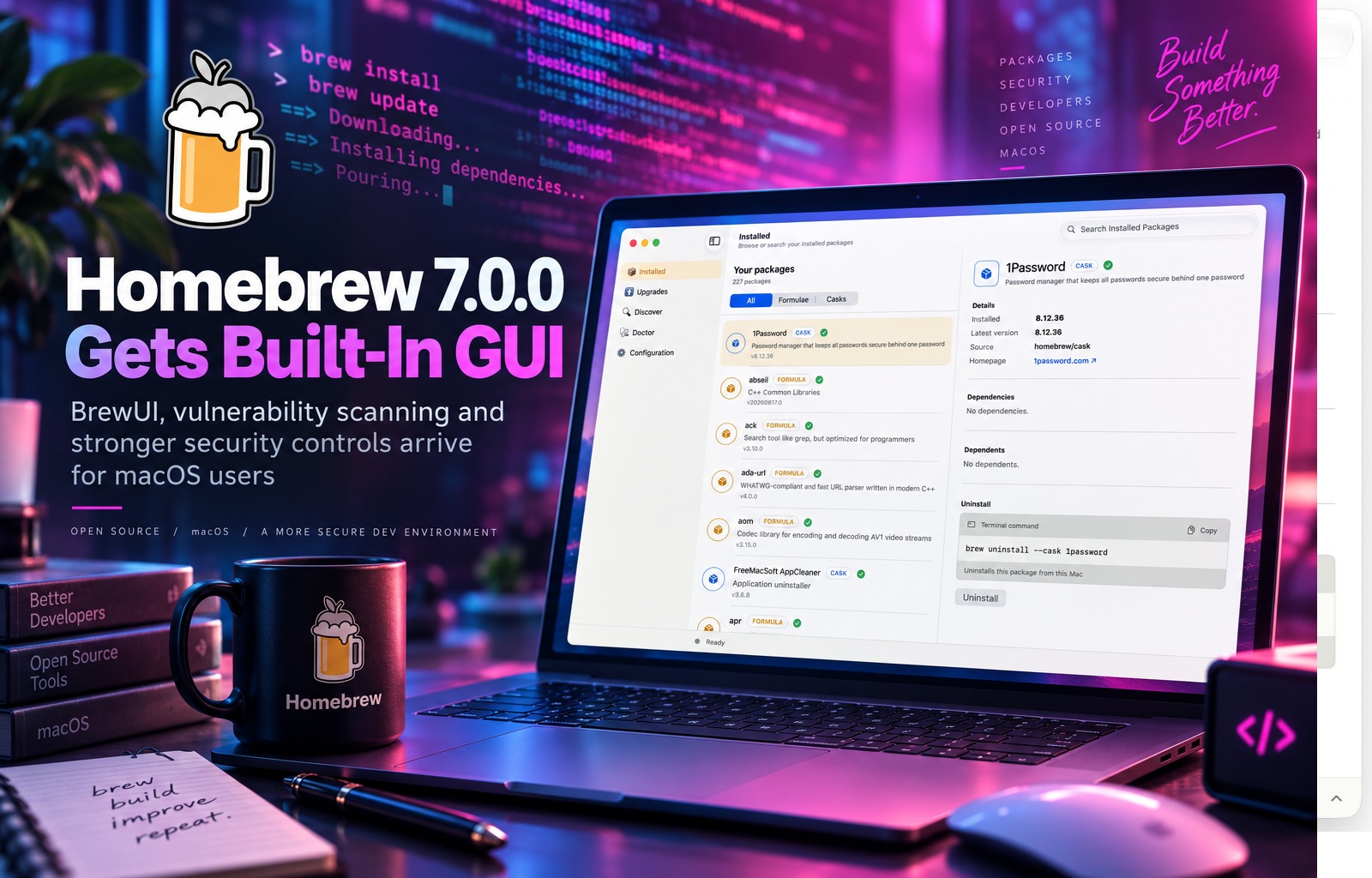
Homebrew has long been one of the easiest ways to install software on macOS, particularly for developers who prefer managing applications and command-line tools through the Terminal. With the release of Homebrew 7.0.0, however, the project is becoming noticeably more approachable while also strengthening the security foundations underneath it. The latest major release introduces the full version of a native graphical interface called BrewUI, a built-in vulnerability scanner, tighter sandboxing, and several performance improvements designed to make package installation faster and safer.
The update represents more than a collection of small improvements. Homebrew has traditionally been associated with commands such as brew install, brew upgrade, and brew update, making it enormously popular among developers but less familiar to ordinary Mac users. Version 7.0.0 begins changing that perception by giving users a graphical way to explore and manage software while simultaneously introducing security capabilities that will be valuable to developers, system administrators, and organisations managing large fleets of Macs.
BrewUI Gives Homebrew Its Own Native Graphical Interface
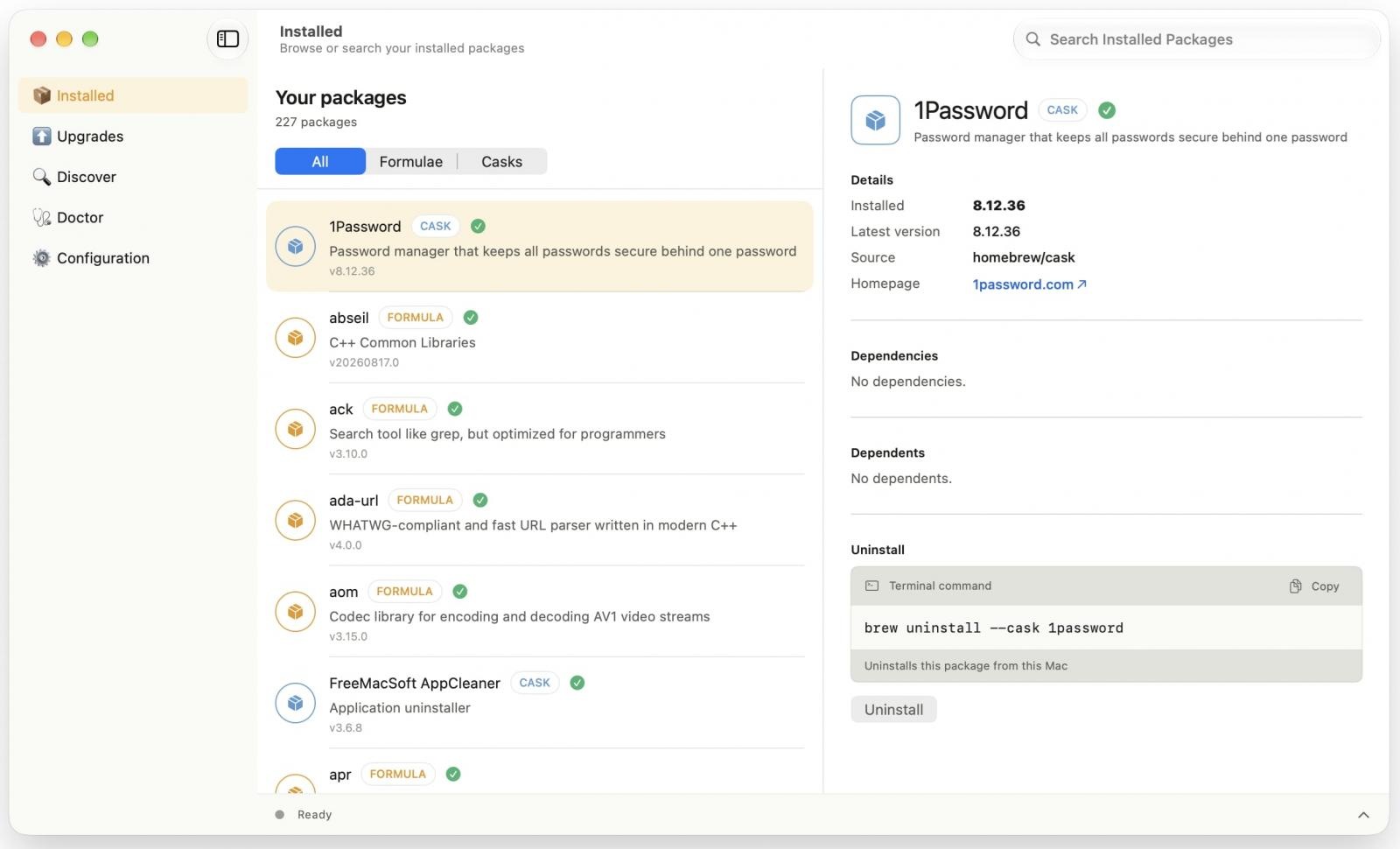
Perhaps the most immediately visible change is BrewUI, Homebrew's official native graphical interface. Available on macOS 26 Tahoe and newer, BrewUI provides a much more visual way to browse the Homebrew ecosystem without requiring users to remember package names or command syntax. Applications and packages can be searched through a familiar graphical environment, while dependencies and other package information can be inspected directly from the interface.
This does not mean the Terminal-based workflow is going away. Experienced Homebrew users can continue using the command line exactly as before, which will probably remain the fastest option for developers who already know what they want to install. BrewUI instead adds another entry point, particularly for users who like Homebrew's enormous software catalogue but have never been completely comfortable managing everything through Terminal commands.
The graphical interface could also make Homebrew more practical as a general-purpose software manager on macOS. Apple already provides the Mac App Store, but many development tools, open-source applications, utilities, fonts, and specialised packages are either unavailable there or are distributed more conveniently through Homebrew. BrewUI effectively places a friendlier interface on top of that existing ecosystem without changing how the underlying package manager works.
Homebrew Is Already a Major Part of the macOS Developer Ecosystem
Homebrew's influence is easy to underestimate because it operates largely behind the scenes. The project has accumulated around 49,000 stars and 11,000 forks on GitHub, reflecting the size of the community around it and the number of developers who depend on it. For many programmers setting up a new Mac, installing Homebrew is one of the first steps because it provides access to languages, databases, command-line utilities, development frameworks, and applications through a consistent package-management system.
Its popularity has also made Homebrew attractive to attackers. Threat actors have repeatedly tried to imitate the project through fake websites, malicious search advertisements, cloned download pages, and ClickFix-style social-engineering campaigns intended to convince users to execute malicious commands. Information-stealing malware is a particularly common objective because developers frequently have access to valuable credentials, browser sessions, source-code repositories, cloud services, and cryptocurrency wallets.
That threat environment makes the security improvements in Homebrew 7.0.0 especially relevant. A package manager trusted to download and execute software naturally occupies a sensitive position on a computer, so giving users better visibility into vulnerabilities and reducing unnecessary access can significantly strengthen the overall security model.
The New brew vulns Command Checks Packages for Known Vulnerabilities
Homebrew 7.0.0 introduces a built-in vulnerability-scanning feature through the new brew vulns command. Rather than relying entirely on separate security tools to determine whether installed software contains known vulnerabilities, users can now perform those checks directly from Homebrew.
The scanner is flexible enough to examine different parts of a Homebrew environment. It can check installed formulae, analyse a particular formula individually, or evaluate the packages and dependencies declared inside a Brewfile. This makes it useful both for someone checking a personal development machine and for teams that maintain reproducible development environments through version-controlled Brewfiles.
For organisations, this could become particularly useful in automated security workflows. A Brewfile describing an approved development environment could potentially be scanned regularly, allowing security teams to identify newly disclosed vulnerabilities without manually inspecting every installed package. It also gives developers an easier way to check the security status of their tools before a vulnerability becomes a larger problem.
Homebrew Uses OSV.dev to Identify Known Security Issues
Behind the scenes, the vulnerability scanner performs more work than simply matching package names against a static list. Homebrew first determines the upstream software repository and the relevant version or tag associated with a formula. When the package is already installed, it can obtain this information from available Software Bill of Materials (SBOM) data or derive the source details from the formula itself.
That repository and version information is then sent to OSV.dev, the open-source vulnerability database, through a batch query. Homebrew retrieves matching vulnerability records, verifies whether those results genuinely apply to the package, and can filter findings according to severity. Importantly, it also checks whether the Homebrew-maintained version has already received a security fix, even when the upstream version number has not changed.
That final step matters because package maintainers sometimes backport security patches. A vulnerability scanner looking only at the original software version could incorrectly report a package as vulnerable even though Homebrew has already applied the relevant fix. Homebrew 7.0.0 attempts to provide more accurate results by understanding the package as Homebrew actually distributes it rather than treating it as an untouched copy of the upstream release.
A Homebrew-Specific Advisory Database Adds More Context
Alongside brew vulns, the project has launched its own security advisory database containing vulnerability information specifically relevant to Homebrew formula versions and revisions. The records use the open OSV format, making them easier for other security tools and services to consume.
This database is particularly useful for documenting security fixes that Homebrew maintainers have backported. A software project's upstream version may technically correspond to a release associated with a vulnerability, but a Homebrew revision of that package may already contain the necessary patch. By publishing its own advisories, Homebrew can make that distinction explicit instead of leaving external scanners to guess based purely on version numbers.
Homebrew says advisory information will also be exposed through its formula API and a downloadable advisory index. The project is making the records freely reusable under the CC0 public-domain dedication, allowing security teams and tool developers to integrate the data without complicated licensing restrictions. In practice, this could turn Homebrew's advisory database into a useful shared security resource beyond the package manager itself.
Stronger Sandboxing Reduces Access to the User's Home Directory
Security improvements in version 7.0.0 go beyond vulnerability scanning. Homebrew has also tightened its sandboxing so that package operations have less unnecessary access to sensitive areas of the system. In particular, access to a user's home directory is now blocked by default during relevant package-management operations.
That is a meaningful security boundary because the home directory can contain far more than ordinary documents. Developers may have SSH keys, cloud credentials, configuration files, API tokens, password-manager integrations, source code, and other sensitive information stored under their user account. A build or installation process should generally not be able to browse those files unless there is a legitimate reason.
Restricting access by default follows the principle of least privilege. Most formulae do not need unrestricted access to personal files simply to compile or install software, so preventing that access reduces the potential damage from a compromised or malicious build process. It also makes package behaviour more predictable, particularly in environments where Homebrew is used as part of controlled development infrastructure.
Dependency Downloads Are Being Separated From Offline Installation
Homebrew 7.0.0 also separates network-enabled dependency downloads from the later installation process. This means the stage that needs internet access can retrieve the necessary files first, while the actual installation can proceed in a more restricted environment without unnecessary network connectivity.
This separation creates another useful security boundary. Build and installation scripts are powerful because they often execute automatically, and giving them unrestricted network access can create opportunities for compromised packages to download additional content or communicate externally. Removing that access when it is no longer required makes the installation process easier to reason about and limits what potentially malicious code could accomplish.
The change also aligns with a broader trend in secure software supply chains, where downloading, verifying, building, and installing software are increasingly treated as distinct stages. Each stage can then receive only the permissions it actually requires rather than inheriting broad access throughout the entire process.
Homebrew's Casks and Formulae Both Sit at the Centre of the Ecosystem
Understanding the security changes is easier if you know how Homebrew organises software. Traditional formulae are Ruby-based package definitions that tell Homebrew where software should be downloaded from, which dependencies are needed, which build commands should be executed, and how the resulting files should be installed.
Homebrew also manages casks, which are generally used for graphical macOS applications, fonts, plugins, and other software distributed in formats more familiar to desktop users. A command such as brew install --cask has become a popular alternative to manually visiting application websites and downloading installers.
Together, formulae and casks allow Homebrew to manage a huge range of software. That flexibility is a major reason the project is so widely used, but it also increases the importance of security controls because package definitions ultimately instruct the system where to obtain software and what actions to perform during installation.
Installations and Upgrades Should Also Be Faster
Not every improvement in Homebrew 7.0.0 is security-related. The project has redesigned parts of its installation pipeline so that software can be downloaded, prepared, and installed concurrently, reducing the amount of time users spend waiting for sequential operations to complete.
Previous package-management workflows can sometimes feel unnecessarily slow when several independent tasks are performed one after another. If Homebrew knows that certain packages or preparation tasks do not depend on each other, version 7.0.0 can perform more of that work in parallel.
The benefits will naturally depend on the packages being installed, the speed of the Mac, storage performance, network bandwidth, and how many dependencies are involved. However, larger development environments with numerous packages are likely to see the most noticeable improvements because there are more opportunities for Homebrew to perform work simultaneously.
The Security Improvements Arrive at an Important Time
Homebrew's popularity makes it part of the software supply chain for a huge number of developers. That means attackers do not necessarily need to compromise Homebrew itself to benefit from its reputation; they can simply pretend to be Homebrew and convince users to run malicious commands.
Fake Homebrew websites have been particularly effective because the legitimate installation process already involves copying a Terminal command from the project's website. A convincing clone can present a different command that installs malware instead, while the victim believes they are simply installing the package manager.
ClickFix attacks use a similar psychological trick. Victims are presented with what looks like an error, verification prompt, or technical problem and are instructed to copy a command into Terminal to fix it. Once executed, the command may download an information stealer or other malicious software.
Built-in vulnerability scanning does not directly prevent that type of social engineering, but Homebrew's increasing focus on security helps create a healthier ecosystem. The more security functionality is available inside the legitimate package manager itself, the less reason users have to depend on questionable third-party scripts or services.
BrewUI Could Also Help Reduce Risk for Less Technical Users
The arrival of BrewUI may have an indirect security benefit as well. Users who are uncomfortable with Terminal commands are often more vulnerable to instructions telling them to copy and paste commands they do not fully understand. A native graphical interface provides a safer and more familiar alternative for basic package discovery and management.
Someone who simply wants to install or inspect an application can search through BrewUI rather than searching the web for installation instructions. This potentially reduces exposure to malicious search advertisements, fake download pages, and copied commands from unreliable sources.
Of course, a GUI does not make every package automatically safe, and users still need to be careful about what they install. However, reducing the number of situations where inexperienced users must blindly execute shell commands is generally a positive direction.
Homebrew Is Becoming More Than a Developer Convenience
The changes in version 7.0.0 suggest Homebrew is gradually evolving from a developer-focused convenience into something closer to a mature macOS software-management platform. A native GUI broadens its accessibility, vulnerability scanning strengthens security visibility, an advisory database improves vulnerability intelligence, and stricter sandboxing reduces unnecessary exposure during installations.
For individual developers, these improvements mean Homebrew can provide more information about the security of the software it manages without requiring additional tools. For organisations, the combination of Brewfiles, vulnerability data, and stronger sandboxing could make Homebrew easier to incorporate into standardised macOS development environments.
The project still retains the simplicity that made it successful in the first place. Existing users do not need to abandon their familiar commands or completely change their workflows. Instead, version 7.0.0 builds additional capabilities around the package-management model people already use.
Final Thoughts
Homebrew 7.0.0 is one of the project's more substantial releases because it improves both sides of the experience at once. BrewUI makes package management more approachable for users who prefer graphical interfaces, while brew vulns, the new advisory database, stronger sandboxing, and more restricted network access give security-conscious users considerably more control and visibility.
The vulnerability scanner is particularly useful because it understands Homebrew-specific revisions and backported patches instead of blindly comparing upstream version numbers. That should produce more meaningful results while giving developers an easy way to check whether the packages they depend on have known security issues.
At the same time, faster concurrent downloading and installation should make everyday Homebrew usage smoother without requiring users to learn anything new. For longtime users, the command line remains exactly where they expect it, while BrewUI provides an entirely new way to interact with the ecosystem.
Homebrew began as a convenient way to bring package management to macOS. With version 7.0.0, it increasingly looks like a more complete software-management platform—one that is easier to use, faster to operate, and considerably more aware of the security risks that come with installing software from a constantly changing open-source ecosystem.











Comments 0