

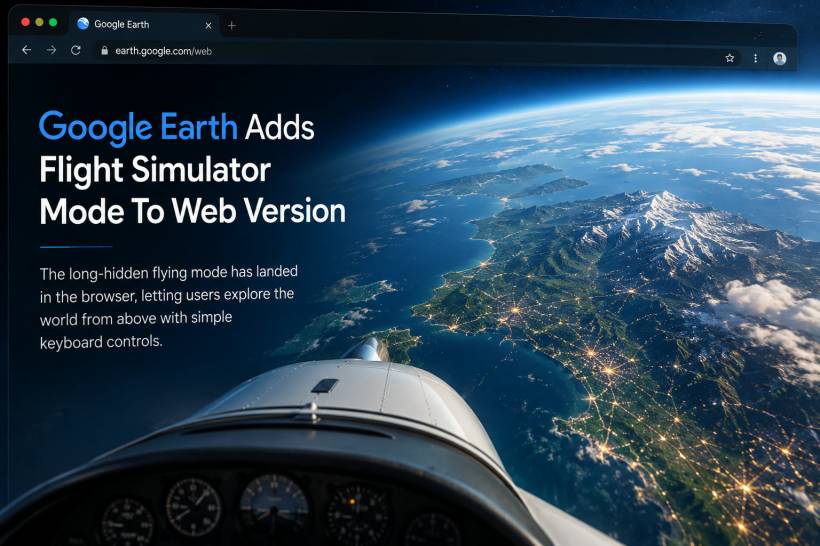
Google Earth has quietly added Flight Simulator mode to its web version, giving users a new way to explore the planet directly from their browser. While many people may immediately think of Microsoft Flight Simulator when it comes to virtual flying, Google Earth has actually had its own flight simulator feature for many years.
For longtime users of the Google Earth desktop application, this mode may not feel entirely new. It has existed as a hidden easter egg in the desktop version for around two decades. What makes the latest update interesting is that the feature is now available through the web version of Google Earth, making it easier for casual users to try without installing the desktop software.
A Classic Google Earth Feature Comes To The Browser
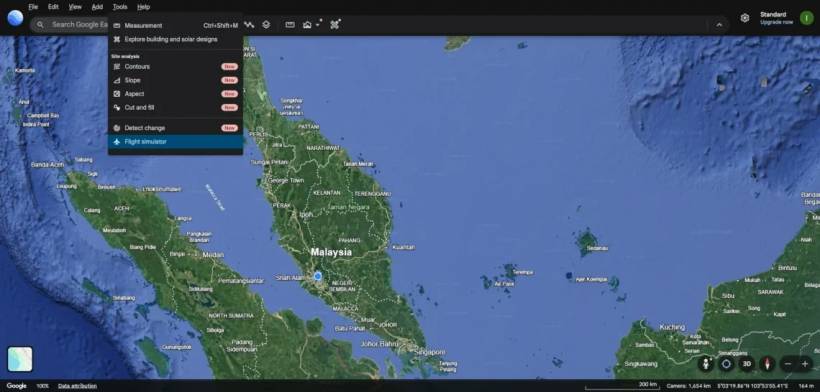
The Flight Simulator mode appears to have been added or refreshed recently through Google Earth's web documentation. Accessing it is fairly simple on a PC. Users can open Google Earth on the web, select Explore Earth, go to the Tools menu at the top, and choose Flight simulator.
However, this feature is currently more suited for desktop browsing. If users try to access it from a mobile device, Google Earth will instead direct them to download the mobile app.
This makes sense because flight controls are easier to manage with a keyboard, and the experience benefits from a larger screen.
A Much Simpler Flying Experience
Google Earth's Flight Simulator mode is not trying to compete directly with Microsoft Flight Simulator. It is much simpler, more casual, and clearly built around exploration rather than serious aviation simulation.
Users do not need to handle complicated procedures such as taxiing, takeoff, landing, aircraft systems, or detailed cockpit management. Instead, the mode focuses on letting users fly across the Earth using simple controls.
The main controls are:
• Arrow keys for movement
• Page Up and Page Down for speed control
• Mouse input is available, but not always comfortable to use
One thing gamers may notice quickly is that WASD controls are not supported. That may feel unusual for users who are used to PC games, but the mode is clearly designed around basic keyboard navigation rather than traditional gaming controls.
Not Quite Arcade, Not Fully Simulation
Although the controls are simplified, Google Earth's Flight Simulator still requires careful input. It is not an arcade-style flying game where the aircraft automatically corrects itself or feels overly forgiving.
If users move too aggressively, the aircraft can start spinning or become difficult to control. There is also no simple button to automatically level the aircraft after losing control, so every movement still needs to be deliberate.
At the same time, it is not as technical or demanding as Microsoft Flight Simulator. There are no complex aircraft systems to manage, and users do not need to understand aviation procedures to enjoy it.
In that sense, Google Earth's version sits somewhere in the middle. It is simple enough for casual users, but not so simplified that it feels completely automatic.
Flying Around Real-World Locations
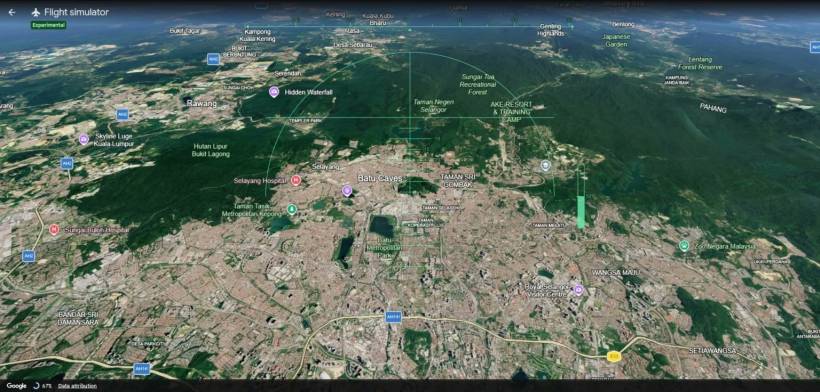
The biggest appeal of the feature is the ability to fly over real-world locations using Google Earth's global map data. For people who already enjoy browsing Google Maps or exploring places through Google Earth, Flight Simulator mode adds a more interactive layer to the experience.
Instead of simply zooming around the map or rotating the globe, users can glide across landscapes, cities, coastlines, mountains, and landmarks from an aircraft-like perspective.
This makes the feature useful for casual exploration, virtual sightseeing, and simply having fun with Google Earth's 3D environment.
Performance Depends On Speed And Internet Connection
The experience is not perfect. While users can crash by flying directly into the ground, the simulator appears to be forgiving in other areas. For example, the aircraft does not seem to stall even when flying at very low speeds.
At higher speeds, however, the experience can become jittery. Since Google Earth depends heavily on streaming map textures and 3D data, the quality of the flight also depends on the user's internet connection and device performance.
If the connection is slow, textures may load late or appear blurry while flying. This can break the immersion, especially when moving quickly through detailed areas.
A Fun Free Alternative For Curious Users
Google Earth's Flight Simulator mode is not a replacement for paid flight simulation software, but it does offer something different. It is free, easy to access, and built around exploring the real world rather than mastering aircraft systems.
For casual users, it could be a fun way to rediscover Google Earth. For younger users or beginners, it may even act as an introduction to flight simulation before moving on to more advanced titles like Microsoft Flight Simulator or other dedicated flying software.
It also shows how Google Earth can still be more than just a mapping tool. Even after many years, features like this make the platform feel interactive, playful, and surprisingly useful for virtual exploration.
A Small Update That Makes Google Earth More Engaging
The arrival of Flight Simulator mode on the web version may not be a massive product launch, but it is still a welcome addition. It brings a long-hidden desktop feature to a wider audience and makes Google Earth more enjoyable for anyone who likes exploring the world from above.
For users who regularly use Google Maps or Google Earth, this feature adds a new reason to revisit the platform. It may be simple, but flying across real-world landscapes directly in the browser makes the experience feel fresh again.











Comments 0