

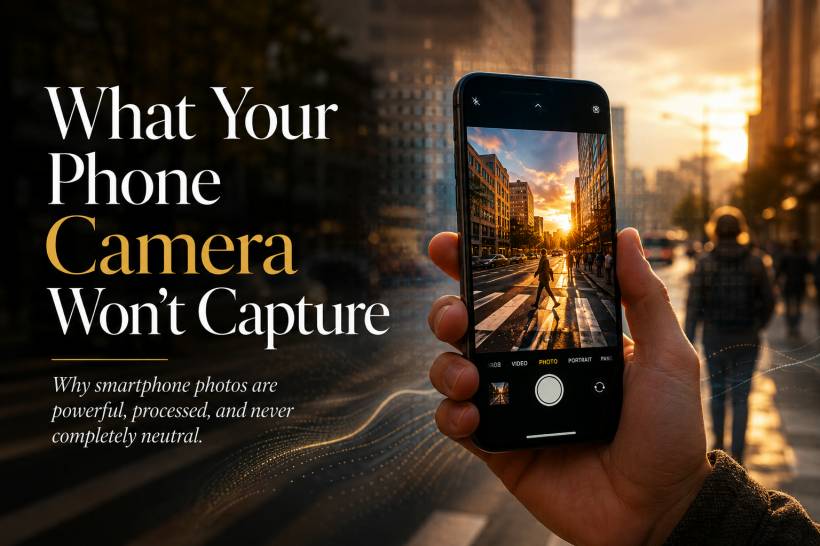
Smartphone cameras have become remarkably capable. They can capture sharp portraits, stabilise handheld video, brighten scenes photographed at night and produce images that are ready to share within seconds. For most people, the phone has completely replaced the compact camera.
Yet the photograph shown on the screen is not simply a direct copy of what the lens saw. Before the image reaches the gallery, the phone may combine several exposures, adjust colour, remove noise, sharpen edges, brighten faces and compress the result into a smaller file.
In other words, a modern smartphone does not merely capture a scene. It interprets and rebuilds it. Understanding that process matters, especially when photographs are used for design, journalism, documentation or anything presented as visual evidence.
A Smartphone Photograph Is Already Edited
With a traditional camera, much of the photographic character comes from the lens, sensor, exposure settings and the photographer's decisions. Smartphones still rely on those elements, but they also depend heavily on software.
The moment the shutter button is pressed, the phone may analyse faces, skies, buildings, food, pets and lighting conditions. It then decides how the final image should look based on what its developers believe most users will prefer.
This can include:
Most of this happens automatically and almost instantly. The result often looks better than a single unprocessed frame, but it is also further removed from the original scene.
The Camera Cannot See Light the Way Your Eyes Do
One of the biggest challenges in photography is dynamic range—the difference between the brightest and darkest parts of a scene.
Imagine standing indoors beside a bright window. Your eyes can usually see details in the room while also recognising objects outside. A camera sensor has a harder time recording both areas correctly in one exposure.
When the exposure is set for the room, the window may become completely white. When it is set for the view outside, the room may become too dark.
Smartphones manage this limitation through computational HDR. Instead of relying on one exposure, the device rapidly captures several frames at different brightness levels. It then combines the best parts of each frame into one balanced image.
The clouds may remain visible, faces may be brightened and dark corners may gain additional detail. This can create an attractive photograph, but it is important to understand that the final image represents several moments and exposure decisions merged together.
That distinction becomes especially important when photographing movement. A person, vehicle, tree branch or reflection may shift slightly between frames, potentially creating ghosting, strange edges or reconstructed details that were never present in any single exposure.
The Phone Decides What "Natural" Colour Looks Like
Colour is more complicated than it appears. The same white wall can look yellow under warm indoor lighting, blue in the shade or green beneath certain fluorescent lights.
The human brain constantly compensates for these changes. Smartphone software attempts to do the same through automatic white balance and colour processing.
However, there is no single universal definition of perfectly accurate colour. Manufacturers tune their cameras differently. One phone may favour warm skin tones, another may produce cooler whites, while another may make skies and plants appear more vivid.
These choices are partly technical and partly commercial. Images with stronger colours, brighter faces and higher contrast often appear more attractive on small screens and social media feeds.
As a result:
The photograph may still feel realistic, but it is often an enhanced interpretation of reality, not a colour-neutral record.
Portrait Mode Creates Depth That the Lens Cannot Naturally Produce
Smartphones use small sensors and short focal-length lenses. This makes it easier to keep most of a scene in focus, but it also makes natural background blur more difficult to achieve.
Larger cameras with wide-aperture lenses can create optical separation between a subject and the background. The subject remains sharp while the background gradually falls out of focus.
Smartphones often recreate this appearance through portrait mode. The device builds a depth map, identifies the subject and applies software-generated blur to everything behind it.
When the detection works well, the effect can be convincing. However, complicated edges remain challenging. Loose hair, glasses, transparent objects, fingers and gaps between clothing may be incorrectly blurred or kept unnaturally sharp.
Artificial blur can also look too uniform. Real optical blur changes gradually according to distance, lens characteristics and aperture shape. A software effect may instead resemble a filter placed behind a cut-out subject.
Portrait mode is useful, but it should be understood as a simulation of lens behaviour, rather than the same effect produced naturally by professional optics.
Night Mode Records More Than One Moment
Night photography is another area where smartphones perform apparent magic.
A dark scene that looks barely visible to the eye can become bright, detailed and colourful after a few seconds of processing. The phone achieves this by capturing multiple frames over a longer period, aligning them and combining their information.
This reduces noise and increases brightness, but it also changes the meaning of the photograph. Moving people may disappear, become blurred or be reconstructed from only part of the captured sequence. Bright signs may be controlled, while shadows are lifted far beyond how the scene appeared at the time.
The result can be impressive and useful. It simply is not a single frozen moment in the traditional sense. It is a calculated image assembled from a short span of time.
Noise Reduction Can Remove Genuine Detail
Small sensors struggle in low light. When the camera increases sensitivity, the image may develop grain, colour speckles and irregular patterns known as digital noise.
Phones respond by applying aggressive noise reduction. This smooths uneven areas and makes photographs appear cleaner, particularly when viewed on a small display.
The trade-off is that real detail may disappear with the noise. Hair, fabric, skin texture, leaves and distant objects can become soft or appear painted. Fine variations in shadows may be replaced with larger, smoother areas.
The phone then often applies sharpening to compensate. Edges become more pronounced, giving the impression of additional clarity even though some of the original information has already been removed.
The finished image may therefore contain an unusual combination: smoothed surfaces with heavily sharpened outlines.
Compression Quietly Removes Information
After the phone processes an image, it normally compresses the file so it takes up less storage and can be shared quickly.
Formats such as JPEG and HEIF reduce file size by simplifying visual information that is less likely to be noticed. This works extremely well for everyday use, but it can remove subtle colour transitions and fine texture.
Compression may cause:
These problems may not be obvious on a phone screen. They become more visible after heavy editing, repeated saving, enlargement or professional printing.
Capturing in RAW format can preserve more sensor information, but even smartphone RAW files may still involve some level of processing depending on the device and camera application.
Artificial Intelligence Can Add Detail as Well as Remove It
Modern camera systems increasingly use machine learning to recognise scenes and improve image quality. This can help restore texture, reduce blur and create clearer zoomed photographs.
However, AI-based enhancement may also generate details based on patterns rather than information directly recorded by the sensor.
For example, software may attempt to reconstruct lettering on a distant sign, texture on the moon, strands of hair or details in a heavily zoomed building. The result may look plausible without being completely accurate.
This does not necessarily mean the camera is deliberately producing a false image. It means the system is filling gaps using probability.
For casual photography, that may be acceptable. For technical documentation, insurance claims, medical records, investigations or journalism, the difference between recorded detail and generated detail can be extremely important.
Convenience Can Reduce Photographic Intention
Smartphone photography removes many technical barriers. The camera selects exposure, focus, colour, sharpening and processing automatically. This makes photography more accessible, but it can also encourage people to accept whatever the algorithm produces.
There is less pressure to think about shutter speed, aperture, lighting direction, focal length or colour temperature. Instead, the photographer may simply point, capture several images and select the most attractive one.
That does not mean smartphone users lack creativity. Composition, timing, subject choice and storytelling remain human decisions. However, the device now controls a much larger part of the final appearance.
The risk is that the photographer becomes primarily a selector of algorithmic results, rather than someone deliberately shaping every stage of the image.
Using manual controls, adjusting exposure before taking the photograph and experimenting with RAW capture can return some of that creative control.
Why This Matters When Photographs Become Evidence
Most everyday photographs do not require forensic accuracy. A family dinner, holiday sunset or pet portrait can benefit from brighter colours and cleaner processing.
The situation changes when an image is presented as proof of what happened.
Computational photography can combine different moments, brighten areas that appeared dark, remove noise, alter colours and reconstruct fine details. These improvements do not automatically make the photograph misleading, but they do complicate the idea that a camera simply records reality.
Context becomes essential. Viewers should know whether an image was captured in portrait mode, night mode, HDR, high-resolution zoom or another computational setting. Original files and metadata may also be important when authenticity must be assessed.
A smartphone photograph can document an event, but it should not always be treated as a completely untouched visual record.
What Designers Need to Understand
Designers frequently receive smartphone images for websites, advertising, social media, presentations and printed materials. Understanding how those images were produced makes it easier to work with them responsibly.
A phone photograph may already contain strong sharpening, saturation, noise reduction and artificial background blur. Applying more of the same adjustments can quickly make the image look unnatural.
Designers should also check:
The goal is not always to "fix" the camera's processing. Sometimes the existing result works perfectly. The important thing is recognising that the supplied image is already a processed interpretation.
The Camera Is a Computer That Sees
A modern smartphone camera is best understood as a computer connected to several lenses and sensors. It captures light, but it also predicts, compares, selects, merges and enhances.
That combination is what makes phone photography so powerful. It allows a small device to produce photographs that would have been extremely difficult without specialised equipment only a few years ago.
But convenience should not be confused with neutrality. The image on the screen reflects decisions made by the photographer, the hardware, the camera software and the manufacturer's preferred visual style.
Final Thoughts
Smartphone cameras do not simply show us what was in front of the lens. They produce a carefully processed version of it—often brighter, cleaner, sharper and more colourful than the original scene.
That is not necessarily a flaw. Computational photography has made high-quality image-making available to almost everyone. The important thing is to understand where capture ends and interpretation begins.
A photograph is never the scene itself. It is a representation shaped by technology, timing and human choices. The more we understand those influences, the more deliberately—and responsibly—we can use the images our phones create.











Comments 0