

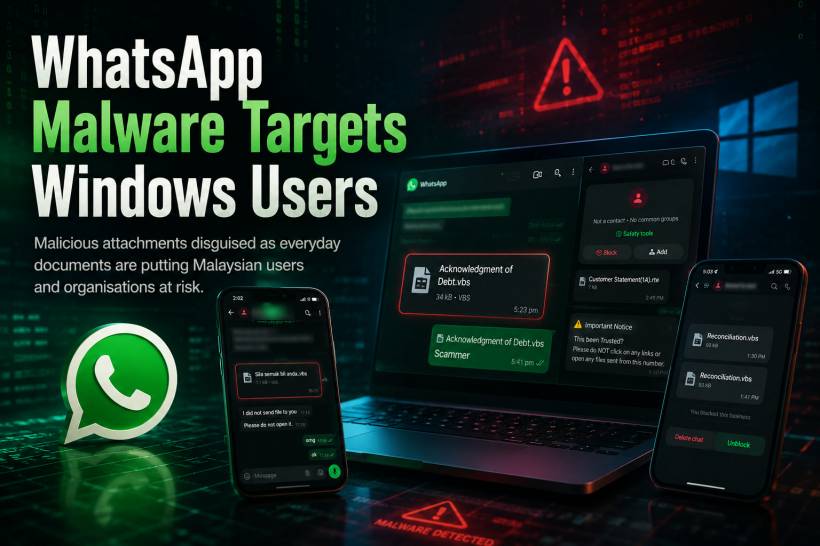
WhatsApp is often treated as a quick and familiar way to share documents, invoices, photos and work updates. That familiarity is exactly what makes it useful to cybercriminals. A recent malware campaign is targeting Windows users through WhatsApp Desktop and WhatsApp Web, with malicious attachments sent in messages that may appear to come from trusted contacts. In some cases, the sender's WhatsApp account may already have been compromised, making the message look far more convincing than a typical scam.
The campaign has reportedly affected users in Malaysia, making it especially important for individuals and organisations to be careful with any unexpected files received through WhatsApp.
How the Attack Works
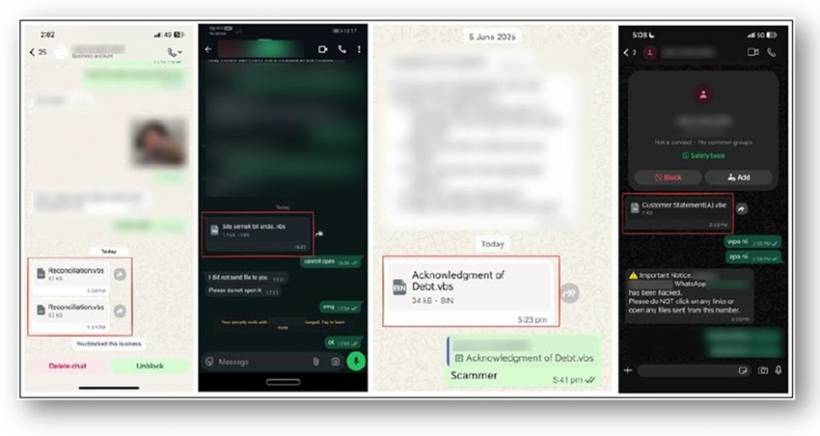
The messages often include attachments disguised as normal work-related or financial documents. They may look like reports, account statements, invoices or files that appear relevant enough to open without much thought.
However, instead of containing a genuine document, the attachment may include hidden scripts or malicious code. Once opened on a Windows computer, it can install malware in the background and give attackers a possible way to access the device.
This is why the danger is not limited to obvious scam messages. A file sent by a familiar name is not automatically safe, especially when the message is unexpected, vague or written in an unusual tone.
What Could Happen If a Malicious File Is Opened
Opening a malicious attachment can create serious consequences, particularly on a work computer connected to company systems.
Depending on the malware involved, attackers may be able to:
• Gain remote access to the affected computer
• Steal saved passwords, browser sessions or login credentials
• Access sensitive files and business information
• Use the compromised device as a way to reach wider company systems
The risk becomes even more serious when a user has access to shared folders, finance platforms, email accounts, cloud services or administrative tools.
Be Careful With These File Types
Users should be especially cautious when receiving files with extensions that are commonly used to run scripts or programs on Windows, including:
.vbs•
.exe•
.bat•
.cmd•
.js•
.ps1These file types are not normal document formats. A genuine report or statement would usually be sent as a PDF, Word document, Excel spreadsheet or image file. Even then, users should still verify unexpected attachments before opening them.
It is also worth remembering that Windows may sometimes hide known file extensions by default. A file that appears to be called Invoice.pdf could actually be something like Invoice.pdf.exe. Always check the full file name and extension before opening downloads from WhatsApp or any other messaging platform.
Verify Before You Open
The safest habit is simple: do not open an unexpected attachment until you have verified it through another channel.
For example, call the sender, send a separate message, or speak to them directly. Do not rely only on replying within the same suspicious WhatsApp chat, as an attacker who controls the compromised account may be able to respond.
Be especially cautious when:
• The message feels out of character or poorly written
• The file name is vague, such as "Report", "Statement" or "Document"
• You were not expecting the attachment
• The file prompts you to enable scripts, run a program or bypass a security warning
Keep Protection Enabled and Up to Date
Antivirus and endpoint protection tools provide an important layer of defence, but they should not be treated as a replacement for careful behaviour. Malware campaigns change quickly, and some malicious files can avoid detection for a period of time.
Make sure your Windows updates, antivirus software and endpoint protection are active and current. For workplace devices, any suspicious message or attachment should be reported to the IT Security team immediately, even if the file was not opened.
Early reporting can help prevent the same malicious attachment from reaching more users.
Final Thoughts
Cybercriminals do not always rely on complicated technical tricks. Often, they simply take advantage of trust, urgency and routine behaviour.
A message from someone you know can still be malicious if their account has been compromised. The safest response is to pause, verify and only open files when you are sure they are genuine.
When in doubt, do not click. A few seconds spent checking with the sender can prevent a much larger security incident.











Comments 0