

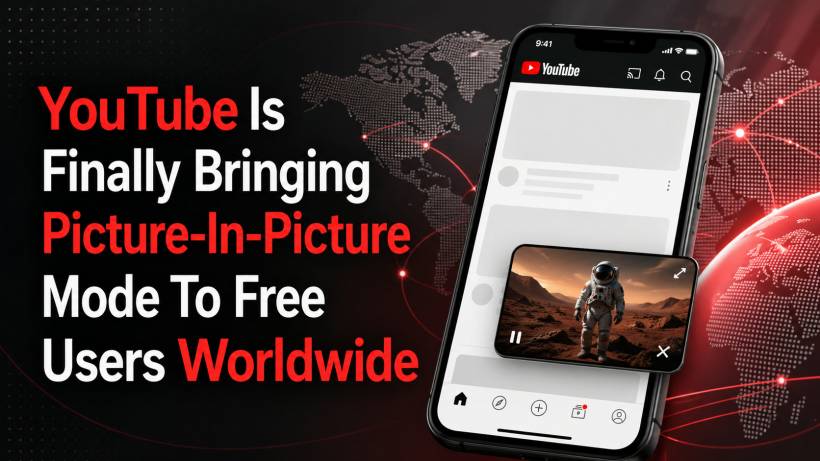
YouTube's Picture-in-Picture mode has been one of those features that many users knew existed, but not everyone could actually use. The feature is simple but very useful: it lets a video continue playing in a small floating window after you leave the YouTube app. This means you can reply to messages, browse other apps, check something on your phone, or return to the home screen without stopping the video completely.
For a long time, however, YouTube kept this feature limited. In many markets, Picture-in-Picture was mainly available to YouTube Premium subscribers. In the United States, some free users already had access to it, but the experience was not equally available everywhere. Now, YouTube is finally changing that by rolling out Picture-in-Picture mode to free users globally.
A Useful Feature That Should Have Been Available Much Earlier
Picture-in-Picture, or PiP, is not a new idea. Many mobile apps already support it, especially video and streaming apps. The feature makes sense because phones are multitasking devices. Users often do not want to stop a video just because they need to check a message, search for something, or open another app for a moment.
On YouTube, this is especially useful for long videos. For example, someone may be watching a podcast, tutorial, review, lecture, or commentary video while doing something else on their phone. Without PiP, leaving the app usually interrupts the viewing experience. With PiP enabled, the video shrinks into a small window and continues playing in the background visually.
That convenience is why many users have been asking for wider access to the feature for years.
Rolling Out Globally In The Coming Months
According to YouTube's announcement, Picture-in-Picture mode will be rolling out globally to both Android and iOS users in the coming months. However, YouTube has not provided a specific rollout date for every region or account.
That means some users may see the feature earlier than others. This is normal for large app updates, especially when a platform as big as YouTube is involved. Features are usually released in stages, allowing the company to monitor performance, fix issues, and avoid overwhelming support channels if something does not work properly.
So, if the option is not available on your phone yet, it does not necessarily mean your device is unsupported. It may simply mean the rollout has not reached your account or region yet.
Free Users Will Get PiP, But With Limits
While this is good news, there is one important catch. Free users will not get the full Picture-in-Picture experience that YouTube Premium members enjoy.
YouTube says non-paying users will be able to use PiP only for longform, non-music content. In simpler terms, you should be able to use PiP for many regular videos, such as explainers, reviews, vlogs, educational content, podcasts, and other long videos that are not classified as music.
However, PiP will not be available for music videos unless you subscribe to YouTube Premium. Premium users will continue to have broader access to PiP for both music and non-music content.
This limitation is not surprising because YouTube has long used music playback and background-style features as part of the Premium value proposition. Still, for free users who mainly watch non-music videos, this is a meaningful improvement.
Why This Matters For Everyday Users
The wider rollout of Picture-in-Picture makes the YouTube app more flexible. Many people use YouTube not only for entertainment, but also for learning, research, news, product reviews, and tutorials. Being able to keep a video visible while doing something else makes the app feel more practical.
For example, a user watching a cooking tutorial can keep the video floating while opening a recipe note. Someone watching a tech guide can follow instructions while checking phone settings. A student watching an educational video can respond to a message without losing track of the lesson.
It is not a flashy feature, but it is one of those small improvements that can make the daily YouTube experience feel much smoother.
How To Use Picture-In-Picture On YouTube
Once the feature becomes available for your account, you may need to enable it from the YouTube app settings. The exact menu may differ slightly depending on whether you are using Android or iOS, but it should be found under the app's playback or general settings.
After enabling it, using PiP should be straightforward. Start playing a supported video in the YouTube app, then leave the app by swiping up or pressing the home button. If the feature is active, the video should continue playing in a small floating window on your screen.
From there, you can usually move the floating window around, resize it depending on the device, or close it when you no longer need it.
Premium Still Keeps The Better Version
This update does not remove the value of YouTube Premium entirely. Premium users will still have advantages, including broader PiP support for music content, background playback, ad-free viewing, and other subscription benefits.
However, bringing PiP to free users globally helps make the basic YouTube experience feel less restricted. It also brings YouTube more in line with user expectations, especially since Picture-in-Picture has become a standard mobile feature in many apps.
For free users, the limitation around music videos may be disappointing, but the ability to use PiP for longform non-music content is still a very practical upgrade.
Final Thoughts
YouTube's decision to roll out Picture-in-Picture mode to free users globally is a welcome move, even if it comes with some restrictions. The feature has been around for years, but access has not been consistent across regions and account types.
Once the rollout reaches more users, watching YouTube on mobile should feel more convenient, especially for people who often multitask while watching long videos. Free users will not get the full Premium experience, particularly for music content, but they will finally get access to one of the most useful mobile viewing features.
For now, the rollout is happening gradually over the coming months, so users may need to wait a little longer before the option appears in their YouTube app.











Comments 0