

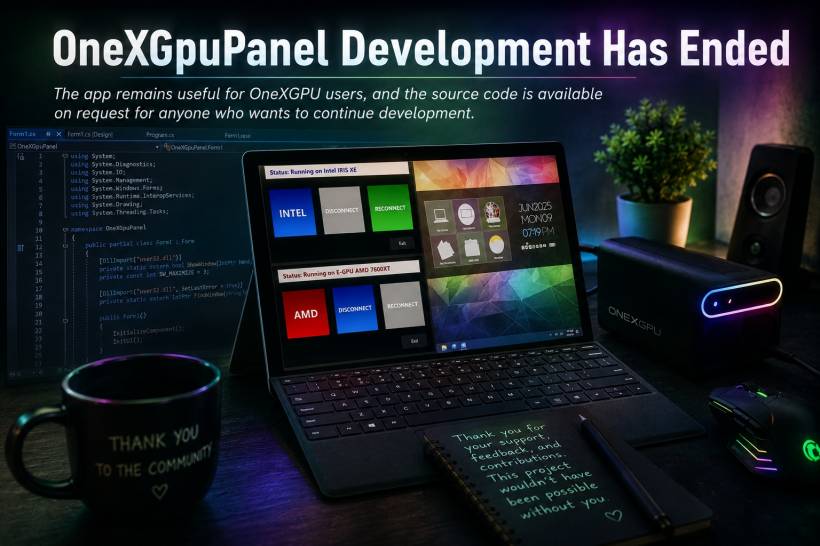
OneXGpuPanel began as a personal solution to a very specific problem: making an external GPU setup easier and safer to manage on Windows. What started as a way to reduce crashes, avoid unsafe disconnections, and simplify the process of switching between an eGPU and integrated graphics eventually became a useful little tool for other OneXGPU users too.
Today, I would like to share an important update: development of OneXGpuPanel has officially come to an end.
The reason is simple. I have sold my eGPU setup because it was becoming underused. Although having an external GPU was fun and useful at times, I found myself relying far more on my main gaming desktop whenever I wanted to play demanding games.
My desktop is already built for gaming, so it naturally became the more convenient choice. Instead of connecting an eGPU to my Surface Pro, dealing with cables, managing devices, and switching hardware profiles, I would usually just sit at my main desktop and launch the game there.
Why I No Longer Needed an eGPU
My Surface Pro has continued to serve me very well for work, browsing, development, productivity, and light gaming. Its integrated graphics are good enough for the kind of everyday tasks I actually do on the device.
To be honest, I hardly play games directly on the Surface Pro anyway. And on the occasions where I do feel like playing something more demanding, I usually prefer streaming the game from my main gaming desktop instead.
That setup is simply more practical for me. I get the performance of my desktop without needing to maintain a separate eGPU workflow, while still being able to enjoy games from another device when needed.
Because of that, keeping the OneXGPU no longer made much sense for my own usage.
What This Means for OneXGpuPanel
OneXGpuPanel can still be used by existing users, and I know it has been genuinely helpful for people managing their OneXGPU setups.
The application was designed to reduce the hassle of manually disabling devices, handling external NVMe storage, stopping background applications, and reconnecting an eGPU safely. For users who regularly dock and undock their eGPU, it can still make the overall experience much more convenient.
However, there will no longer be future updates, fixes, feature additions, compatibility testing, or active troubleshooting from my side.
Technology changes quickly. Future updates from AMD, Windows, OneXGPU-related software, drivers, or other third-party components may eventually affect how the application works. A change to device detection, driver behaviour, Windows permissions, hardware IDs, storage handling, or external GPU support could potentially cause OneXGpuPanel to behave differently or stop working as expected.
At the moment, the application may still work well for many users, but I cannot guarantee long-term compatibility.
A Thank You to Everyone Who Used It
I am genuinely happy that a project originally built to solve my own frustrating eGPU experience was able to help other people too.
OneXGpuPanel was never about creating a huge commercial application. It was about solving a real-world issue in a straightforward way: making eGPU management less stressful, less repetitive, and hopefully safer for users who were tired of dealing with Windows crashes or complicated disconnection steps.
Seeing that others found value in it is something I truly appreciate.
Interested in Continuing Development?
Although I am no longer using an eGPU and will not be continuing development myself, I do not want the project to simply disappear if someone else has the interest and technical ability to take it further.
Anyone who would like to request the source code and potentially continue development of OneXGpuPanel can contact me through the Lemon Web contact page.
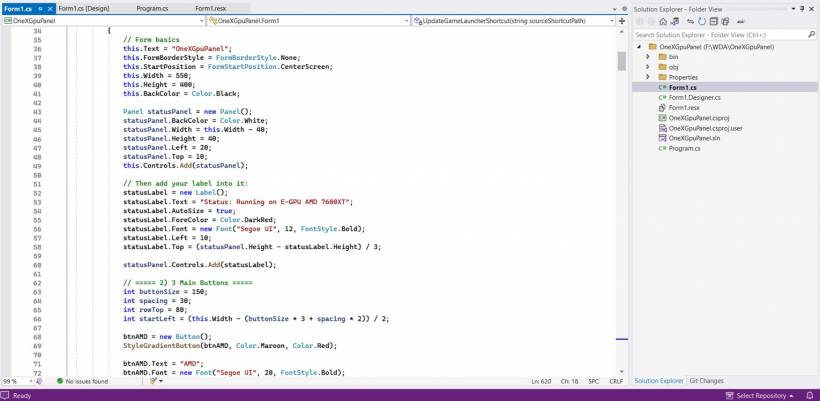
The project could still have plenty of potential in the hands of an active OneXGPU or eGPU user who has the right hardware available for testing. Future improvements could include better compatibility with newer AMD drivers, improved Windows support, more flexible device detection, support for additional eGPU models, or a more modern interface.
Final Thoughts
Selling my eGPU was ultimately the right decision for how I use my devices today. My main desktop remains my preferred machine for gaming, while my Surface Pro is more than capable for work, daily use, and occasional light gaming.
OneXGpuPanel was a useful chapter in my own eGPU journey, and I hope it continues to be useful for the community for as long as it remains compatible.
For now, the application remains available as it is. Just keep in mind that future Windows, AMD driver, hardware, or third-party changes may introduce issues that I will no longer be able to update or resolve.
Thank you to everyone who downloaded, used, supported, and found value in OneXGpuPanel.











Comments 0