

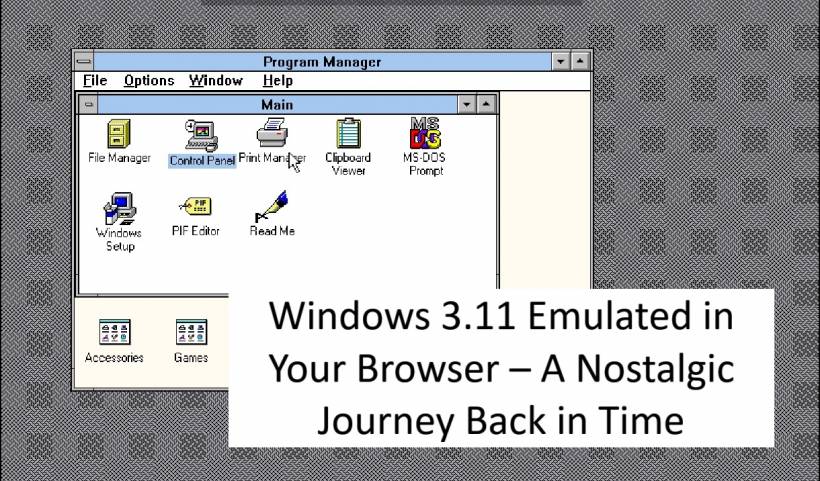
A Blast from the Early '90s - Long before the days of Windows 95, XP, or even Windows 11, there was Windows 3.11. Released in the early 1990s, this operating system represented one of Microsoft's first real steps into graphical user interfaces that everyday users could enjoy. Back then, navigating your PC meant using Program Manager, working with groups of icons, and relying on the trusty DOS underneath to get things moving. Fast forward to today, and thanks to modern web technology, you can now experience Windows 3.11 directly in your browser—no floppy disks or vintage hardware required.
Now, thanks to web technology, you don't need an old 486 PC or floppy disks to experience it. You can launch Windows 3.11 directly in your web browser and step back into a time when Program Manager, File Manager, and Solitaire ruled the day.
Why Bring Windows 3.11 to the Web?
The answer is simple: accessibility and nostalgia. Running old operating systems on physical hardware is nearly impossible today, and even emulation usually requires technical setups with DOSBox or virtual machines. A web-based version removes all the barriers – you just click and it loads.
For younger generations, it's a chance to see firsthand how computing looked before modern GUIs and touchscreens. For older users, it's a trip down memory lane – complete with the quirks and charm of a simpler time in tech.
What You Can Do Inside the Emulator
The emulator isn't just a static showcase – it actually runs a fully working copy of Windows 3.11. Once loaded, you can:
It's not just a curiosity; it's an educational tool that demonstrates how far modern computing has evolved.
A Perfect Fit for the Web
Because this emulator runs entirely in the browser, there's no need to download or install anything. It works on desktop and mobile devices, so whether you're on a PC, a tablet, or a smartphone, you can boot into Windows 3.11 almost instantly.
On mobile, it might feel a little clunky since the system was never designed for touchscreens, but it still works. On desktop, the experience is much closer to what it was like in the 90s – only now you're running it on hardware that's thousands of times faster than the original.
Why This Matters
At first glance, a Windows 3.11 emulator might just look like a fun retro experiment. But it also preserves an important part of computing history. Seeing how operating systems evolved from this to what we have today helps us appreciate modern design choices, usability improvements, and just how much progress has been made in three decades.
For developers, educators, and tech enthusiasts, it's a handy way to demonstrate the roots of graphical operating systems without hunting for legacy hardware.
Try It Yourself
If you're curious, you can try the Windows 3.11 emulator right now on my website. It loads directly in your browser, no setup required. Fire it up, click through the old Program Manager, and see if you still remember how to launch Solitaire or Paintbrush.
It's a little piece of 90s computing magic – and now it lives on the web.
Final Thoughts
Windows 3.11 emulated in the browser is more than just a quirky project. It's a digital time machine that preserves a key piece of computing history. From its simple icons to the reliance on DOS beneath the surface, every click is a reminder of how far technology has come. So, if you've ever wondered what life was like before the Start Menu and taskbar, give it a try—you might just find yourself smiling at how something so simple once felt so groundbreaking.











Comments 0