


Apple has introduced a major redesign of the MacBook Pro, bringing touchscreen support to the Mac for the first time alongside new M5 Pro and M5 Max processors. Available in both 14-inch and 16-inch sizes, the new models also feature tandem OLED displays, thinner and lighter chassis designs, and significant upgrades aimed at professional creative and technical workloads.
The launch represents one of the biggest changes to the MacBook Pro in years. Rather than focusing only on faster Apple Silicon, Apple has reworked the display, interaction model, connectivity and overall chassis while keeping the traditional keyboard and trackpad experience intact.
PROLED XDR Introduces Tandem OLED To MacBook Pro
The new MacBook Pro debuts what Apple calls the PROLED XDR display, built around tandem OLED technology. Instead of relying on a single OLED layer, the panel uses multiple light-emitting layers to improve brightness, contrast and durability.
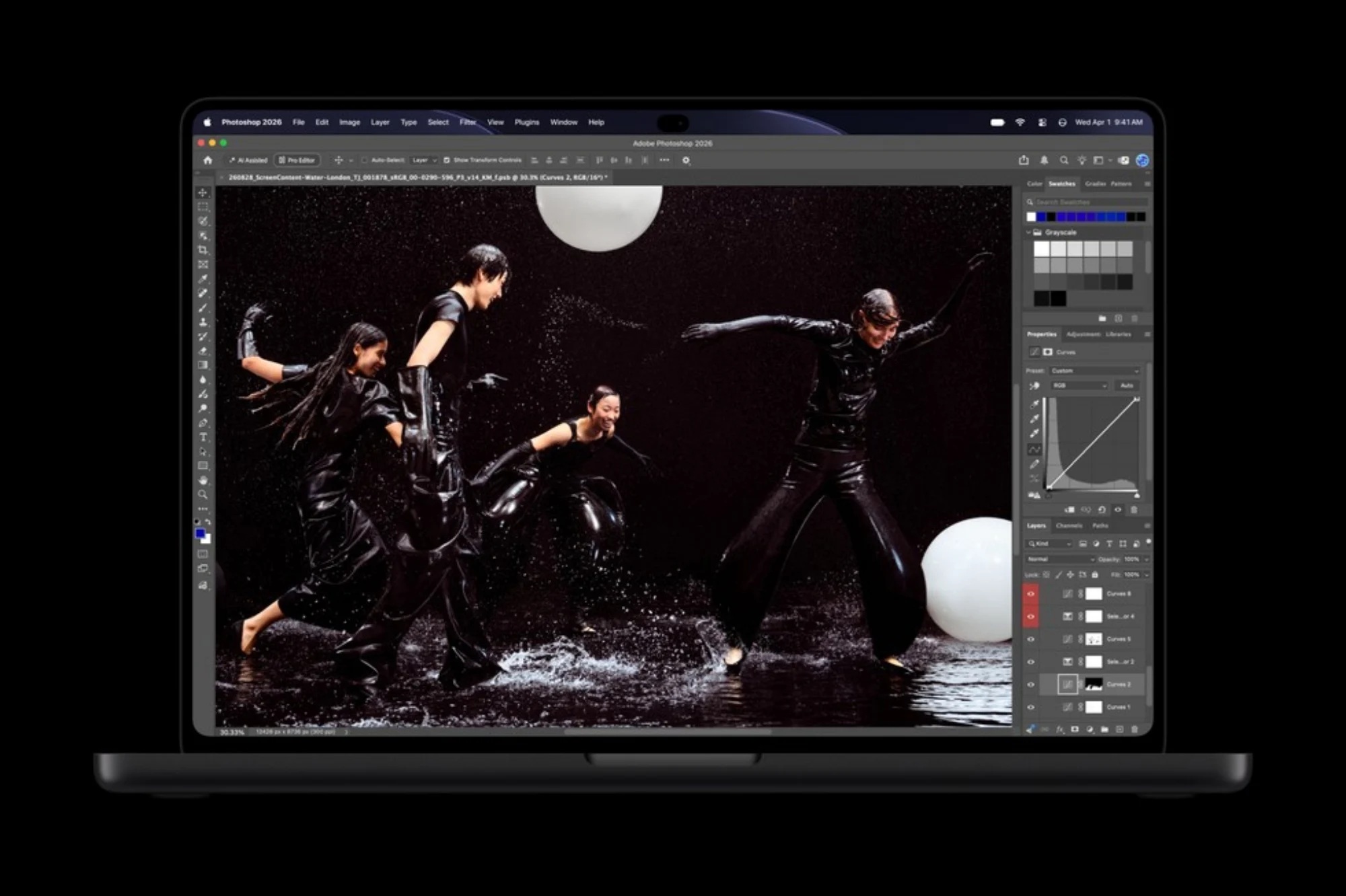
Apple claims the display can reach up to 2,000 nits of peak brightness for both HDR and SDR content. It also offers a massive 10,000,000:1 contrast ratio, allowing deep blacks and extremely bright highlights to appear simultaneously.
For professionals working with photography, video and visual design, the panel supports both the P3 and Adobe RGB colour spaces. That makes the display particularly well suited to colour-sensitive workflows where accurate reproduction matters.
120Hz Variable Refresh Rate Comes Standard
The display also supports a variable refresh rate of up to 120Hz, allowing animations, scrolling and interface movement to appear smoother while still reducing refresh rates when full performance is unnecessary.
This can help improve efficiency during lighter workloads while maintaining responsiveness during editing, animation or other visually intensive tasks. For creative professionals accustomed to high-refresh displays, the move to 120Hz OLED should make the MacBook Pro feel considerably more fluid.
Combined with tandem OLED, the new display represents a substantial step up from Apple's previous Liquid Retina XDR technology.
Touchscreen Support Finally Arrives On The Mac
Perhaps the biggest change is the addition of touchscreen functionality, something Apple resisted bringing to the Mac for many years. Users can now interact directly with elements on the display instead of relying exclusively on the trackpad or mouse.
Apple is positioning touch as an additional input option rather than a replacement for traditional controls. The keyboard and trackpad remain central to macOS, but users can now reach directly onto the screen when a touch interaction feels more natural.
That combination could be particularly useful for creative applications where direct manipulation offers advantages.
Touch Could Transform Creative Workflows
Apple specifically highlights activities such as manipulating 3D models, editing designs and interacting with virtual musical instruments directly on the display. These are areas where touch can provide a more immediate experience than moving a pointer across the screen.
Designers could potentially adjust objects directly on a canvas, while musicians may be able to control virtual knobs and instruments with their fingers. 3D artists could rotate or reposition models more naturally without constantly switching between keyboard shortcuts and trackpad gestures.
How useful the touchscreen ultimately becomes will depend heavily on how quickly professional Mac applications adapt their interfaces for direct touch interaction.
Apple Is Not Turning The MacBook Into An iPad
Despite adding touch support, the new MacBook Pro remains very much a conventional laptop. Apple has retained the keyboard, large trackpad and traditional macOS desktop environment rather than redesigning everything around finger input.
That distinction is important because the company appears to be treating touch as a complementary tool. Users can continue working exactly as they did before and simply use the display when it makes sense.
This approach may avoid some of the compromises seen on devices where desktop interfaces are redesigned too aggressively around touch.
Dynamic Island Comes To The Mac
Another major interface change is the introduction of Dynamic Island on the MacBook Pro. Apple is adapting the concept already familiar from the iPhone to provide access to notifications, activities and other contextual information around the display area.
Instead of treating the camera cutout purely as unused space, macOS can incorporate it into the interface. Information can expand around the area when needed and collapse again when the user returns to normal work.
The implementation gives Apple another way to make the camera hardware feel more integrated into the overall design rather than simply placing a conventional notch at the top of the screen.
Nano-Texture Display Remains Available
Buyers working in bright environments can choose an optional nano-texture finish for the PROLED XDR display. The surface is designed to reduce glare and reflections without relying on a conventional matte coating.
This can be particularly useful for photographers, video editors and other professionals who frequently work under studio lights or near large windows. Reflections can make it harder to judge colour and contrast accurately, even on an otherwise excellent display.
The nano-texture option gives those users another way to tailor the MacBook Pro towards their environment.
The Chassis Is Thinner And Lighter
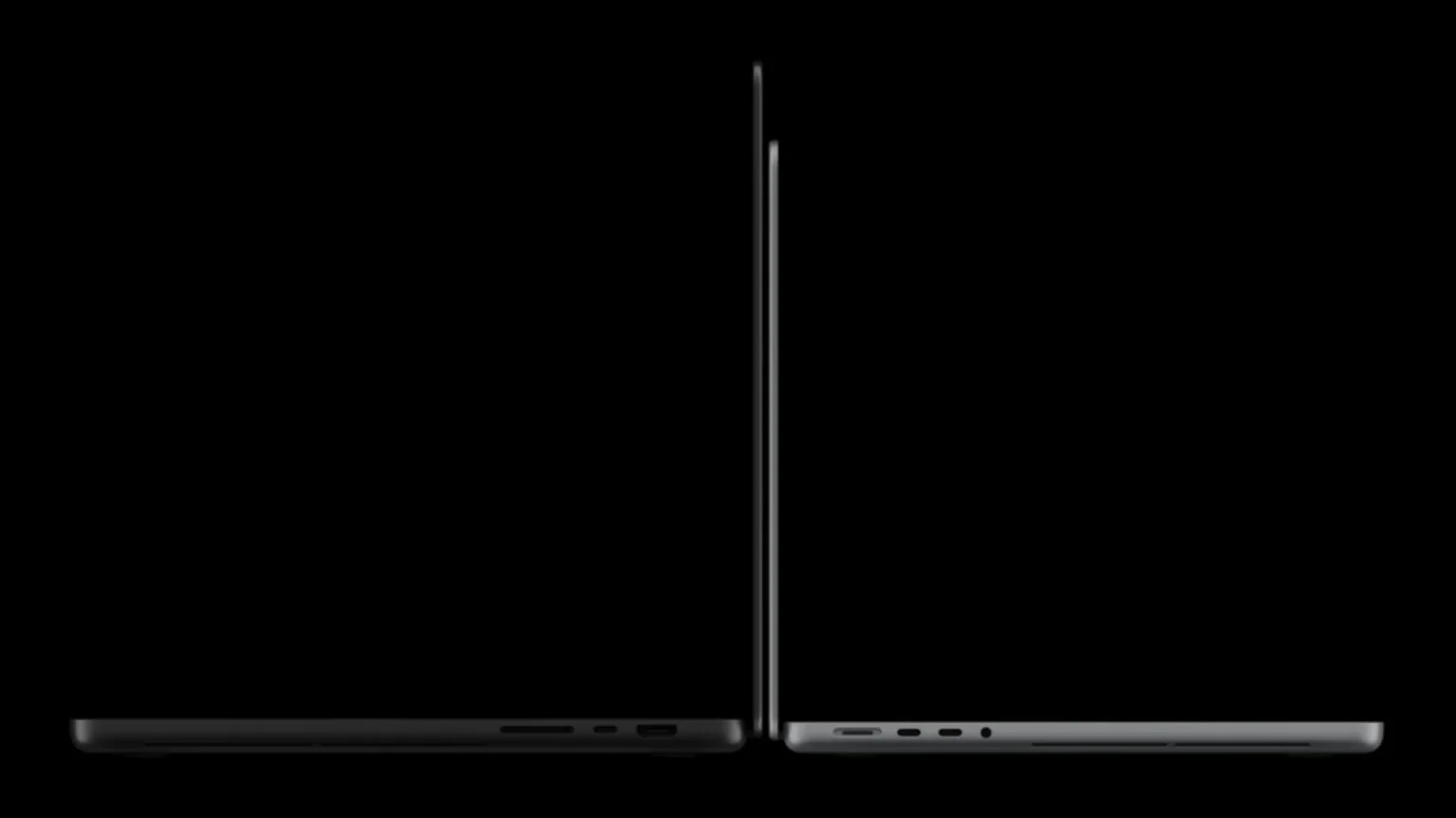
Apple has also redesigned the physical enclosure, making both the 14-inch and 16-inch models thinner and lighter than their predecessors.
Reducing thickness while adding tandem OLED, touchscreen hardware and high-performance processors is a significant engineering challenge. Professional laptops require substantial cooling capacity, particularly when running demanding CPU and GPU workloads for long periods.
A lighter chassis should make the MacBook Pro easier to carry without abandoning the performance characteristics expected from the lineup.
M5 Pro Powers The Entry Professional Configuration
The new generation begins with Apple's M5 Pro, designed for users who need substantially more processing capability than the standard M-series chips found in mainstream Macs.
The processor targets workloads such as software development, professional video editing, photography, 3D work and increasingly artificial intelligence. Apple's unified architecture allows the CPU, GPU and Neural Engine to access the same memory pool efficiently.
For many professional users, the M5 Pro configuration should provide more than enough performance without requiring the significantly more expensive M5 Max.
M5 Max Targets The Most Demanding Workloads
Users requiring even more performance can choose the M5 Max, which sits at the top of the new MacBook Pro lineup. The chip is designed for workloads that push CPU, GPU and memory resources much harder.
High-resolution video production, large 3D projects, complex software builds and local AI workloads are among the kinds of applications likely to benefit from the additional performance.
The M5 Max also gains more extensive external display support, further positioning it towards workstation-class use.
Up To 128GB Of Unified Memory
The new MacBook Pro can be configured with as much as 128GB of unified memory, depending on the processor configuration.
That amount of memory is particularly useful for demanding professional workloads such as large video projects, software development environments, 3D rendering and local AI models. Because Apple's unified architecture shares memory between CPU and GPU resources, large allocations can also benefit workloads that would traditionally require substantial dedicated graphics memory.
As usual, the memory is integrated into the system and cannot be upgraded later, so buyers need to choose their configuration carefully.
Storage Goes All The Way To 16TB
Apple is also offering configurations with up to 16TB of internal storage, giving professional users significantly more room for large projects without depending entirely on external drives.
Video editors working with high-resolution footage can consume terabytes extremely quickly, while developers, photographers and AI researchers may also maintain enormous local datasets.
The cost of reaching 16TB will naturally be substantial, but the option gives customers who genuinely need the capacity a fully integrated solution.
macOS 27 Brings Additional System Improvements
The new MacBook Pros ship with macOS 27, which includes several improvements designed to take advantage of the updated hardware.
Among the additions are faster AirDrop transfers and improved browsing of network files. These changes could be particularly valuable in professional environments where users constantly move large files between workstations, servers and collaborators.
Combined with Wi-Fi 7, faster local and wireless networking should help reduce the time spent waiting for large media or project files to move between systems.
Battery Life Reaches Up To 24 Hours
Despite the more powerful processors and significantly brighter OLED display, Apple claims the new MacBook Pro can deliver up to 24 hours of battery life.
Actual endurance will depend heavily on the workload. Rendering, compiling software or running sustained AI processing will naturally consume much more power than web browsing or document editing.
Still, the ability to offer workstation-class performance while maintaining all-day battery life remains one of the biggest advantages of Apple's custom silicon approach.
Six-Speaker Audio System Gets Deeper Bass
Apple has updated the MacBook Pro's six-speaker sound system with a redesigned woofer setup. The company claims the new arrangement provides 50% deeper bass compared with the previous generation.
MacBook Pro speakers have already been among the better laptop audio systems available, so improving the low-frequency response could make the machine even more capable for media consumption and audio production.
Spatial Audio support is also expected to remain part of the overall experience.
The 12MP Center Stage Camera Returns
The laptops feature a 12MP Center Stage camera for video calls and conferencing. Center Stage automatically adjusts framing as the user moves, helping keep them visible during calls.
The camera setup works alongside Apple's studio-quality microphone array, which is designed to capture clearer voice recordings while reducing unwanted background noise.
For professionals regularly working remotely, the combination should provide a strong built-in communications setup without requiring additional webcams or microphones for everyday meetings.
Three Thunderbolt 5 Ports Provide High-Speed Connectivity
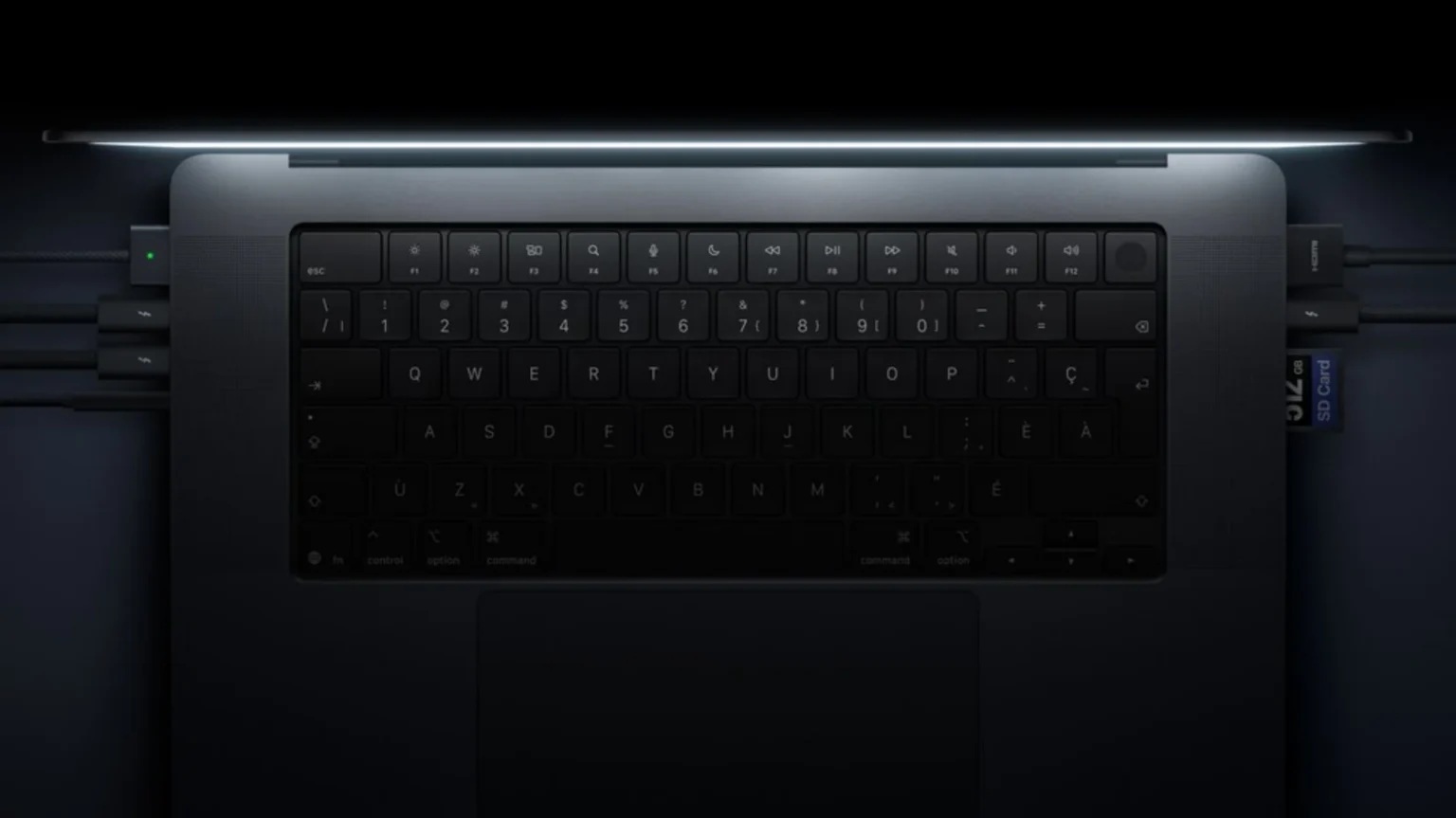
Connectivity receives another major upgrade with three Thunderbolt 5 ports. These provide substantially higher potential bandwidth for external storage, displays and professional expansion hardware.
Thunderbolt remains particularly important for creative professionals who rely on fast external SSDs, capture hardware, docks and high-resolution monitors.
The move to Thunderbolt 5 helps ensure the MacBook Pro can keep up with increasingly demanding external devices over the coming years.
HDMI And SDXC Remain
Apple has retained the practical ports that returned to the MacBook Pro several generations ago. The new models continue to include HDMI, an SDXC card slot, MagSafe charging and a 3.5mm headphone jack.
Keeping these connections means photographers and videographers can continue importing media directly without relying on dongles. HDMI also makes it easier to connect monitors, televisions and projectors.
Apple appears to have learned from the period when MacBook Pros relied almost entirely on USB-C ports.
Wi-Fi 7 And Bluetooth 6 Are Included
The new models support Wi-Fi 7 and Bluetooth 6, bringing Apple's professional laptops up to date with the latest wireless standards.
Wi-Fi 7 can provide significantly higher throughput and lower latency when connected to compatible networking equipment. This could be especially useful for professionals accessing large files from network-attached storage or transferring data across fast local networks.
Bluetooth 6 should also improve connectivity with the latest accessories and peripherals.
M5 Pro Supports Up To Three External Displays
The MacBook Pro equipped with M5 Pro can drive up to three external displays simultaneously. This provides plenty of flexibility for users working with multi-monitor desks.
Software developers, financial professionals, editors and designers often benefit from having several screens available for applications, timelines and reference materials.
The additional display support helps the 14-inch model function as a powerful desktop workstation when connected to an external setup.
M5 Max Can Drive Up To Four External Displays
The M5 Max configuration increases that capability further, supporting up to four external monitors.
Combined with the laptop's own display, users could potentially operate a very large multi-screen workspace from one machine. This makes the M5 Max particularly attractive for professional studios and workstation environments.
The additional GPU capability of the Max chip naturally makes it better suited to driving several high-resolution displays simultaneously.
14-Inch M5 Pro Starts At RM11,999
In Malaysia, the 14-inch MacBook Pro with M5 Pro starts at RM11,999.
Eligible education customers can purchase the same model from RM11,399, providing a modest discount for students and educators.
The 14-inch model should appeal to professionals who want maximum portability while retaining the performance of Apple's Pro-tier silicon.
16-Inch M5 Pro Starts At RM14,499
The larger 16-inch M5 Pro model starts from RM14,499, while education pricing begins at RM13,599.
The main advantage is naturally the larger display, which provides more workspace for applications such as Final Cut Pro, Logic Pro, Photoshop and development environments.
The larger chassis may also provide advantages in sustained workloads where cooling becomes particularly important.
M5 Max Models Carry A Significant Premium
Buyers requiring the M5 Max will need to spend considerably more. The 14-inch M5 Max MacBook Pro starts at RM19,299, while education pricing reduces that to RM17,999.
The 16-inch M5 Max version starts from RM20,499, or RM19,099 through Apple Education.
Once higher memory and storage configurations are added, the final price can naturally increase considerably beyond those starting figures.
Pre-Orders Begin On 29 October
Apple has opened Malaysian pre-orders beginning 29 October 2026.
Customers can order directly through Apple, while general availability through Apple Store locations and authorised resellers begins on 6 November 2026.
That places the new touchscreen MacBook Pro alongside Apple's latest round of professional hardware announcements heading into the end of the year.
Touchscreen Support Changes The MacBook Conversation
For years, Apple argued that touch interaction belonged primarily on the iPad rather than the Mac. The arrival of a touchscreen MacBook Pro therefore represents a major philosophical shift.
Apple is not abandoning the traditional laptop interface, but it is acknowledging that some workflows genuinely benefit from direct manipulation.
The decision could also push software developers to rethink how Mac applications behave when users can interact through a pointer, keyboard and touchscreen simultaneously.
The iPad And Mac Are Moving Closer Together
Touch support also brings the MacBook Pro closer to the iPad Pro in terms of interaction. Both platforms now offer powerful Apple Silicon, high-quality displays and direct touch input, although macOS and iPadOS remain fundamentally different environments.
The distinction increasingly comes down to software and form factor rather than raw hardware capability.
Users who previously chose an iPad because touch was essential may now have another option, particularly if they prefer the traditional desktop workflow of macOS.
PROLED XDR Could Be The Bigger Upgrade For Creatives
While touchscreen support will receive most of the attention, the new tandem OLED display may actually be the more significant improvement for many creative professionals.
A claimed 2,000 nits of brightness combined with a 10,000,000:1 contrast ratio should provide exceptional HDR performance. Support for both P3 and Adobe RGB makes the panel especially interesting for photographers and designers.
For professionals whose livelihood depends on accurate visual work, display quality can matter more than whether they can touch the screen.
Final Thoughts
Apple's latest MacBook Pro generation represents one of the most substantial changes to the lineup in years. The introduction of a touchscreen PROLED XDR tandem OLED display finally brings direct touch interaction to the Mac, while Dynamic Island gives Apple another way to integrate the camera area into macOS.
The new M5 Pro and M5 Max chips provide the performance expected from Apple's professional laptops, supported by up to 128GB of unified memory and as much as 16TB of storage. Wi-Fi 7, Bluetooth 6 and three Thunderbolt 5 ports further strengthen the platform for demanding professional environments.
Pricing clearly reflects that positioning. The 14-inch M5 Pro begins at RM11,999, while the 16-inch starts at RM14,499. Moving to the M5 Max pushes those starting prices to RM19,299 and RM20,499 respectively.
The touchscreen may ultimately be the feature that defines this generation. Apple resisted touch-enabled Macs for years, insisting that laptops and tablets should remain distinct. With this release, that boundary has finally moved.
The MacBook Pro still has a keyboard and trackpad, and macOS remains a desktop operating system. But for the first time, users can simply reach up and touch what they see — and that could change how professional Mac software is designed from this point forward.











Comments 1