

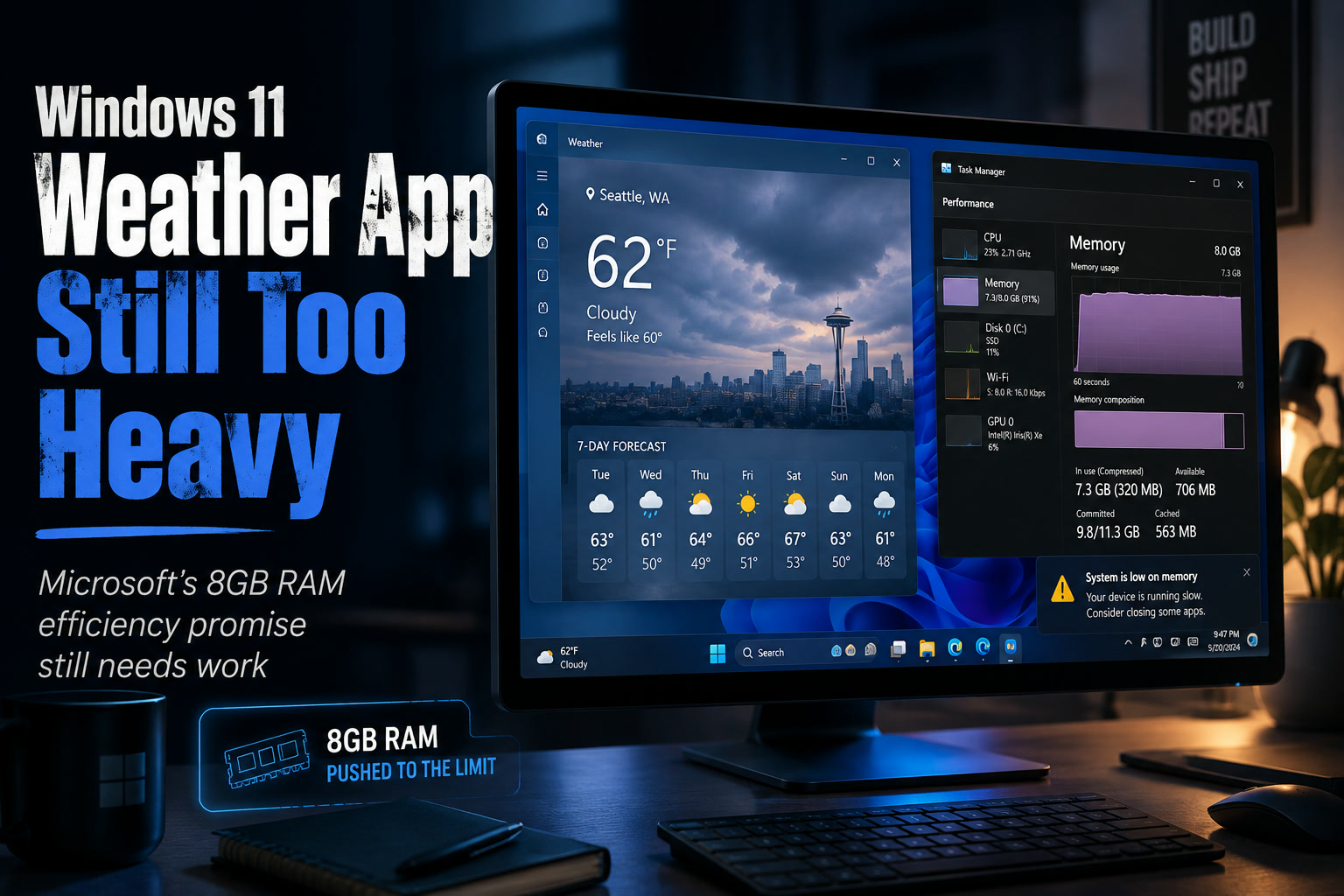
Microsoft has spent plenty of time talking about making Windows 11 run more efficiently on machines with modest hardware, particularly systems equipped with 8GB of RAM. That goal matters because 8GB is still common on entry-level laptops and office PCs, where every background process has a much bigger impact on performance.
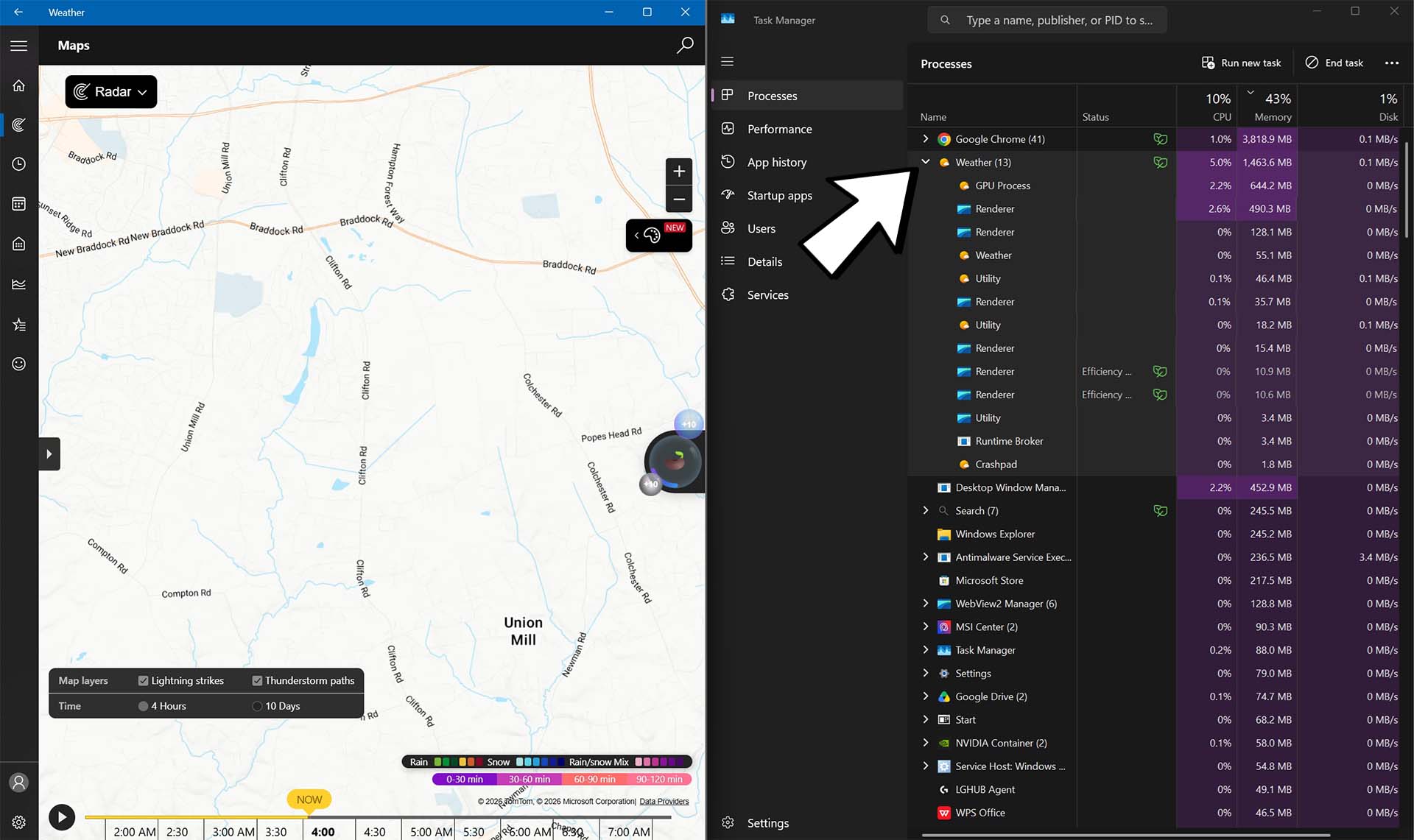
Unfortunately, Windows 11 still has some built-in apps that appear surprisingly heavy for what they actually do. One of the clearest examples is Microsoft's own Weather app, which has reportedly been observed consuming hundreds of megabytes of memory while idle and considerably more once users begin interacting with it.
A Weather App Using More Than 1GB Of RAM Is Hard To Ignore
Weather should theoretically be one of the simpler applications installed with an operating system. It displays forecasts, maps, weather alerts and some additional information, but none of that would normally suggest it needs an enormous amount of memory.
Testing cited by Windows Latest reportedly found the Windows 11 Weather app jumping to around 1GB of memory usage shortly after opening, before settling closer to the 500MB to 600MB range when relatively idle. Once users start navigating through the app, however, RAM usage can climb considerably higher.
In some cases, memory consumption reportedly reached around 1.5GB, with occasional spikes approaching 1.6GB. On a PC with 32GB of RAM, that may barely be noticeable, but on a machine equipped with only 8GB, a single weather application occupying close to one-fifth of total system memory becomes much harder to justify.
The Problem Becomes Much Worse On 8GB Systems
Memory usage has different consequences depending on the computer.
A high-end desktop with 32GB or 64GB of RAM can absorb an inefficient application without much drama. An entry-level Windows 11 laptop with 8GB has far less breathing room because the operating system, browser, antivirus software, cloud-sync applications and other background processes are already competing for that same limited memory.
Once physical RAM starts running low, Windows relies more heavily on the system drive through virtual memory and paging. Modern SSDs make this far less painful than it used to be with mechanical hard drives, but storage remains dramatically slower than RAM.
The result can be the familiar symptoms of a low-memory PC: applications taking longer to respond, increased SSD activity, delayed switching between programs and a general feeling that the machine has suddenly become sluggish.
For less technical users, figuring out that a seemingly harmless Weather app is contributing to the problem is hardly obvious.
It Is Not Just A Weather App Anymore
Part of the explanation may come from what Microsoft's Weather experience has gradually become.
Rather than simply showing the temperature and forecast, the Windows implementation is increasingly tied into Microsoft's broader MSN content ecosystem. That means users may encounter news articles, additional web content and advertising alongside the actual weather information.
In practical terms, it can sometimes feel less like a lightweight native utility and more like a web-based portal running inside an application shell.
That distinction matters because loading web content, advertisements, tracking components and dynamic feeds can dramatically increase memory requirements compared with a simple native weather interface.
It also creates an awkward user experience. If an application consumes substantial resources while simultaneously displaying advertising, users are understandably going to question why something bundled with the operating system needs to be so heavy.
The Comparison With macOS Is Not Particularly Flattering
The difference becomes more noticeable when looking at how competing platforms approach the same task.
Apple's built-in Weather application on macOS has reportedly been observed using substantially less memory, generally below the levels seen with Microsoft's implementation. The macOS app is also more focused on weather information rather than surrounding the experience with advertising and broader content feeds.
Different operating systems manage memory differently, so direct RAM comparisons should always be interpreted cautiously. An application allocating memory does not automatically mean that all of it is actively required at every moment, and modern operating systems frequently reclaim memory when other applications need it.
Even with that caveat, seeing a basic Weather app climb toward 1.5GB remains difficult to describe as lightweight.
This Conflicts With Microsoft's Push Toward More Efficient Windows PCs
The timing makes the issue particularly noticeable because Microsoft has been talking increasingly about optimisation for lower-memory Windows systems.
Windows 11 itself has grown considerably since its original release. Copilot integration, Widgets, web-based components, background services and other additions all compete for system resources, making memory efficiency more important rather than less.
If Microsoft wants Windows 11 to provide a comfortable experience on 8GB machines, optimisation cannot stop at the operating-system kernel. The applications bundled with Windows also need to respect the limitations of those devices.
A user does not particularly care whether excessive memory consumption comes from Windows itself or an application Microsoft installed by default. From their perspective, the computer is simply slower.
8GB Of RAM Is Already Becoming A Tight Fit
This also highlights a broader issue with modern Windows PCs.
Eight gigabytes of RAM was once perfectly comfortable for everyday productivity, but browsers alone can consume several gigabytes after opening enough tabs. Add Microsoft Teams, Outlook, OneDrive, antivirus software and a handful of background utilities, and available memory disappears surprisingly quickly.
That does not mean every user suddenly needs 32GB. For normal browsing, office work and streaming, 8GB can still function.
But applications consuming hundreds of megabytes unnecessarily make that configuration much harder to live with. Efficiency therefore matters most on exactly the machines where developers may be least likely to notice it during testing.
Microsoft Needs To Decide What Built-In Apps Are Supposed To Be
There is also a larger design question here.
Windows historically shipped with relatively small utilities that performed one straightforward job. Calculator calculated, Notepad edited text, Paint handled simple graphics and Weather showed the forecast.
Many modern applications now try to become broader content platforms. More information sounds useful on paper, but every additional feed, advertisement and embedded web component adds complexity and resource consumption.
Sometimes users really do just want to know whether it is going to rain.
A lightweight mode—or simply a properly optimised native Weather application—would arguably make far more sense than requiring lower-end PCs to load a mini content portal every time someone wants tomorrow's forecast.
There Are A Few Things Users Can Do In The Meantime
For users experiencing unexplained sluggishness on an 8GB Windows 11 machine, checking Task Manager is still one of the easiest ways to identify resource-heavy applications.
If Weather is consuming excessive memory and you rarely use it, uninstalling the application is one option. Users who want to keep it can also reduce unnecessary background activity where Windows permits it and simply rely on a browser or another lightweight weather source when needed.
The goal is not necessarily to obsess over every megabyte of RAM. Windows is designed to use available memory aggressively when it benefits performance.
But an application occupying more than a gigabyte while performing a relatively basic task is worth questioning.
Final Thoughts
Microsoft's promise to improve Windows 11 on 8GB systems ultimately depends on more than optimising a few background services. Every application included with the operating system contributes to the overall experience, and the Weather app demonstrates how quickly inefficient software can undermine those improvements.
On powerful PCs, using 1GB or more for Weather may be little more than an annoyance. On inexpensive laptops with 8GB of RAM, it can materially affect how responsive the entire machine feels.
The biggest frustration is that weather forecasting should not be one of the most demanding jobs a computer performs. If Microsoft genuinely wants Windows 11 to remain comfortable on lower-memory hardware, trimming unnecessary resource usage from its own built-in applications would be a very sensible place to start.











Comments 0