

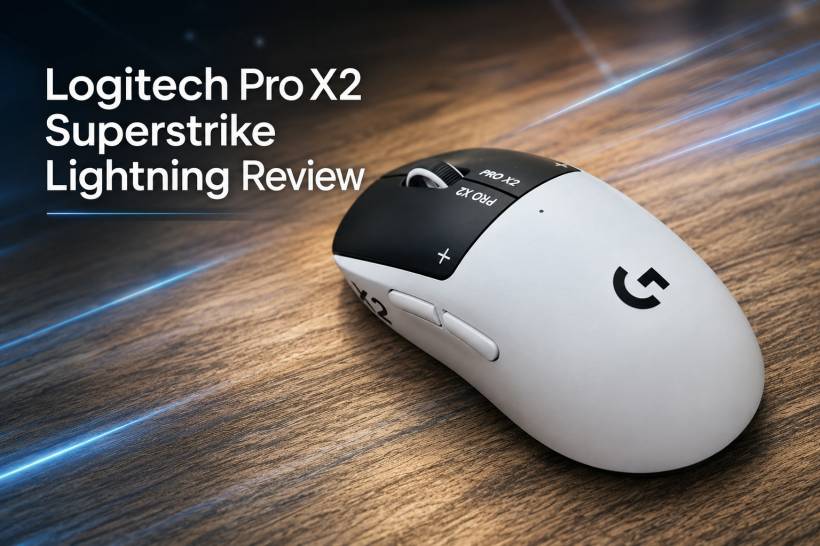
Most gaming mice improve in fairly predictable ways. They become lighter, faster, more accurate, or slightly more comfortable to hold. Every few years, we get a new sensor, a higher polling rate, a lighter shell, or another round of marketing around responsiveness. Useful improvements, yes, but not always exciting.
The Logitech Pro X2 Superstrike Lightning is different because it tries to change something most of us barely think about: the mouse click itself.
First revealed in September 2025, the Pro X2 Superstrike was positioned as one of Logitech's more experimental gaming mice. Instead of simply taking an existing esports mouse formula and making small refinements, Logitech decided to rework the main button mechanism by replacing traditional mechanical switches with magnetic analogue input and haptic feedback.
That sounds very fancy on paper, but the real question is simple. Does this actually make the mouse better, or is it just a clever trick designed to make another gaming mouse feel new again?
A Different Kind of Mouse Click
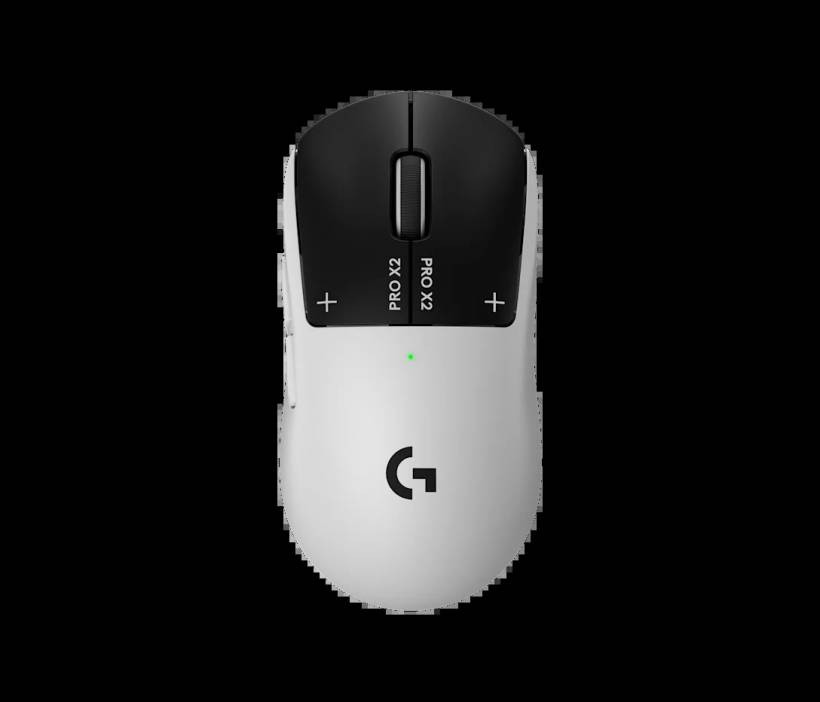
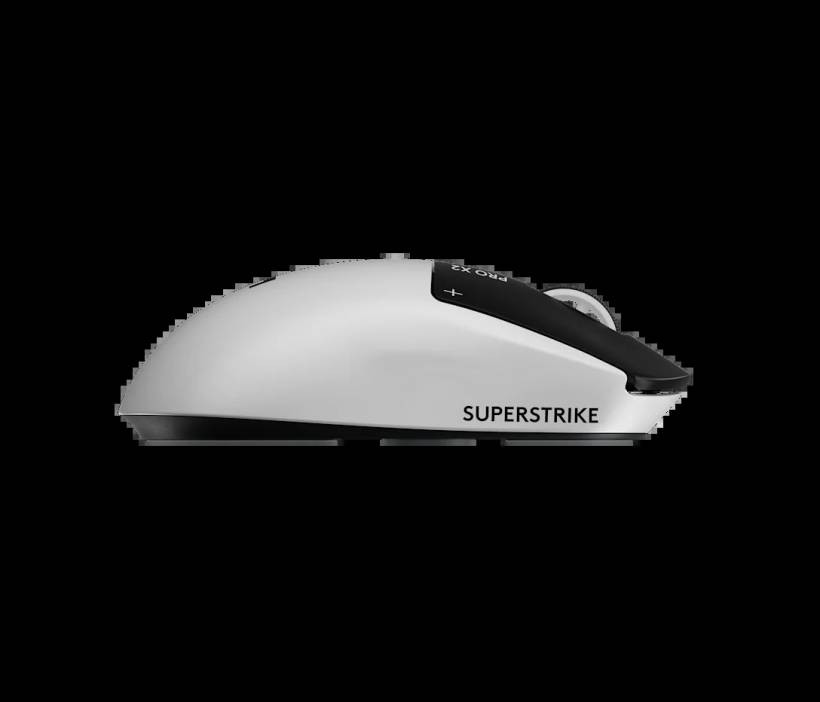
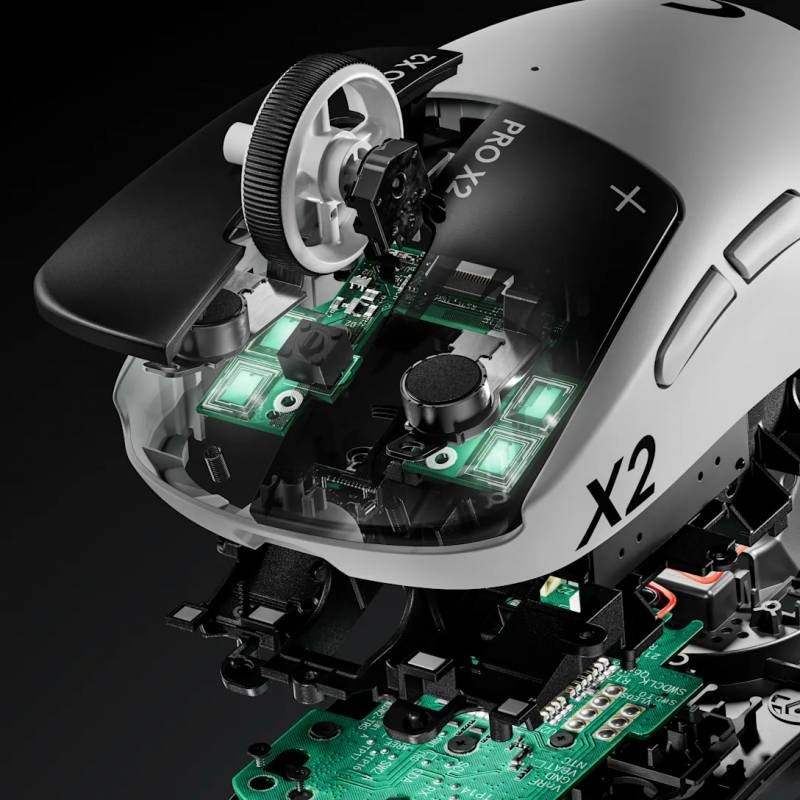
The biggest talking point with the Logitech Pro X2 Superstrike Lightning is its main left and right buttons. Unlike most gaming mice, these two buttons do not rely on normal mechanical switches. Instead, Logitech uses magnetic analogue input.
In simple terms, the mouse is able to detect how far the button is being pressed rather than just registering a basic on or off click. That opens the door to features that would normally be difficult or impossible with standard switches.
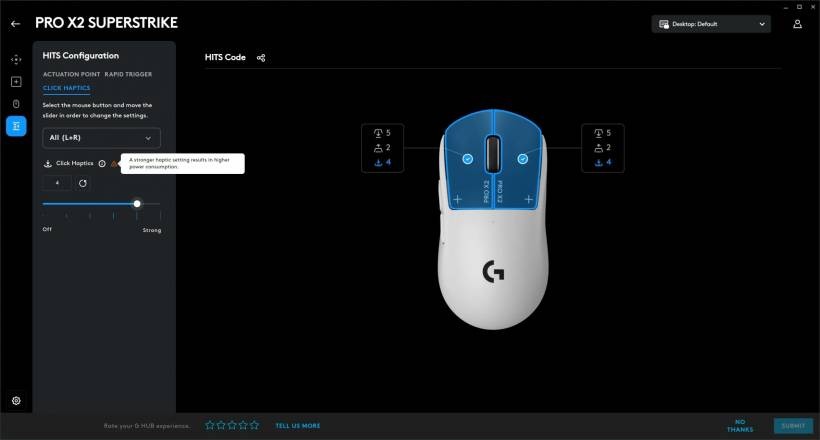
There is one funny side effect though. When the mouse is switched off, pressing the left and right buttons feels almost lifeless. There is no proper click sensation because there is no traditional switch mechanism giving you that familiar tactile feedback. Once the mouse is powered on, Logitech uses haptic feedback to simulate the click feeling.
It is unusual at first. Anyone who has used gaming mice for years may need a little time to get used to it. But after a while, the idea starts to make sense. Logitech is not just removing the physical click for fun. It is trying to replace a mechanical action with something more configurable, more consistent, and potentially longer-lasting.
Why Analogue Input Matters
The real benefit of analogue input is customisation.
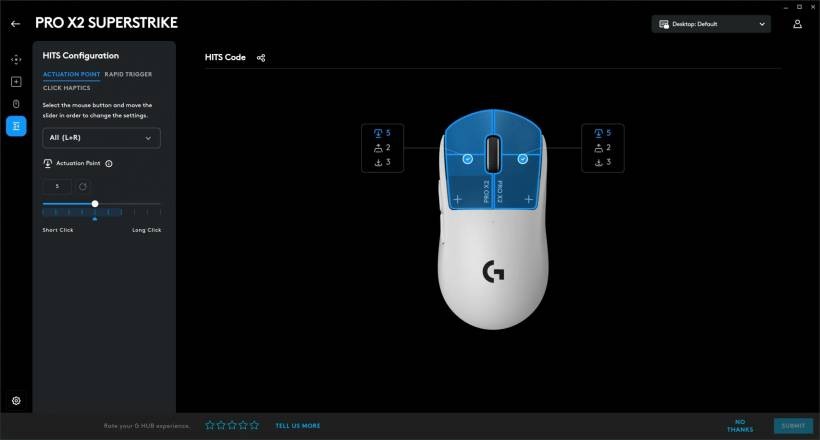
With a normal mouse, the click actuation point is fixed. You press the button, the switch reaches its trigger point, and the click is registered. You either like how it feels or you do not. With the Pro X2 Superstrike, you can adjust when the click is registered.
For example, if you want the click to activate earlier with a lighter press, you can set it that way. If you prefer the click to require a slightly deeper press, that can also be adjusted. This gives the mouse a level of personalisation that most traditional gaming mice cannot offer.
The same idea applies to rapid trigger behaviour. Instead of needing the button to fully reset before the next click can register, you can tune how quickly the button is ready for another input. This is a feature that feels inspired by the same direction modern gaming keyboards are heading, especially with analogue and magnetic switch technology becoming more common.
In theory, this is great for competitive players who want every input to feel instant and predictable. In practice, the benefit depends heavily on the type of games you play and how sensitive you are to click behaviour.
Built for Esports, Even Without the New Click Tech
Even if we ignore the unusual button system for a moment, the Pro X2 Superstrike Lightning is still very much a high-end gaming mouse.
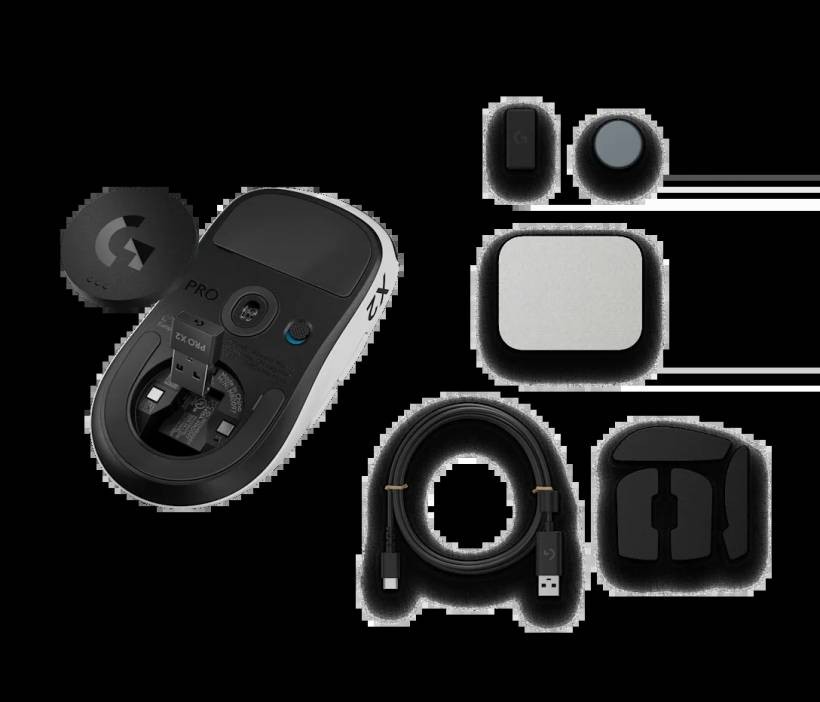
It weighs around 65g, which puts it in the lightweight esports category without feeling too fragile. It also comes with Logitech's HERO 2 sensor, offering up to 44,000 DPI and 888 IPS tracking. On top of that, it supports up to an 8,000Hz polling rate for users who want extremely fast input reporting.
Battery life is rated at up to 90 hours of wireless use, which is strong for a performance-focused wireless mouse. Of course, real-world battery life will depend on settings such as polling rate, haptic feedback strength, and how often you use it. Still, on paper, it is more than enough for most gamers who do not want to charge their mouse every few days.
So even without the analogue click system, this is already a serious gaming mouse. The new button technology is the headline feature, but the rest of the package is not weak either.
The Best Part: It Feels Fresh
One of the nicest things about the Pro X2 Superstrike Lightning is that it feels genuinely different.
A lot of gaming mice today are technically excellent, but they can also feel very similar. The shape changes slightly, the weight drops a little, the sensor improves, and the branding changes. But the basic experience remains familiar.
This mouse has a bit of novelty to it, and that is not a bad thing. The haptic click feedback is fun to use, especially in the beginning. You can adjust the strength of the feedback, which makes the mouse feel more personal. It almost turns something as simple as clicking into part of the experience.
Over time, the novelty may wear off. That is expected. But even after the "wow, this feels different" phase passes, the mouse still remains a strong performer. It is light, accurate, responsive, and easy enough to use for long sessions.
A Possible Longevity Advantage
Another major advantage of the analogue button design is durability.
Traditional mouse switches eventually wear out. Many users have experienced double-clicking issues, missed clicks, or phantom clicks after using a mouse for a long time. It is one of the most annoying problems with gaming mice, especially when the rest of the mouse still works fine.
Because the Pro X2 Superstrike's main buttons do not rely on standard mechanical switches, they should theoretically avoid many of those common switch-related failures. That does not mean the mouse is indestructible, but the left and right click mechanisms may last longer than those on a conventional mouse.
For users who keep their peripherals for years, this could be a meaningful benefit. In fact, the battery, side buttons, scroll wheel, or other parts may become the limiting factor before the main click system does.
Where the Idea Falls Short
As clever as the new click system is, Logitech did not apply it to every button.
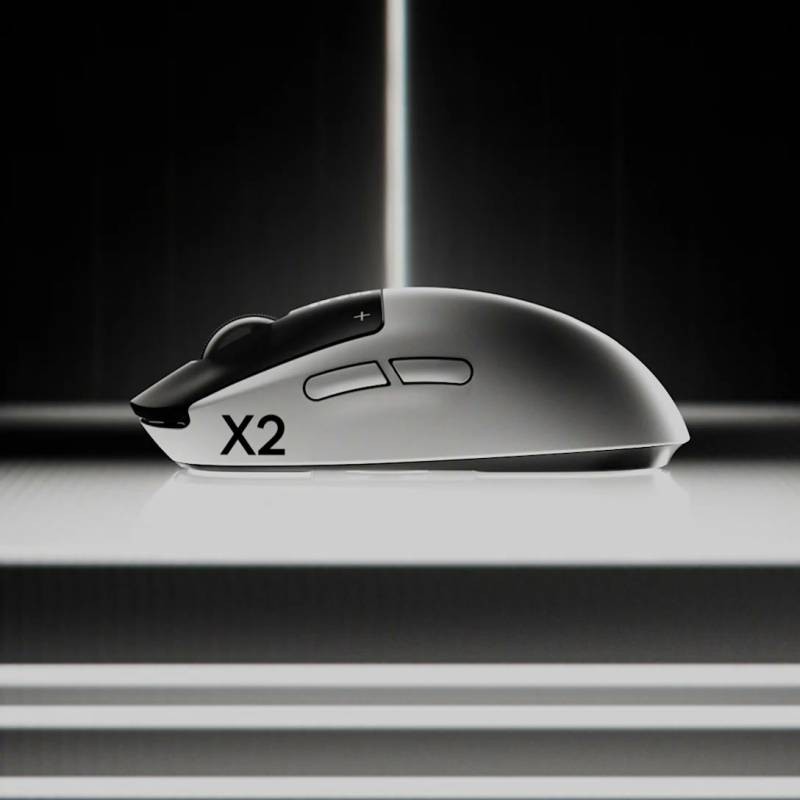
The two side buttons still use traditional mechanical microswitches. That is a little disappointing because it means the mouse is only partly futuristic. The main buttons get the new magnetic analogue treatment, but the side buttons remain conventional.
For many users, this may not be a huge issue. Side buttons are usually not clicked as frequently as the left and right buttons. However, they can still wear out over time. If one of them fails, the mouse may still become annoying to use, especially for gamers who rely on side buttons for important actions.
The scroll wheel is also conventional, which is expected, but it adds to the feeling that the Superstrike is only reinventing part of the mouse rather than the whole thing.
Software and Onboard Profiles Could Be Smoother
The mouse is configured through Logitech G Hub, which is where you adjust actuation points, rapid trigger settings, haptic feedback strength, button assignments, and onboard profiles.
The software does the job, but the onboard profile behaviour can feel slightly awkward. You need to configure your settings first before enabling onboard memory. Once onboard profiles are active, you cannot freely adjust certain settings until you disable that mode again.
This is not a deal-breaker, but it does make the setup process feel less seamless than it should. For a mouse built around customisation, the software experience should ideally feel as smooth and flexible as the hardware concept.
Does Rapid Trigger Really Help on a Mouse?
This is where things become more subjective.
Rapid trigger makes a lot of sense on gaming keyboards, especially for movement keys in competitive shooters. On a mouse button, the benefit is less obvious.
The main buttons on the Pro X2 Superstrike do not have a very deep travel distance in the first place. Because of that, clicking again quickly is already easy. In many shooters, semi-automatic weapons also have fire-rate limits, so ultra-fast click reset may not always provide a real advantage.
In MOBAs, the right-click button could benefit more because movement commands are repeated constantly. RTS players with extremely high actions per minute may also appreciate the responsiveness and fine-tuning. But for the average gamer, rapid trigger may feel more like a nice technical feature than a major performance upgrade.
That does not make it useless. It simply means not everyone will feel a dramatic difference.
Comfort and Everyday Use
The Pro X2 Superstrike Lightning is clearly designed for competitive gaming, so comfort is good but not necessarily luxurious. It is not shaped like a large ergonomic office mouse, and users who prefer a more sculpted palm grip design may find it less comfortable than productivity-focused mice.
That said, it is not uncomfortable. The lightweight body helps a lot during longer sessions, and the shape should work well for many claw and fingertip grip users. For esports-style gaming, it feels quick and controlled.
For everyday desktop use, the haptic clicks make it more interesting than a normal mouse, though some users may prefer the familiar physical feedback of a traditional switch. This is one of those products where personal preference matters a lot.
Should You Buy the Logitech Pro X2 Superstrike Lightning?
The Logitech Pro X2 Superstrike Lightning makes the most sense for users who are already looking for a premium gaming mouse and want something more interesting than the usual lightweight wireless option.
If your current mouse is old, starting to double-click, or simply due for an upgrade, this is a very strong choice. It has the performance expected from a modern esports mouse, and the analogue click system adds a layer of customisation that makes it stand out.
However, it may not be a must-buy if you already own a high-end gaming mouse that still works perfectly. The new click system is clever, but not everyone will feel a huge gameplay advantage from it. For some users, the haptic feedback and adjustable actuation will be exciting. For others, it may simply feel like an interesting feature that does not drastically change how they play.
Final Thoughts
The Logitech Pro X2 Superstrike Lightning is not just another gaming mouse with a better sensor and a lighter shell. It tries to rethink one of the most basic parts of mouse design: the click.
The result is not perfect, but it is genuinely interesting. The magnetic analogue input gives the mouse better customisation, potentially improved durability, and a fresh feeling that many gaming mice lack. At the same time, the fact that the side buttons still use normal switches makes the innovation feel slightly incomplete.
Still, this is a bold and well-executed attempt at doing something different. Even after the novelty of haptic clicking fades, the Pro X2 Superstrike Lightning remains a fast, lightweight, responsive, and highly customisable gaming mouse.
It may not completely reinvent the wheel, but it does make the humble mouse click feel exciting again.











Comments 0