

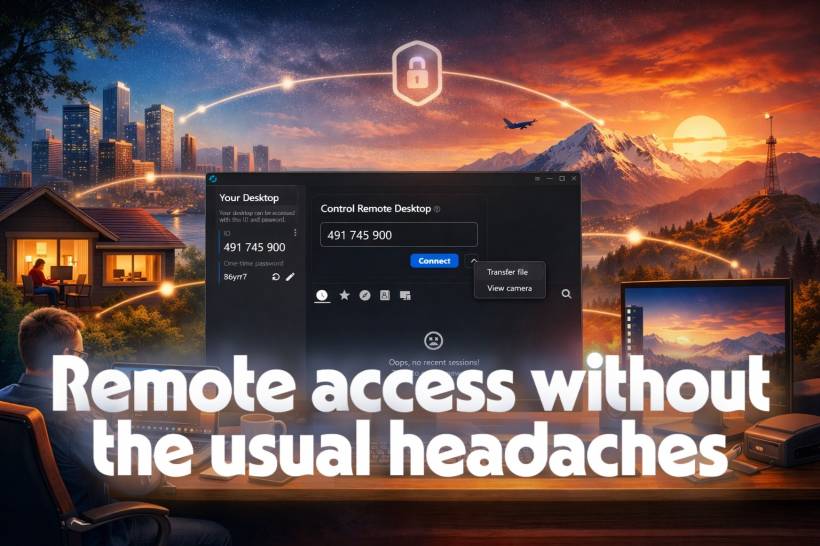
Remote desktop software is one of those things you only truly appreciate once you rely on it every day. Maybe you've got a desktop tucked away in another room for heavy work, a laptop you carry around the house, or a family member who calls you when "the internet broke again." Whatever the reason, the goal is always the same: connect quickly, control smoothly, and don't open a security nightmare in the process.
The problem is that the two "classic" options people reach for, RDP and VNC, each come with trade-offs that start to feel really obvious once you use them beyond a simple home setup.
Why RDP and VNC aren't perfect RDP is great… until it leaves your network
RDP (Remote Desktop Protocol) is excellent when everything is Windows and you're operating inside a trusted environment. It's fast, efficient, and feels almost native on a good LAN. But the moment people start thinking, "I'll just expose it to the internet so I can access my PC anywhere," it turns from convenient to risky. Internet-facing RDP is a common target for automated scanning and brute-force attempts, and securing it properly usually involves extra layers like VPNs, jump boxes, strict firewall rules, and careful monitoring.
In other words, it can be very safe, but it's rarely safe by accident.
VNC works everywhere, but it can feel heavy
VNC is the opposite in a way: it's widely supported, cross-platform, and shows up in all kinds of tools (open-source and commercial). The downside is that VNC often pushes a lot of "screen update" data around, which can chew bandwidth and feel laggy when the connection isn't ideal. Feature-wise, it also tends to be more basic unless you're using a premium variant or a wrapper product that adds extras.
So you get compatibility, but you often pay with performance and polish.
Where RustDesk fits in
RustDesk lands in a sweet spot: it feels closer to the "modern remote support" experience people associate with tools like TeamViewer, but with the big advantage that it's open-source and can be self-hosted.
In practical terms, that means you can get cross-platform remote access that's responsive enough for everyday use, while also having more control over where your traffic goes and how your setup is managed.
Security that's designed in, not bolted on
One of the biggest reasons people get nervous about remote access is simple: you're giving someone the ability to control a machine. If the connection isn't protected properly, that's not just inconvenient, it's dangerous.
RustDesk's model leans into peer-to-peer connections with end-to-end encryption. Instead of you manually punching holes in your firewall and hoping you didn't forget something, the system is built around making secure connections the default behavior.
And if you self-host, you take that a step further. You're no longer depending on a third-party relay infrastructure as part of your day-to-day setup. You're running your own server, under your own control, with your own policies. Depending on how you configure it, you can also add protections like multi-factor authentication to reduce the "what if someone finds this?" anxiety.
The end result is a setup that feels more like, "I control the doorway," instead of "I hope the doorway is locked."
Cross-platform convenience that actually matters
Remote access gets dramatically more useful the moment you stop thinking in single-OS terms.
A lot of people have a mixed setup without even realizing it: a Windows desktop for certain apps, a MacBook for daily work, maybe a Linux box running services, or even just different family devices scattered across the map. In that world, "Windows-only" becomes a limitation fast, and "cross-platform but clunky" becomes frustrating.
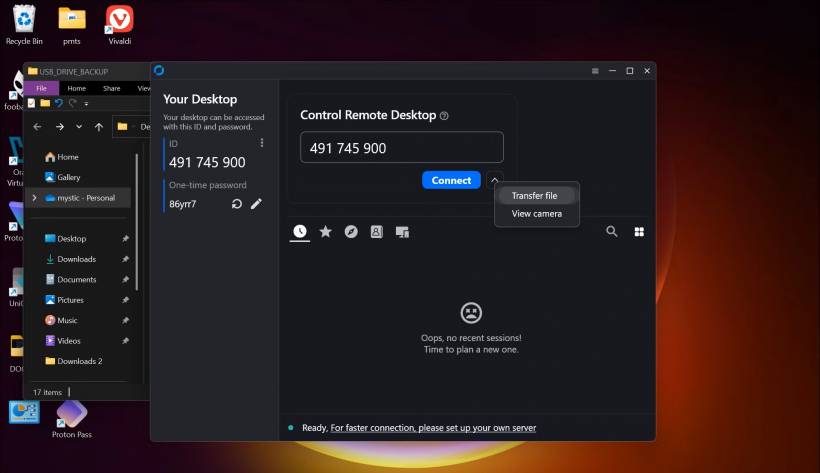
RustDesk is appealing because it stays consistent. You can jump from a Mac to a Windows box, copy text across, move a file over, grab a screenshot, and go back to what you were doing. That sounds small until you've done the "walk to the other room just to fetch one file" routine enough times to feel personally offended by it.
The best part is that the useful features are built-in, not something you have to duct-tape together with extra apps. Clipboard sync and file transfer are the kinds of "daily-driver" conveniences that make a remote tool feel like it belongs in your workflow rather than being a last-resort emergency option.
Setup that doesn't require a networking diploma
A lot of remote desktop pain doesn't come from the software, it comes from the setup ritual:
Firewall rules
NAT confusion
Dynamic IP problems
"Why does this work at home but not on mobile data?"
If you've been through that, you know how quickly remote access can go from "five-minute task" to "weekend project."
RustDesk tends to avoid that mess for normal use because you can install the client and get going without needing to redesign your home network. And if you do want the privacy and control of self-hosting, it's still in the "realistic for normal humans" category. You'll need to follow documentation, yes, but it's not the same level of complexity as building a hardened RDP exposure strategy from scratch.
It feels less like fighting NAT and more like actually solving the problem you came here to solve.
The honest comparison: RDP can still be faster
It's worth saying out loud: on a fast local network, with Windows-to-Windows only, RDP often feels unbeatable. It's deeply integrated into Windows and tuned for that environment. Multi-monitor handling, performance, and overall responsiveness are hard to match when you're staying within that lane.
If your world is strictly "Windows machines on my LAN," RDP is still a fantastic choice.
But most people don't live in that lane all the time.
Real-world remote access usually isn't local, and usually isn't single-OS
The moment your use case becomes "I need to access this from outside my network," or "I'm connecting across different operating systems," the balance shifts.
Now security matters more, convenience matters more, and reliability across weird networks matters more. This is where RustDesk tends to shine: it's designed for the messy reality of remote access, not just the clean scenario of a Windows-only local environment.
And it doesn't have to replace everything. Plenty of people keep RDP for local Windows work and use RustDesk for cross-platform or off-network access. VNC, in comparison, starts to feel less necessary once you have a tool that covers the same cross-platform territory with a smoother experience.
The underrated superpower: remote support for other people
If you're the default "tech support person" in your family or friend group, you already know the script.
You ask them to click something
They click something else
Everyone gets tired
Remote access turns that into a straightforward, "I can see what you see" moment. RustDesk works well here because it's easy to install and easy to explain over the phone, which matters a lot when the person on the other end is already stressed and just wants the printer to stop ruining their day.
That alone is a strong argument for keeping a tool like this around, even if you still use RDP for your own Windows machines.
A calmer way to do remote access
RustDesk isn't magic, and it won't erase every edge case, but it hits a practical balance that a lot of people are looking for: cross-platform, responsive, privacy-friendly (especially when self-hosted), and far less annoying to set up than the traditional alternatives.
If you want a remote desktop tool that feels modern without handing over control to a third-party service by default, RustDesk is worth serious consideration.











Comments 0