

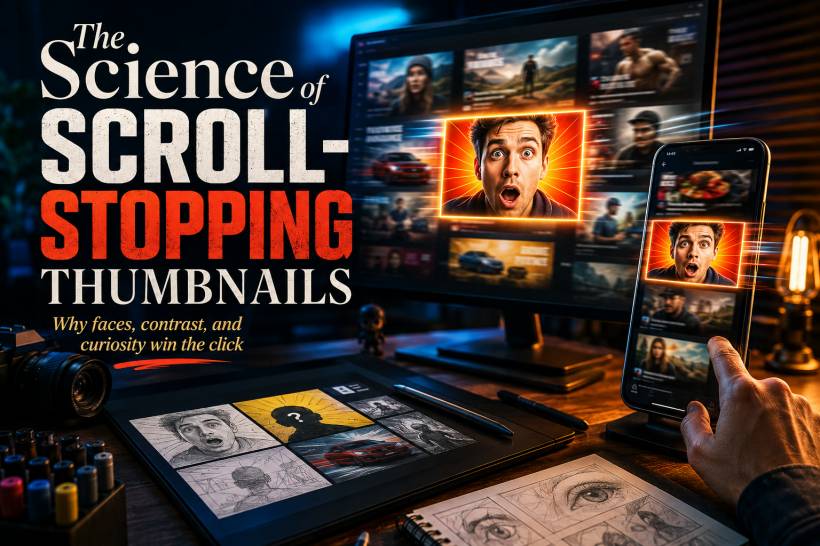
Before someone reads your headline, watches your video, or visits your page, they see one thing first: the thumbnail. That tiny image has an enormous job. It needs to communicate a topic, create an emotional reaction and earn attention in a feed packed with competing content. Most people do not stop to carefully compare every post on YouTube, TikTok, Instagram or LinkedIn. They scan, instinctively skip most of what they see, and pause only when something catches their eye.
A strong thumbnail is not about luck or random design tricks. It is about understanding how people notice visuals, process emotion and respond to curiosity within a split second.
The Reality of Infinite Scrolling
Today's platforms are built around endless feeds. There is always another video, post, article or reel waiting a swipe away. That means content creators are not only competing with other people in the same niche. They are competing with everything else on the screen.
Viewers make these decisions extremely quickly. Before they have consciously read a title, their brain has already picked up on colour, contrast, familiar faces, shapes and visual movement.
This is often described as pre-attentive processing. It is the fast, automatic way our brains notice important visual signals before we properly think about them. A thumbnail that makes a clear visual impact can interrupt the scrolling habit. One that blends into the feed is likely to disappear before it ever has a chance.
Why Faces Grab Attention So Easily
Human faces remain one of the strongest elements in thumbnail design. Our brains are naturally tuned to recognise faces, expressions and eye contact. We notice them quickly because facial cues help us understand emotion, intention and social connection.
A face looking directly at the viewer can make the content feel more personal, as though the person is speaking directly to them. On the other hand, a tiny face buried in a busy image may not register at all.
Expression matters too. At thumbnail size, subtle emotions usually disappear. A mild smile may look neutral once the image is reduced. Clear expressions such as surprise, excitement, concern or confusion are easier to understand immediately.
That does not mean every thumbnail needs an exaggerated reaction face. It simply means the emotion needs to be readable. The viewer should be able to understand the feeling before they have even read a word.
Contrast Is What Makes a Thumbnail Visible
A thumbnail cannot earn a click if people do not notice it in the first place.
Feeds are crowded with interface icons, text, advertisements and other thumbnails. This is why contrast is one of the most important parts of the design process. The subject needs to stand apart from the background and from the surrounding content.
A bright subject against a darker background is one of the most dependable approaches. The eye is naturally drawn toward the brightest or most visually distinct area first. That is why many successful thumbnails use a well-lit face, product or focal object set against a darker, simpler environment.
Colour contrast also plays a major role. Complementary pairings such as blue and orange, purple and yellow, or red and green create tension that is easy for the eye to notice. The familiar orange arrow over a blue background may look simple, but it works because the colours create immediate separation.
Contrast does not only come from colour. It can also come from texture and detail. A sharp, detailed product against a soft blurred background, for example, helps the main subject feel more important.
The Curiosity Gap: Give People a Reason to Click
A thumbnail should not explain everything. Its job is not to replace the content. Its job is to make people want to discover what happens next.
This is where the curiosity gap becomes useful. The thumbnail gives the viewer enough information to understand the topic, but leaves one important question unanswered.
A dramatic before-and-after image can work well because viewers want to know what caused the transformation. A familiar object in an unusual situation can also trigger interest because it breaks the viewer's expectations. Something looks different, surprising or incomplete, and the brain wants to resolve that uncertainty.
Faces can reinforce this effect. A creator looking shocked at an unfamiliar product, broken screen or surprising result immediately creates an unspoken question: what happened?
The best thumbnails reveal the promise without giving away the full answer.
The Three Elements That Work Best Together
Many high-performing thumbnails are built around a simple visual structure: an emotional hook, a clear subject and a small amount of context.
The emotional hook is often a face or expressive visual that creates an instant feeling. The subject is the product, event, object or outcome that tells the viewer what the content is broadly about. Optional text can then clarify the key message, particularly when the subject is difficult to understand visually.
The important thing is hierarchy. One element should lead the viewer's eye first. Everything else should support it.
When every part of a thumbnail tries to be the main attraction, the design becomes noisy. A small screen cannot comfortably display multiple faces, detailed backgrounds, long text, product shots and decorative effects at once. Simplicity is often what makes the message stronger.
Should You Use Text in a Thumbnail?
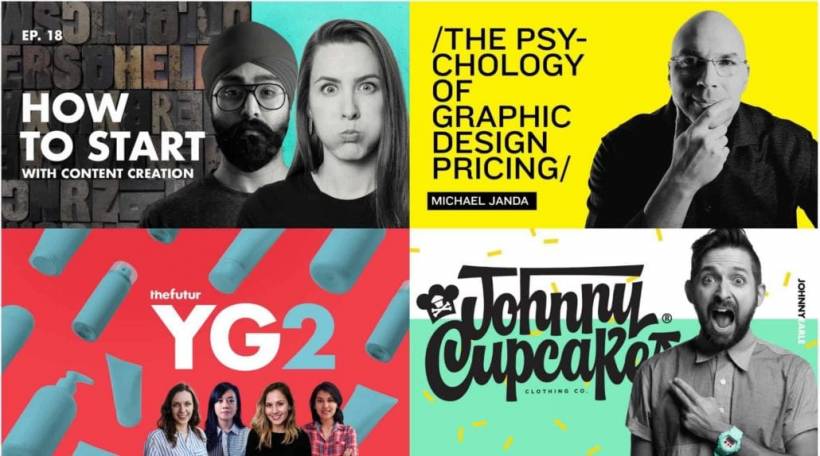
Text is not always necessary, but it can be useful when the topic is difficult to communicate through visuals alone.
For instance, finance content, software tutorials, business explainers and educational videos may need a few words to clarify the subject. A thumbnail for "Windows 11 Fix" or "AI Tool Review" can be easier to understand with brief supporting text.
The key is restraint. Long phrases are hard to read, especially on mobile devices. Text should support the image, not compete with it.
A good rule is to keep it to three or four words at most. Use a bold, clean sans-serif typeface, strong contrast and a subtle outline or shadow where needed. Then check it at actual thumbnail size. If the text is difficult to read when reduced, it is too small or too detailed.
Different Platforms Need Different Thumbnail Styles
There is no universal thumbnail formula because each platform has a different context and audience behaviour.
On YouTube, thumbnails often compete in search results, suggested video rows and home feeds. Bold colours, clear subjects, emotional expressions and short text can all work well because viewers are actively deciding what to watch.
TikTok moves much faster. The cover image is often less important than the opening moment of the video itself. A strong first frame, clear visual movement and a face-forward composition tend to work better than text-heavy graphics.
Instagram thumbnails are usually smaller and appear alongside photos, videos and sponsored posts. Clean compositions, strong colours and one obvious subject are usually more effective than busy layouts.
LinkedIn is different again. The professional context means that overly dramatic faces or sensational designs can feel out of place. Clear typography, polished visuals and direct subject matter often perform better because the audience expects more practical value.
Testing Is Better Than Guessing
No matter how good a thumbnail looks, the only reliable way to know whether it works is to test it.
Where the platform allows it, try two or three thumbnail variations for the same content. Change one major element at a time, such as the face, background colour, wording or product angle. Then compare click-through rates after the thumbnails have had enough time to reach a meaningful audience.
Your own past content is also a useful source of insight. Look at the thumbnails that performed best. Do they use darker backgrounds? More direct eye contact? Brighter colours? Less text? Repeated patterns in your own data are often more useful than copying trends from someone else.
Competitors are worth studying too, but the goal should be analysis rather than imitation. Look at the visual patterns their best-performing content uses, then apply the underlying principles in a way that still feels like your own brand.
Common Mistakes That Make Thumbnails Easy to Ignore
Low contrast is one of the biggest problems. A thumbnail may look attractive in a design editor but disappear completely when placed next to dozens of other posts. Test it against both light and dark backgrounds to make sure the main subject still stands out.
Too much detail is another common issue. If people need to zoom in to understand the image, they will not understand it at all. Remove unnecessary objects, background clutter and tiny text.
Generic stock images can also weaken the message. A handshake, a random office meeting or a person smiling at a laptop often feels too broad and predictable. Specific visuals that clearly relate to the content are more memorable and more believable.
Finally, avoid making promises the content cannot keep. Misleading thumbnails may earn an initial click, but viewers will leave quickly if the video or article does not deliver. That hurts watch time, trust and long-term performance. Honest intrigue is far more sustainable than empty clickbait.
Final Thoughts
A scroll-stopping thumbnail is not magic. It is a deliberate mix of visibility, emotion and curiosity.
A clear face or emotional hook gets attention. Strong contrast makes the content stand out in a crowded feed. A carefully placed curiosity gap gives viewers a reason to click instead of continuing to scroll.
The content itself still matters most, but even the best video, article or post can be overlooked if its thumbnail fails to make that first visual promise. Treat the thumbnail as part of the content, not an afterthought, and it becomes one of the most effective tools for earning attention online.











Comments 0