

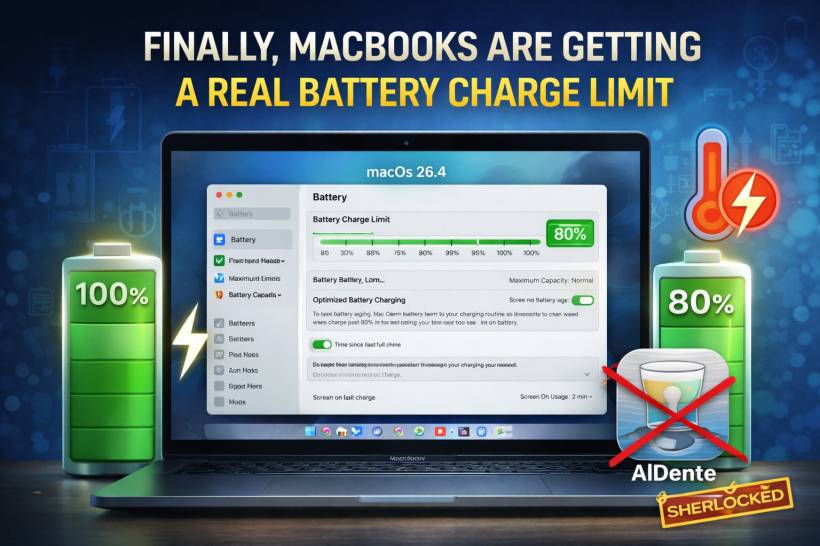
If you've ever wished your MacBook could stop charging at something like 80% without you babysitting it, Apple is finally moving in that direction. The macOS 26.4 developer beta is out, and early testers have spotted a new battery feature that people have been asking for for years: a manual charge limit slider.
Instead of being stuck with "charge to 100% all the time," you'll be able to set a cap anywhere from 80% up to 100%, with steps in 5% increments in between. It's a small setting, but it's one of those "why wasn't this here already?" updates.
What Apple is adding in macOS 26.4
The new control is basically a simple slider:
• Or push it higher, up to 100%
• Or choose something in the middle (85%, 90%, 95%)
This gives you a direct way to keep your MacBook from sitting at full charge all day, which is common if you work plugged in.
Didn't macOS already have battery optimization?
Sort of. Apple introduced Optimize Battery Charging back in macOS Catalina. That feature uses machine learning to decide when to pause charging and when to finish charging to 100%, based on your daily habits.
The problem is: it's automatic. It works well for some people, but not everyone has a predictable schedule, and it doesn't satisfy users who want a simple "just cap it at 80%" option. That manual control is what people have been requesting ever since.
Apple already brought manual charge limiting to iPhones in iOS 18, so this macOS update feels like the Mac side finally catching up.
Why a charge limit actually matters
Battery health is mostly about chemistry and stress. Over time, lithium-ion batteries naturally lose capacity, but certain patterns can accelerate that decline.
The biggest "battery wear multipliers" tend to be:
• repeatedly charging to full and draining very low
• heat while charging or under heavy load
When your MacBook stays near full charge every day (especially if it lives on a desk plugged in), it can spend a lot of time at a high voltage state. That's not ideal for long-term health.
Keeping the battery under 100% most of the time reduces stress, which generally helps the battery hold capacity longer. That's why 80% limits have become such a common recommendation for devices that stay plugged in frequently.
The catch: a popular battery tool just got "Sherlocked"
If you've been in the Mac world long enough, you've probably heard the term "Sherlocked" — when Apple builds a feature into macOS that overlaps with what a third-party app is known for.
In this case, AlDente, a popular Mac utility, has been famous for doing exactly this: letting users cap charging below 100%. With Apple adding a native charge limit, the core selling point of AlDente becomes less essential for many users.
But AlDente isn't necessarily out of a job. It still offers extra tools Apple isn't likely to bundle into macOS, such as:
• heat protection logic
• control over the MagSafe LED behavior
• deeper control options beyond a simple slider
So for most people, Apple's built-in charge limit may be "good enough." For power users who want finer control and extra safeguards, apps like AlDente may still have a place.
Final thoughts
This is one of those updates that won't look flashy on a keynote slide, but it'll make a lot of MacBook owners quietly happy. A manual charge cap is a practical tool for anyone who keeps their MacBook plugged in for long workdays, and it's also a nice sign that Apple is slowly standardizing battery health controls across its devices.
If the feature makes it from beta to the full macOS 26.4 release, it's going to be a very welcome addition — and honestly, long overdue.











Comments