

Anyone who has dealt with a Windows PC that refuses to boot knows how stressful the recovery process can be. Sometimes the fix is simple. Other times, you end up needing a USB installer, recovery drive, backup image, or another working computer just to get things moving again.
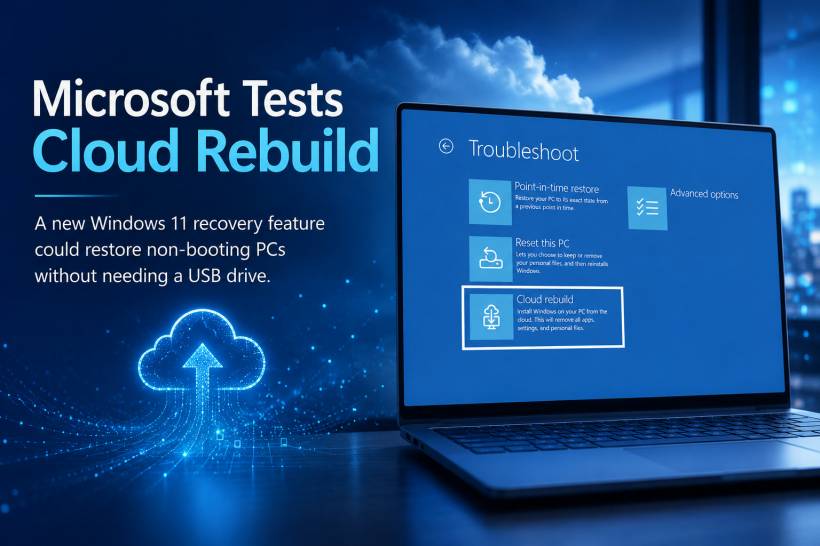
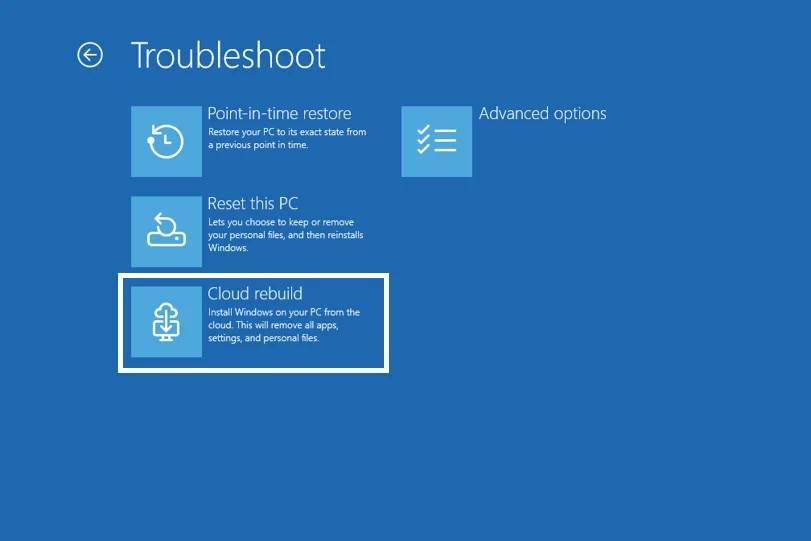
Microsoft is now testing a new Windows 11 recovery feature called Cloud rebuild, which could make that situation a little less painful. The idea is to let users restore a broken Windows 11 installation by downloading a fresh Windows image and the necessary device drivers directly from Windows Update.
In simpler terms, Microsoft wants to give users a way to bring a Windows 11 PC back to a clean working state even when the installed copy of Windows itself can no longer boot properly.
How Cloud Rebuild Works
According to Microsoft's explanation, Cloud rebuild downloads two important things during the recovery process: the target Windows image and the device drivers.
That matters because a normal reinstall can become messy if Windows does not have the right network, storage, display, or chipset drivers after installation. By pulling drivers from Windows Update as part of the rebuild process, Microsoft is trying to make the restored PC usable immediately after recovery.
The biggest benefit is convenience. Users would not need to prepare USB installation media, download a separate ISO file, or rely on a custom recovery image from the device manufacturer. For less technical users, that could make a major difference.
But It Still Needs Recovery Mode to Work
Cloud rebuild is not a miracle fix for every broken PC. There are still some important requirements.
The device must still have a working Windows Recovery Environment, commonly known as recovery mode. This means the PC needs to be damaged enough that Windows cannot boot normally, but not so damaged that the recovery environment itself is unusable.
The device must also have a compatible networking driver available inside recovery mode. Since Cloud rebuild depends on downloading files from the internet, the PC needs to connect through either Ethernet or WiFi before the rebuild can continue.
So, while the feature removes the need for a USB drive, it still depends heavily on the recovery environment and network access.
A Clean Rebuild Means Your Files Are Not Kept
One major difference between Cloud rebuild and the usual Reset this PC option is that Cloud rebuild does not preserve user data.
With some Windows reset options, users may be given a choice to keep personal files. Cloud rebuild is more like starting over with a clean installation. Once the process is completed, the device will return to the out-of-box experience, or OOBE, just like a new PC being set up for the first time.
That means users should not treat Cloud rebuild as a backup replacement. Important files, work documents, photos, and application data should still be backed up separately before disaster happens.
Why This Feature Matters
For home users, Cloud rebuild could reduce the frustration of trying to find another computer, prepare installation media, or troubleshoot boot problems manually. For IT teams, it could also simplify recovery in some situations, especially when a device needs to be restored quickly without relying on a physical drive.
It may also be useful for modern laptops that no longer have many ports, or for users who simply do not keep a spare USB drive prepared with Windows installation files.
However, in business environments, IT teams will still need to consider policies, encryption, device management, user data backup, and whether a clean rebuild fits their support process.
Still in Testing for Now
At the moment, Cloud rebuild is still experimental and only available to selected Windows Insider users. Microsoft has not confirmed when it will be released broadly to all Windows 11 devices.
If the feature performs well during testing, it could eventually become one of the more useful additions to Windows recovery. It will not solve every boot failure, especially hardware-related issues or cases where the recovery environment is damaged, but it could make software-level recovery much easier.
Final Thoughts
Microsoft's Cloud rebuild is a practical step toward making Windows 11 recovery more accessible. By downloading a fresh Windows image and device drivers directly from Windows Update, it removes one of the biggest barriers in PC recovery: the need for external installation media.
Still, users should understand its limits. It requires a working recovery environment, a network connection, and it performs a clean rebuild rather than preserving files. For that reason, regular backups remain just as important as ever.
If Microsoft brings Cloud rebuild to the wider public, it could become a valuable safety net for Windows 11 users who need to restore a non-booting PC without hunting for a USB recovery drive.











Comments