

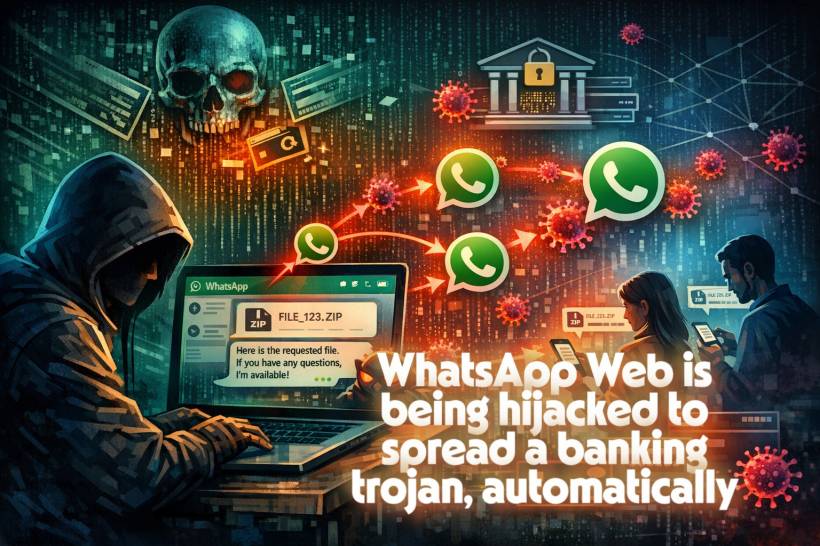
WhatsApp Web is supposed to be the "quick and convenient" version of WhatsApp: scan a QR code, type on a full keyboard, drag-and-drop files, and keep chats flowing while you work. But that same convenience is exactly why cybercriminals love it.
Security researchers are tracking a malware campaign (often referred to as Boto Cor-de-Rosa) that turns WhatsApp Web into a self-spreading delivery system for a banking trojan associated with Astaroth. The worrying part is not just the malware itself. It's how the infection can jump from one person to many others without the attacker manually messaging every new victim.
If you've ever thought "It's fine, it came from someone I know," this is the kind of campaign designed to punish that assumption.
The big idea: weaponize trust, not the platform
Attackers don't need to "hack WhatsApp" to cause damage. They only need a Windows PC where WhatsApp Web is already logged in.
Once malware is running on that PC, it can behave like the user inside the browser session. That means it can open chats, read contact lists, and send attachments as if the real person is doing it. To everyone receiving those messages, it looks legitimate because it is coming from a real account.
That's the trick: the account is real, the session is trusted, the message is familiar, and the payload is malicious.
How the infection starts: a ZIP that looks boring on purpose
The entry point is usually simple and boring, because boring gets clicked.
A victim receives a WhatsApp message containing a ZIP attachment. The filename often looks random and harmless, which lowers suspicion. Inside the ZIP is typically a script file (commonly a Visual Basic script) disguised to resemble a normal document. If the user runs it, the script quietly kicks off the next stage.
From there, the script pulls down additional components, including:
The victim often won't see a big "you are infected" warning. The goal is to stay quiet and keep working in the background.
What makes it nasty: it spreads through your contacts by itself
Most malware relies on the attacker pushing out the next wave. This campaign doesn't have to.
Once the WhatsApp Web automation component is running, it can scan the victim's chats/contacts and begin sending the same malicious ZIP attachment out to active conversations. The message may include friendly, casual wording, sometimes even adjusted based on time of day to feel more natural, like a normal "morning" or "evening" greeting.
That's why it spreads quickly: recipients trust the sender, because the sender is literally someone they know.
This is the modern version of an email worm, except it's happening inside a messaging app people treat as informal and safe.
Behind the scenes: the attackers track "campaign performance" like marketers
One detail that shows how professional these operations have become is the built-in tracking.
The propagation tool reportedly keeps score as it spreads: how many messages were sent, how many failed, and how fast it's moving. Progress updates after a certain number of messages help attackers see if they're being blocked, rate-limited, or detected.
In other words, it's not just malware. It's malware with analytics.
After the click: what the malware does on an infected Windows PC
Once the initial script runs, it's often heavily obfuscated (scrambled) to dodge antivirus detection. Then it can use system tools like PowerShell to download more payloads from external infrastructure, including compromised websites used as staging points.
To stay hidden, the malware may install itself in folders that resemble legitimate software directories (for example, something that looks like a browser cache path). This makes it harder for a quick manual check to spot anything "obviously wrong."
With a banking trojan in place, typical goals include:
Even if the initial focus is banking, the broader impact can be bigger: once a system is compromised, it can be used for additional malware, account takeover, and lateral spread.
Why WhatsApp Web is such a good target
WhatsApp Web works by extending your phone's WhatsApp into a browser session. Once paired, that browser becomes a trusted endpoint with real access to chats and the ability to send messages using your identity.
That trust model is normally fine, because it assumes your PC is clean.
But if malware lands on your PC while WhatsApp Web is logged in, the attacker doesn't have to break encryption or bypass WhatsApp security. They can simply abuse the already-authenticated session and behave like you.
And many people leave WhatsApp Web logged in for weeks on work machines or shared PCs. That increases exposure dramatically.
How to protect yourself without getting paranoid
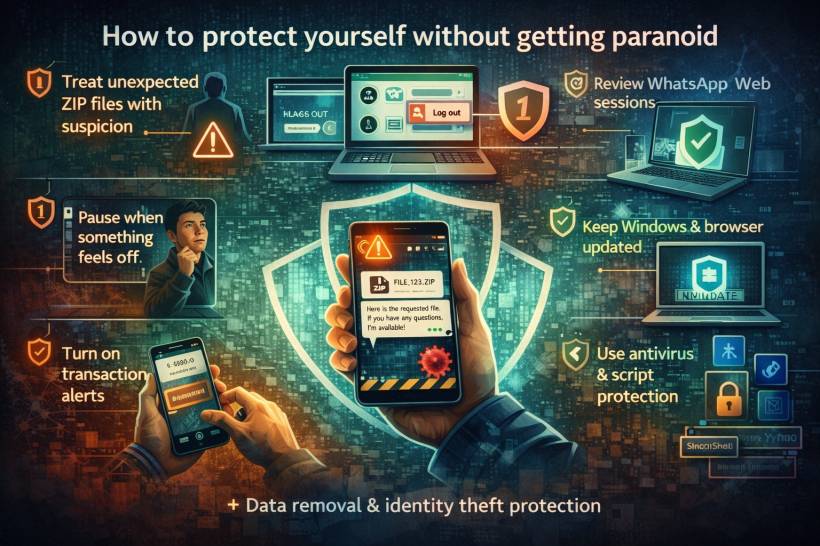
You don't need to treat every message like a bomb. But you do need a few habits that shut down this type of spread.
If you weren't expecting an attachment, don't open it immediately. Even if it's from someone you know, confirm first using a quick follow-up message or a different channel (call, SMS, or a separate chat). Attackers rely on people clicking before thinking.
In WhatsApp settings, you can view linked devices. Log out anything you don't recognize. Also avoid staying logged in on shared computers. If your PC ever feels "off," logging out of WhatsApp Web is a smart containment move.
These campaigns love outdated systems because older machines tend to have weaker defenses and more exploitable gaps. Staying patched won't stop every social-engineering trick, but it reduces how easily malware can settle in and expand.
A lot of modern Windows malware leans on scripting and built-in tools to blend in. Protection that can spot suspicious script execution and unusual PowerShell activity helps catch threats that don't look like classic "virus.exe".
This doesn't prevent infection, but it reduces damage. If something slips through, early detection can be the difference between "minor headache" and "major loss."
Attackers don't need your trust forever. They only need it for one click. If the tone, timing, or file type feels unusual, pause. That small pause breaks the entire chain.
The takeaway: messaging apps are now a frontline
This campaign is a reminder that cyberattacks are increasingly designed to look normal. They hide inside everyday habits: casual chats, familiar names, routine attachments, and trusted browser sessions.
The uncomfortable truth is that a single infected PC can turn one person into an unintentional distributor of malware across dozens of contacts. The good news is that you can block most of it with simple habits: verify unexpected attachments, lock down WhatsApp Web sessions, keep your system updated, and slow down before clicking.
Convenience is great. Just don't let it become autopilot.











Comments 0