

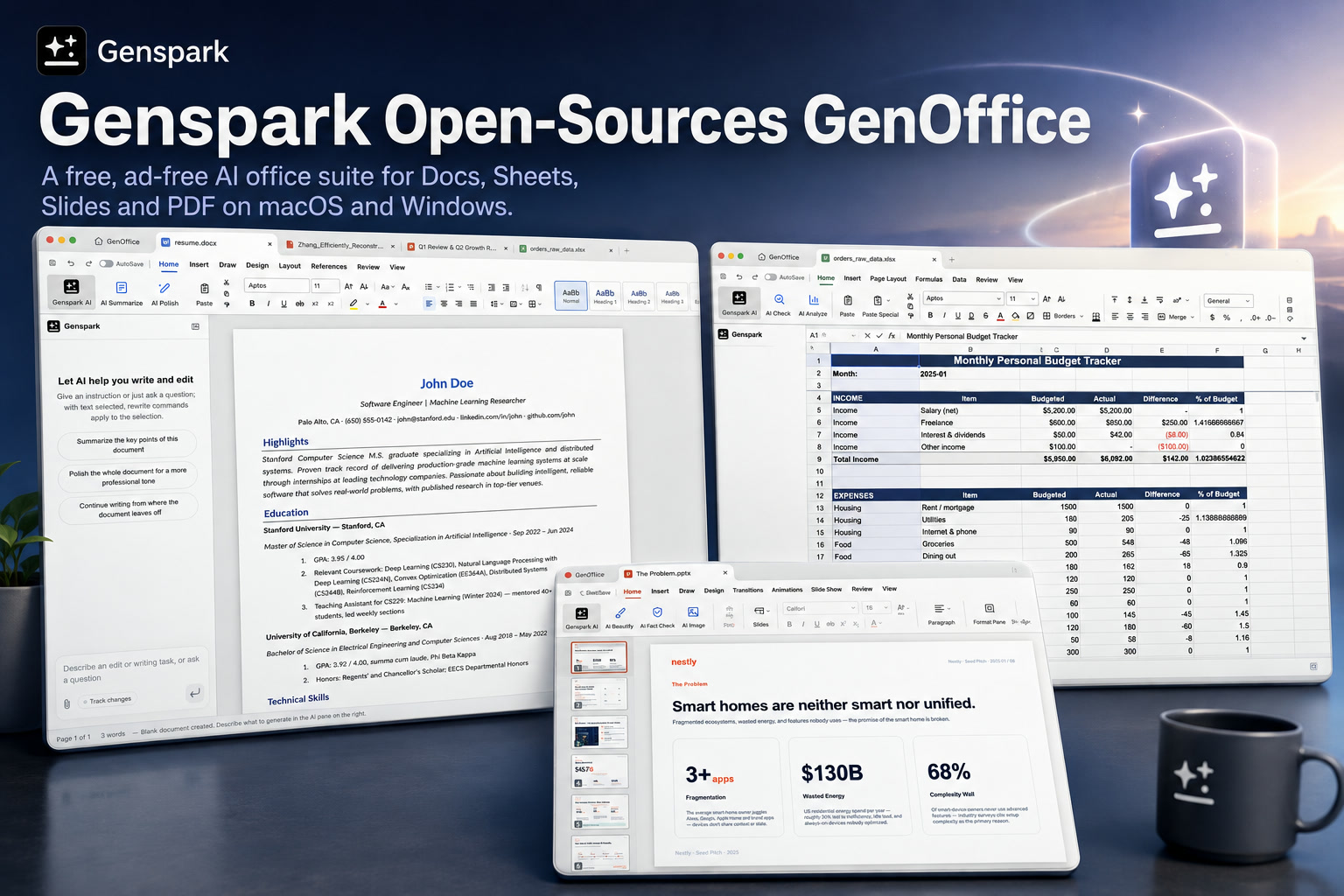
The office software market is dominated by familiar names such as Microsoft 365, Google Workspace and LibreOffice. Most newer challengers tend to copy the same basic formula: documents, spreadsheets and presentations, followed by an AI assistant added somewhere in the sidebar.
Genspark is taking a slightly different approach with GenOffice, a new open-source productivity suite built around AI-assisted editing from the beginning.
Released under the Apache License 2.0, GenOffice combines a word processor, spreadsheet application, presentation editor and PDF toolkit for macOS and Windows. The suite is free to use, contains no advertising and is designed to work with common Microsoft Office file formats such as DOCX, XLSX and PPTX.
The project is still labelled as an Alpha, so it should not yet be viewed as a polished replacement for a mature enterprise office platform. Even so, its architecture, licensing and document-preservation approach make it considerably more interesting than a typical experimental productivity app.
One Suite Made From Five Electron Applications
GenOffice is not delivered as one large monolithic program. Instead, it consists of five Electron-based applications that share a common engine layer.
These include:
The shared engine approach allows the applications to reuse file-processing, AI and rendering components while keeping each editor focused on its own document type.
Signed installers are currently available for Apple Silicon Macs and 64-bit Windows systems, with the project listed at version 0.4.110. Developers can also build it from source using Node.js 20 or newer, npm 10 or newer and a Rust toolchain for parts of the spreadsheet system.
Free and Ad-Free, but AI Usage Still Requires Credits
Genspark describes GenOffice as free for everyone, with no advertisements, licensing fees or watermarks attached to the core editing tools.
That makes the suite especially appealing to users who want a traditional desktop productivity environment without paying for a recurring office subscription.
However, the AI features operate differently.
Users must sign in with a Genspark account, and AI requests are routed through Genspark's own services. Those features consume Genspark credits, which means the software itself may be free while AI-assisted workflows still carry a usage cost.
There is no default option to enter a personal local-model key and run all AI functions independently. Organisations evaluating the platform therefore need to separate the free editing experience from the cloud-connected AI service.
Built Quickly, but With Ambitious Scope
The GenOffice team has been unusually open about the speed at which the early version was created.
According to its public announcement, the Alpha was produced by one engineer in roughly one week, using approximately US$10,000 worth of AI tokens during development.
That is an impressive demonstration of AI-assisted software development, but it also provides important context. GenOffice may already contain a broad range of features, yet the project remains at an early stage and has not had the years of compatibility testing associated with Microsoft Office or LibreOffice.
The development story is therefore both a strength and a warning. It shows how quickly a capable productivity platform can now be assembled, but businesses should still expect unfinished areas, compatibility issues and rapidly changing behaviour.
Can GenOffice Be Deployed Today?
Technically, yes—but the answer depends heavily on the environment.
For individual users, developers, startups and small businesses, the current installers may already be sufficient for testing and non-critical work. The absence of licence fees and advertisements makes experimentation relatively low risk.
For larger organisations, deployment requires more careful evaluation.
GenOffice's Alpha status means companies should test file compatibility, application stability, update behaviour and recovery processes before allowing it to handle important documents. Organisations that activate the AI features must also assess how document content is sent through Genspark's cloud services.
Regulated industries may need to complete privacy, security and data-protection reviews before using the platform with confidential material. A free application can still introduce compliance obligations when its AI services process information externally.
Apache 2.0 Gives Developers Broad Freedom
One of GenOffice's biggest advantages is its open-source licence.
The Apache License 2.0 generally allows organisations to inspect, modify, redistribute and commercially use the code. This makes GenOffice more flexible than proprietary office platforms that can only be customised through approved extensions or limited APIs.
A company could potentially fork the project, change its interface, integrate internal systems or build a specialised productivity environment around it.
There are still boundaries.
The project reserves its ee/ directory for future enterprise functionality governed by a separate GenOffice Enterprise Licence. The GenOffice and Genspark names are also trademarks belonging to Mainfunc, Inc., so an independent fork cannot simply reuse the official branding.
The source is open, but the branding and future enterprise modules are not automatically included under the same terms.
Document Fidelity Is Central to the Design
Many alternative office suites can open Microsoft Office files but struggle to save them without changing the layout, formatting or internal structure.
GenOffice addresses this problem through what it describes as a byte-preserving round-trip architecture.
Rather than rebuilding an entire DOCX file whenever a user makes a change, the document engine keeps the original archive as its source of truth. It identifies which sections were modified and patches only those sections back into the original document.
Everything that was not edited is left untouched.
This matters because DOCX files are not simple text documents. They are compressed archives containing XML, styles, relationships, comments, media, equations and other resources. Recreating the entire package can easily introduce subtle differences that appear when the file is reopened in Microsoft Word.
GenOffice attempts to avoid that by making the smallest possible change.
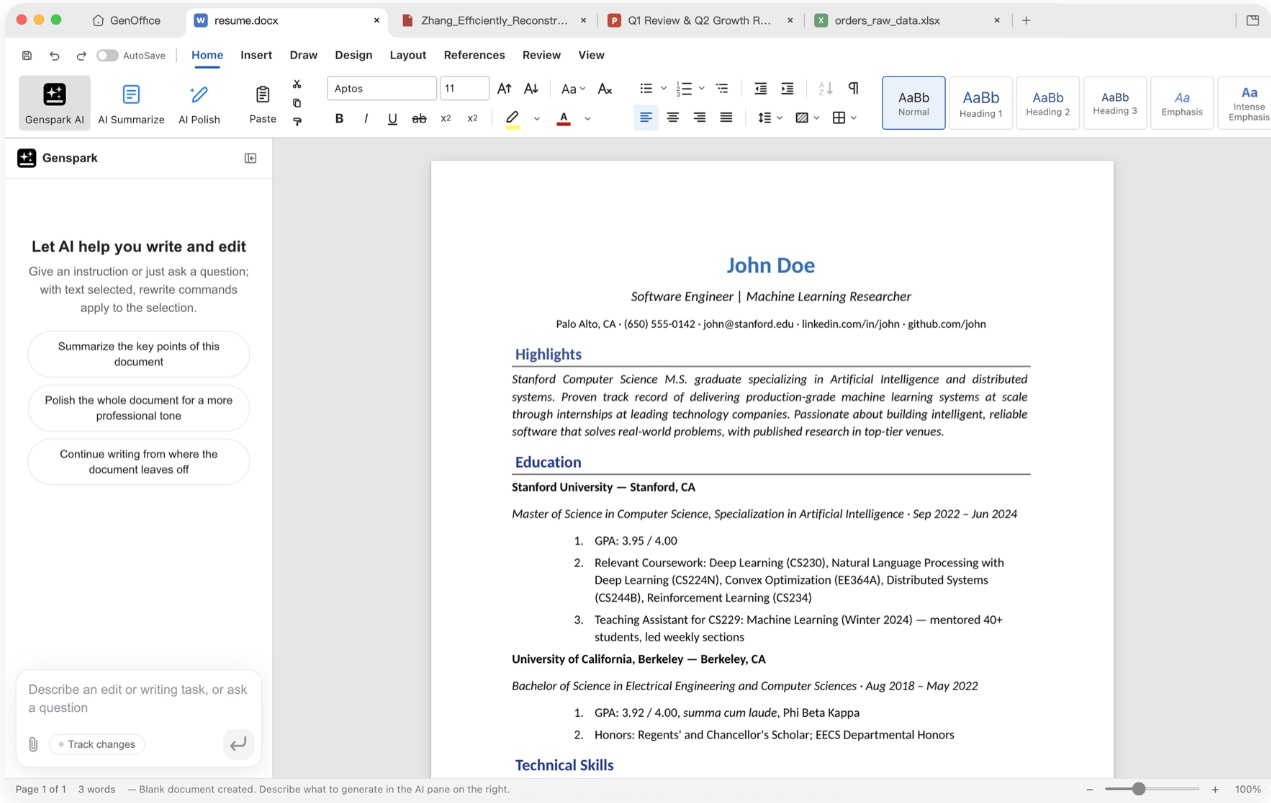
How the DOCX Engine Preserves the Original File
When GenOffice opens a Word document, the original DOCX archive is stored and identified by its hash.
The docx-engine then parses the top-level elements of word/document.xml into a block structure. Each block retains a reference to its original position and XML content.
Editing takes place through a TipTap-based streaming editor that tracks which blocks have changed. When the document is saved, only those dirty blocks are converted back into OOXML fragments and inserted into the original XML.
Unmodified blocks retain their original bytes, while the remaining files inside the DOCX archive are copied without alteration.
In theory, this approach should reduce the risk of opening and saving a document only to discover that Word has shifted the layout, replaced formatting or removed unsupported elements.
The project says its document editor supports features such as tracked changes, comments, styles, equations and digital ink, while its paginated view aims to reproduce the original line measurements.
A Narrow-Patch Philosophy Across the Suite
The same general principle extends beyond Word documents.
GenOffice treats the original file as the authoritative source and applies targeted modifications instead of regenerating everything unnecessarily. This narrow-patch approach is especially valuable for complex spreadsheets and presentations, where a full import-and-export cycle can easily alter charts, formulas, masters or embedded objects.
It is an architectural decision that prioritises compatibility over convenience.
Rather than assuming the application completely understands every part of the file format, GenOffice preserves what it does not need to change.
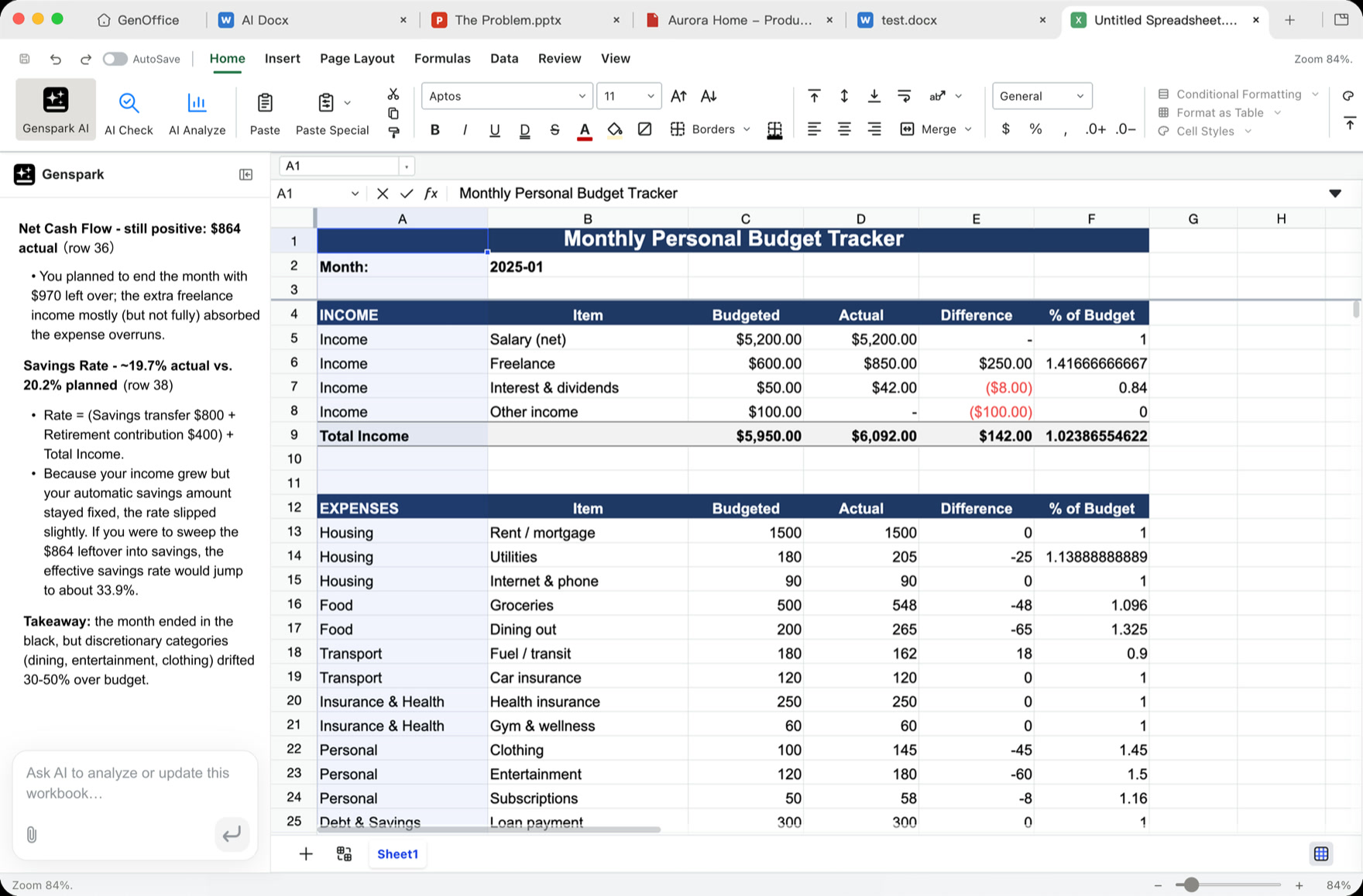
Sheets Combines Univer With a Rust Processing Layer
The spreadsheet application uses the open-source Univer core for its user interface and spreadsheet foundation.
Genspark has added a substantial collection of custom extensions on top of it, while XLSX import and export are handled through an in-house Rust sidecar.
That sidecar uses calamine and IronCalc, giving the application a separate native layer for reading spreadsheets and working with formulas.
The Sheets application also includes custom chart rendering based on Konva, alongside more advanced spreadsheet capabilities such as:
Using Rust for the file-processing side may improve performance and reduce some of the limitations associated with handling large spreadsheets entirely through JavaScript.
However, spreadsheet compatibility is one of the hardest areas for any office suite. Users should still test complex workbooks containing macros, external links, unusual formulas or specialised Excel features before relying on GenOffice in production.
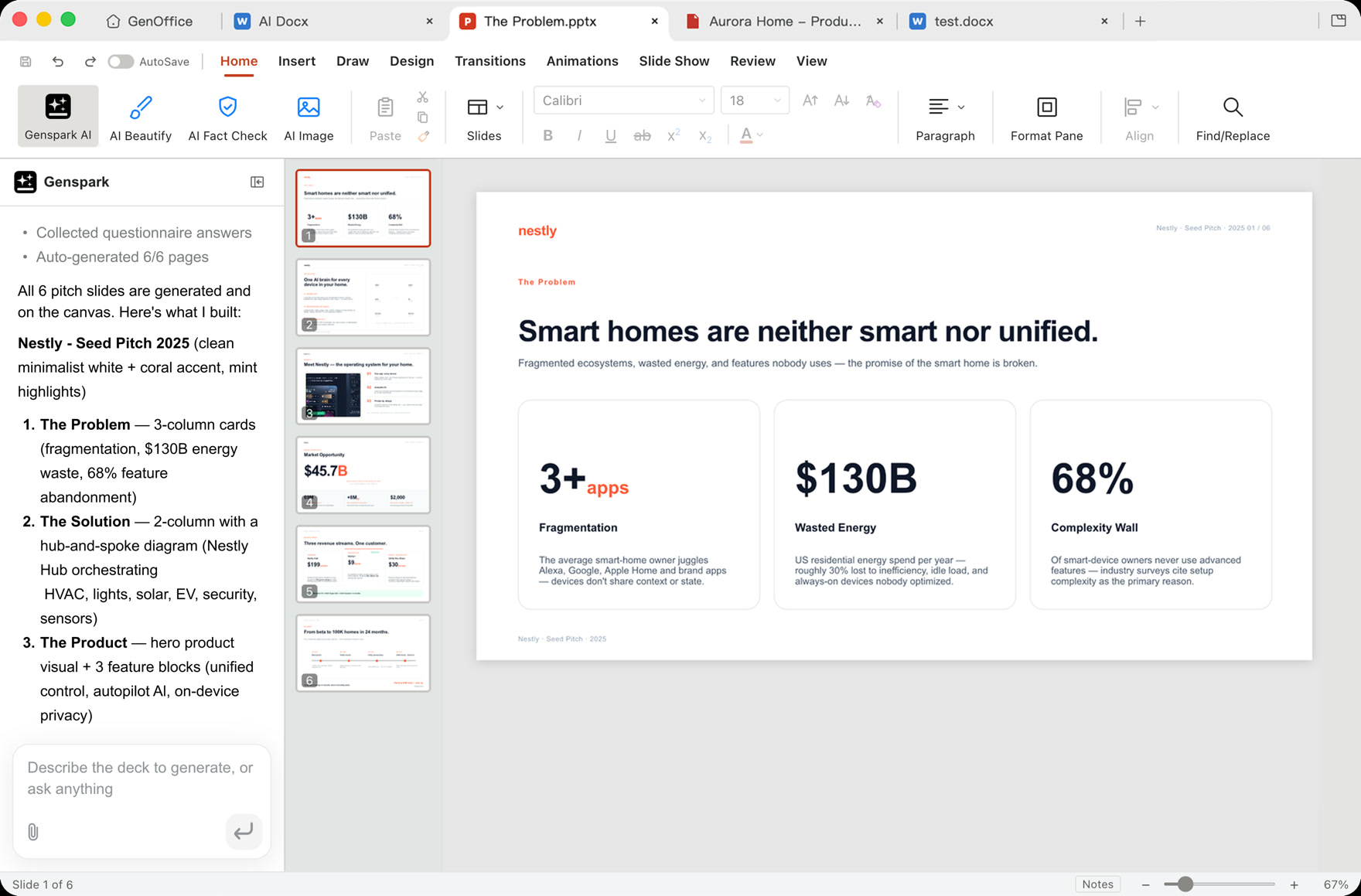
Slides Uses an In-House PPTX Engine
The presentation editor relies on Genspark's own PPTX parsing, rendering and editing technology.
Its supported areas include slide masters, charts, image cropping, ink and text shaping. HarfBuzz metrics are used to improve text measurement and rendering consistency.
Text layout is especially important in presentation files because small differences in font measurement can change line breaks, move objects or cause text to overflow.
By using a custom presentation engine instead of converting everything into a simpler internal format, GenOffice is attempting to preserve more of the original structure.
The editor also applies the same source-of-truth philosophy as Docs, making narrow changes to the presentation rather than reconstructing the entire file whenever possible.
The PDF Tool Goes Beyond Basic Viewing
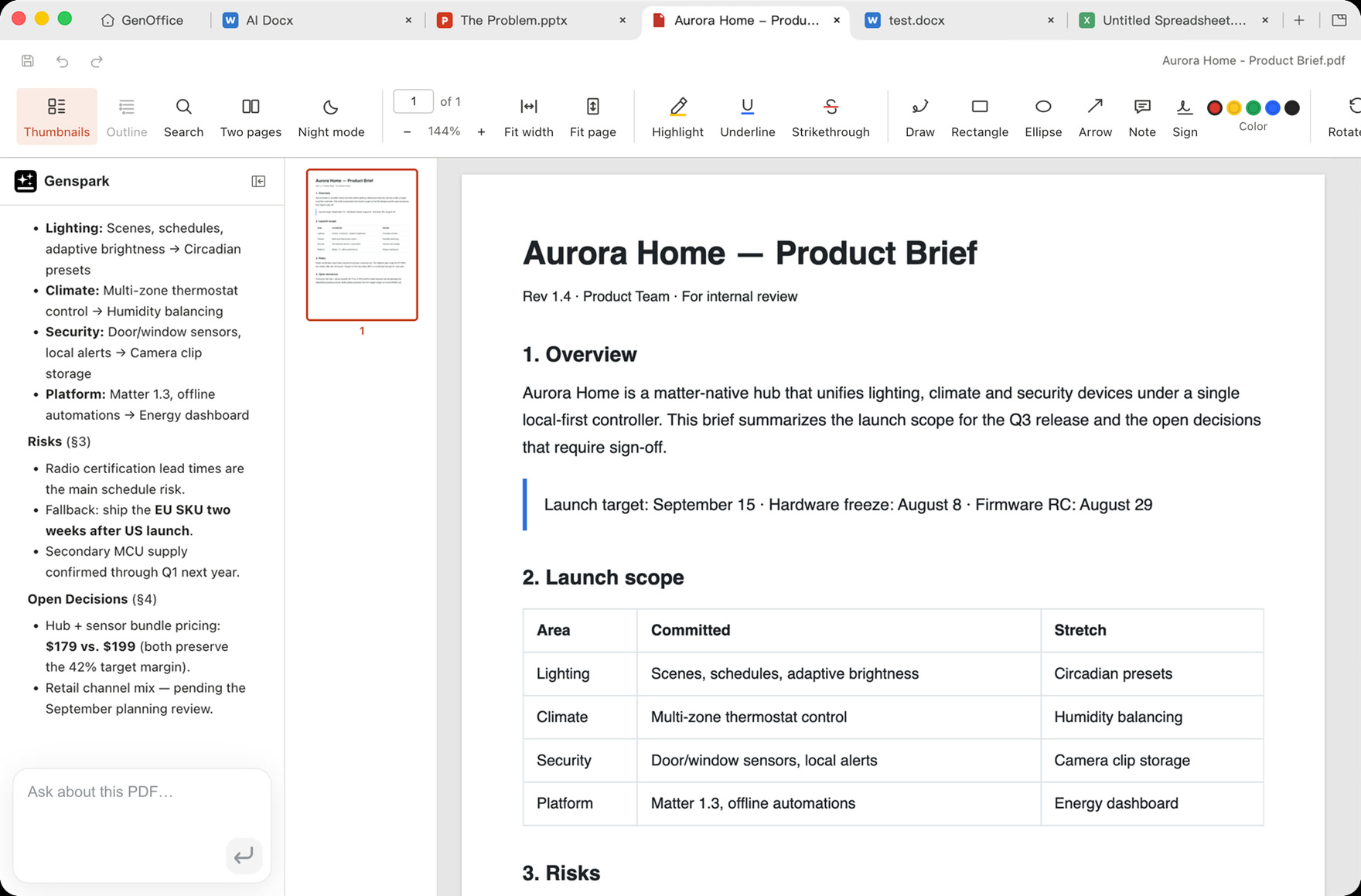
GenOffice's PDF application is built around pdf.js and pdf-lib.
It supports more than simply opening and reading documents. Available functions include:
This gives the suite a broader scope than many free office applications, which often require a separate PDF editor for anything beyond viewing or basic export.
The project's shell application then brings the separate editors together through a shared home screen, tabbed hosting and automatic updates.
AI Is Part of the Editing Workflow, Not Just a Chat Window
GenOffice describes itself as AI-native because its AI capabilities are integrated into how documents are edited.
In the Docs application, AI can operate at block level. The system records snapshots and produces differences between the original content and the proposed changes, giving users a clearer view of what the model intends to modify.
This is more controlled than asking a chatbot to rewrite an entire document without showing exactly what changed.
The spreadsheet, presentation and PDF applications use a tool-calling agent that can interact with the current document state. Rather than generating only plain text, the agent can theoretically invoke document-specific operations.
This distinction is important.
An AI assistant that understands document structure can do more than write a paragraph. It can potentially adjust a spreadsheet, manipulate slides or act on selected parts of a file while preserving the rest.
The Shared Engine Is Kept Separate From Electron
GenOffice's core packages are written in TypeScript and do not depend directly on Electron.
These packages include components such as:
docx-engine; pptx-engine; pptx-render; file-parse; agent-core; ai-provider;ai-search.Keeping the engine independent from the desktop shell makes the project easier to test and potentially easier to reuse in other environments.
It also reduces the risk of tightly coupling document-processing logic to the Electron interface. In future, the same engine components could theoretically support another desktop framework, a web client or server-side conversion tools.
Security Documentation Is Surprisingly Detailed for an Alpha
Electron applications have often been criticised for exposing unnecessary browser and system privileges. GenOffice attempts to reduce this risk through a fairly strict renderer configuration.
Each document window runs with:
contextIsolation: true; nodeIntegration: false; and sandbox: true.This prevents ordinary renderer code from gaining direct access to Node.js APIs and reduces the damage that untrusted document content could cause.
Inter-process communication payloads are checked in the main process, while the Sheets application uses Zod validation throughout its IPC path.
External links are routed through a central safeExternalUrl control that accepts only HTTP and HTTPS destinations. Dangerous or unexpected schemes such as file:, javascript: and custom protocols are rejected.
These are sensible defaults, particularly for an application expected to open documents from unknown sources.
GenOffice Documents Two Specific AI Threat Models
The security documentation also acknowledges that AI-generated content can be hostile or unpredictable.
The first threat model concerns scripts generated for presentation layouts.
Rather than running those scripts with eval, Function, a virtual machine context or a worker, GenOffice parses them using Acorn and executes them through a constrained abstract syntax tree interpreter.
The interpreter does not provide ambient global variables, network access, timers or an IPC bridge. It also imposes limits on the number of statements and the depth of function calls.
This reduces the risk of an AI-generated layout script escaping into the wider application environment.
The second threat model involves AI-generated HTML used in the PPTX export process.
That HTML is rendered inside a hidden BrowserWindow that is explicitly treated as untrusted. It receives no preload script and no IPC interface. The application controls it through executeJavaScript and applies a watchdog timeout so that a malicious or broken render cannot run indefinitely.
For an Alpha product, documenting these paths so clearly is encouraging. It shows that the developers are thinking beyond traditional file-format security and considering the additional risks introduced by generated code and AI-created content.
Who Should Consider GenOffice?
GenOffice currently makes the most sense for developers, enthusiasts, startups and smaller organisations that are comfortable testing early software.
Its free, ad-free model and Apache 2.0 licence reduce the barriers to experimentation. Teams that want to inspect the source or build a customised office environment may find it particularly attractive.
Mid-sized companies may also see value in creating internal forks, provided they have the engineering capacity to maintain them.
Regulated organisations should be more cautious.
The Alpha designation, external AI processing, limited production history and lack of a mature enterprise-support framework mean that GenOffice may not yet satisfy strict procurement, compliance or continuity requirements.
That does not make it unsuitable forever. It simply means the current release should be evaluated as an emerging platform rather than a ready-made replacement for a fully governed enterprise office suite.
The Main Limitations to Consider
GenOffice's biggest challenge is maturity.
Office file compatibility involves countless edge cases. A document may contain unusual fonts, embedded objects, formulas, macros, accessibility tags, complex section layouts or proprietary extensions that behave differently outside Microsoft Office.
The project's byte-preserving architecture may help protect untouched content, but edited areas still depend on how accurately GenOffice understands and reproduces the relevant file format.
The cloud-based AI path is another consideration. Organisations may appreciate the AI integration but still be unable to send sensitive document content through an external service.
Finally, the speed of the Alpha's development means users should expect rapid updates and possible breaking changes while the platform evolves.
Final Thoughts
GenOffice is one of the more technically interesting attempts to rethink desktop productivity software.
Its appeal is not simply that it combines documents, spreadsheets, presentations and PDFs in a free package. The more important ideas are its open-source licensing, AI-first editing model and source-preserving approach to Microsoft Office formats.
Patching only the modified parts of a file could provide a meaningful compatibility advantage if the implementation works reliably. Its security architecture also shows a welcome awareness of the risks created when AI-generated content is allowed to interact with desktop applications.
Still, GenOffice is an Alpha, and that label should be taken seriously.
It is already deployable for experimentation, personal use and carefully selected workflows, but businesses should test it thoroughly before entrusting it with critical documents. The AI tools also remain dependent on a Genspark account and cloud-routed services, which may limit adoption in privacy-sensitive environments.
Even with those limitations, the project demonstrates how quickly the office software landscape is changing. A free, ad-free and commercially reusable suite with built-in AI would have sounded unusually ambitious only a short time ago. GenOffice shows that such products can now be created rapidly—the real test will be whether they can mature into dependable everyday tools.











Comments 0