

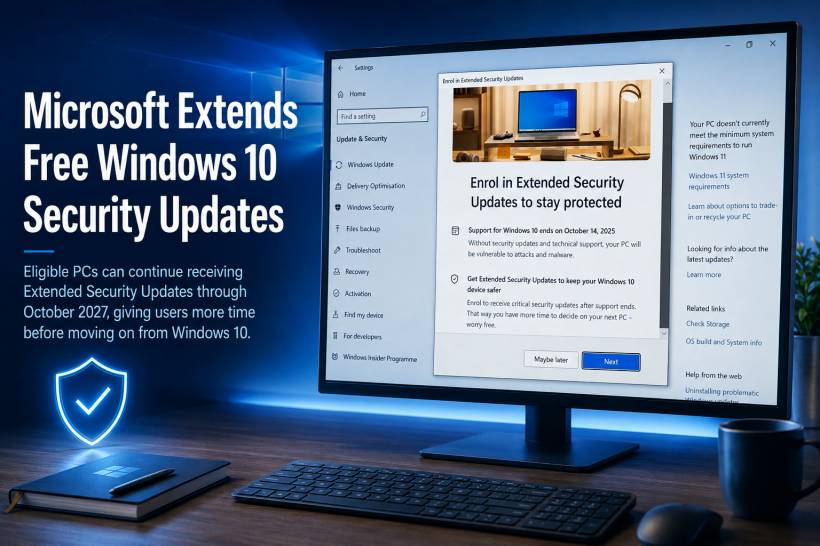
Windows 10 may have officially reached end of support, but Microsoft has given eligible consumer PCs a longer security lifeline than originally expected. Microsoft's Windows 10 Consumer Extended Security Updates programme, better known as ESU, is now set to run until 12 October 2027. That gives users with compatible Windows 10 devices more time to stay protected while deciding whether to upgrade to Windows 11, replace an older PC, or continue using their current hardware a little longer.
The change is significant because the original consumer ESU plan was positioned as a one-year bridge beyond Windows 10's end-of-support date in October 2025. The latest guidance effectively adds another year of security coverage for enrolled devices.
A Longer Security Lifeline for Windows 10 Users
Windows 10 reached end of support on 14 October 2025. The operating system will still run normally, but Microsoft no longer provides standard feature updates, regular technical support, or ongoing security fixes for users outside the ESU programme.
That is where ESU comes in.
Enrolled Windows 10 PCs can continue receiving critical and important security updates through October 2027. This does not turn Windows 10 into a fully supported modern platform again, but it does help reduce the security risk for users who cannot move to Windows 11 immediately.
For many people, that extra time will be useful. Some PCs do not meet Windows 11's hardware requirements, while others are still perfectly capable for office work, web browsing, school tasks, media, and everyday use.
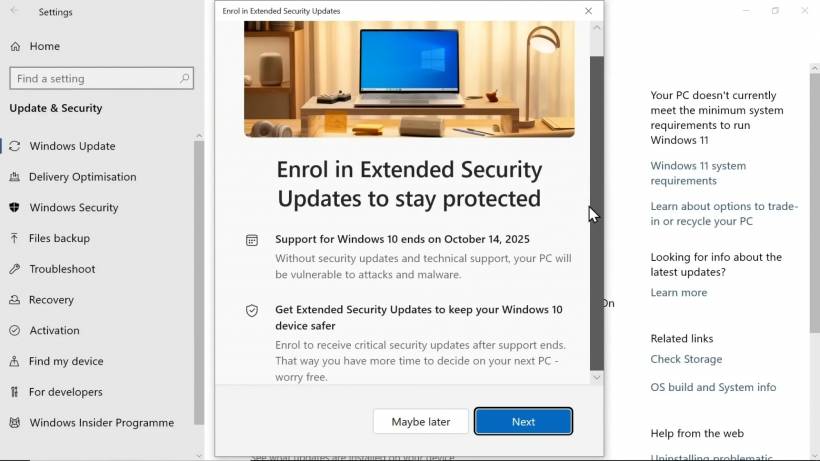
Already Enrolled? You Do Not Need To Do Anything
The good news for users who have already joined the Consumer ESU programme is that there is no need to enrol again.
Microsoft says existing coverage will continue automatically through 12 October 2027. New users can still enrol at any point before the programme ends, although it is safer to do so sooner rather than later.
Waiting too long means the PC remains exposed to newly discovered vulnerabilities during the period before ESU is activated.
What Windows 10 ESU Actually Includes
It is important to understand what ESU does and does not provide.
ESU is focused on keeping older Windows 10 devices safer for a limited period. It includes:
However, it does not include:
Think of it as a security bridge, not a revival of Windows 10 development.
How To Get Windows 10 ESU for Free
Microsoft continues to offer several enrolment routes for eligible consumer devices.
The most attractive option is free enrolment for users who choose to sync or back up their Windows settings using a Microsoft account. There are also two alternative options: redeeming 1,000 Microsoft Rewards points, or making a one-time US$30 purchase, subject to local pricing and applicable taxes.
The options available are:
| Enrolment Method | Cost | Key Requirement |
| Sync or back up Windows settings | Free | Sign in with a Microsoft account and enable settings backup/sync |
| Microsoft Rewards | 1,000 points | Redeem points during enrolment |
| One-time purchase | US$30 or local equivalent | Payment, plus applicable taxes |
Simply using a Microsoft account is part of the process, but the free route specifically depends on choosing the Windows settings backup or sync option when enrolling.
Which PCs Are Eligible?
The Consumer ESU programme is intended for personal devices, not managed business PCs.
To qualify, a device generally needs to meet the following conditions:
Users can check eligibility by opening:
Eligible devices should display an Enroll now option for ESU.
Why Windows 11 Is Still the Long-Term Answer
The extended ESU period is helpful, but it should not be mistaken for a permanent solution.
Windows 11 remains Microsoft's recommended long-term platform. It receives ongoing security updates, feature improvements, modern hardware support, and newer capabilities that Windows 10 will not receive.
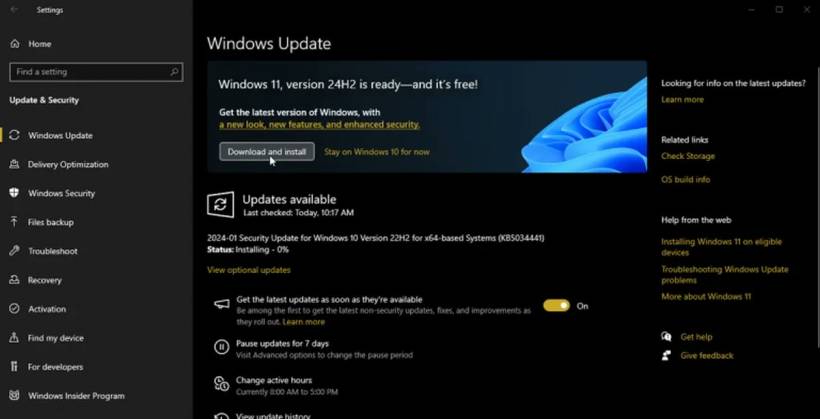
For users with compatible hardware, the Windows 11 upgrade remains free. It is worth checking Windows Update or Microsoft's PC Health Check tool before assuming an upgrade is impossible.
For PCs that cannot run Windows 11, ESU creates useful breathing room. It allows users to plan a replacement more carefully rather than feeling pressured into an immediate upgrade.
A Practical Option for Older but Still Useful PCs
The extension will be particularly welcome for households, students, small offices, and users with older laptops that are still reliable but blocked by Windows 11 hardware requirements.
It also gives people more time to:
Final Thoughts
Microsoft's decision to extend consumer Windows 10 ESU coverage until October 2027 gives users a more realistic transition window.
The programme will not add features or transform Windows 10 into a fully supported operating system again. But for eligible devices, it offers a valuable layer of protection at a time when many older PCs are still useful and widely used.
For anyone staying on Windows 10, enrolling in ESU should be treated as a priority. For everyone else, the extra time can be used wisely: back up your files, check Windows 11 compatibility, and plan the next step before the October 2027 deadline arrives.











Comments