

The Apple Pencil has become an essential tool for artists, designers, note-takers and anyone who appreciates precision on the iPad. In fact, multiple generations of the Pencil top most "best stylus for iPad" lists. But despite how powerful it already is, it turns out the Apple Pencil might still have untapped potential — and a new third-party app proves it.
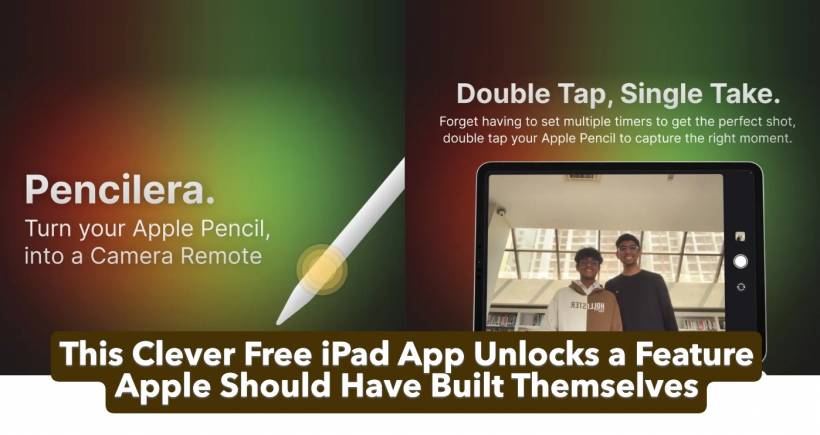
A small developer, Starlight Apps, has released Pencilera, a free iPad camera app that turns the Apple Pencil 2 or Apple Pencil Pro into a wireless remote shutter button. With a simple double-tap or squeeze gesture on the stylus, users can trigger the iPad's camera instantly. No timers. No awkward reaching. No running back and forth to the tablet.
And honestly, Apple should've added this years ago.
How Pencilera Works
Pencilera takes advantage of gesture-based hardware features already built into the Apple Pencil 2 and Apple Pencil Pro. These models include:
Using these built-in sensors, the app listens for the gesture and converts it into a camera-shutter command for the iPad.
Starlight Apps says the idea came from frustration. Setting up timers for group shots or self-portraits often results in failed attempts — and resetting the timer repeatedly quickly becomes tedious. Then they realized millions of iPad users already carry a gesture-enabled stylus. So why not turn it into a remote camera trigger?
It's simple, clever, and surprisingly useful.
Why Isn't This an Apple Feature Already?
That's the big question.
Apple often pushes the Pencil as a professional creative tool, yet the company has never implemented system-level camera controls through the stylus. Given how natural the Pencil feels in hand — especially when the iPad is mounted or on a stand — gesture-based remote photography seems like an obvious fit.
Instead, it took a third-party developer to unlock this functionality.
If Pencilera gains traction, Apple may finally take notice and integrate something similar directly into iPadOS. After all, they've adopted user-inspired features before.
When Pencilera Makes the Biggest Difference
This app becomes especially handy when:
Artists who already keep the Pencil in hand will likely find it even more intuitive.
The only limitation is hardware: Pencilera does not work with the original Apple Pencil or the USB-C Apple Pencil, which lack gesture sensors.
Available Now — and Completely Free
You can download Pencilera today from the Apple App Store, and it works on any iPad that supports the Apple Pencil 2 or Apple Pencil Pro. For users still deciding, checking out the best iPad Pro apps (or comparing current Apple Pencil prices) is a good starting point.
It's a small but brilliant reminder that sometimes the most powerful innovations come from outside Apple's ecosystem.











Comments 0