

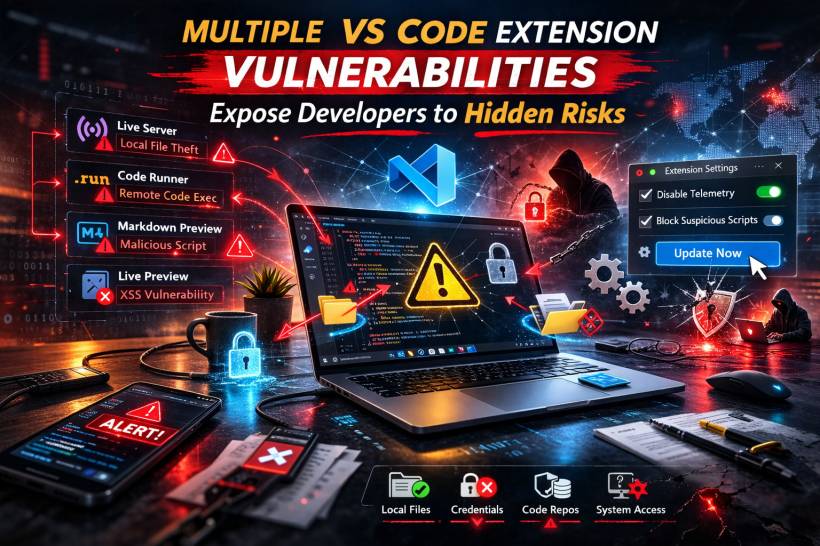
If you use Visual Studio Code daily (or you manage developer machines in an organisation), this isn't the kind of advisory to brush off as "just another extension issue." Security researchers have flagged multiple vulnerabilities across widely used VS Code extensions, and the combined install base is enormous. When flaws show up in tools that sit inside your editor, the risk isn't just theoretical, because extensions often have access to your workspace files, local environment, tokens, and internal resources.
That's what makes this category of vulnerability feel different from a random app bug. It's not just about crashing. It's about trust.
The Big Picture: What Was Found
The reported issues cover three named vulnerabilities (with severity ranging from medium to high) plus an additional issue in Live Preview described as a one-click XSS-style weakness. Taken together, the theme is simple: attackers don't necessarily need to "break into" your system if they can trick you into doing one normal developer action inside a compromised workflow.
Vulnerability 1: Live Server Can Be Used To Reach Local Files
Live Server is popular because it makes local preview quick and painless. The problem is that when it's running, it can become a bridge between your browser session and your local machine in ways most people don't expect.
The risk scenario described is straightforward: a developer has Live Server running, visits a malicious webpage, and that page's JavaScript interacts with the local service to pull data that should never be exposed. The concern isn't only source code. It can include credentials, configuration files, and other sensitive local content that developers often keep nearby.
Vulnerability 2: A Crafted Markdown File Can Execute Script During Preview
Markdown Preview Enhanced is another extension that's convenient enough to become part of a daily routine. The issue here is about rendering. A specially crafted Markdown file can cause JavaScript to execute when previewed, and that execution happens in a context close to the editor.
This matters because opening a Markdown file is normal. It doesn't feel dangerous. But if previewing content can run attacker-controlled script, the door opens to data exposure, internal discovery, and broader compromise depending on the environment.
Vulnerability 3: Code Runner Can Be Abused Through Malicious Settings
Code Runner is built for speed: run snippets quickly without leaving the editor. The reported weakness leans heavily on social engineering.
The described attack path is the kind that spreads well in dev communities: someone shares a "helpful fix" or "recommended settings snippet," and a developer pastes it into global settings. If that configuration is malicious, it can turn into arbitrary command execution. In the worst case, that's how you end up with a machine running commands you never intended to run.
The Extra Issue: Live Preview "One-Click" Script Execution Risk
There's also a reported issue affecting Live Preview versions prior to a specific release, described as a one-click scenario where viewing untrusted HTML can lead to script execution and access to local files.
Even if you don't "download malware," developers constantly preview HTML from sample projects, snippets, and quick tests. That normal habit is exactly why this type of issue is worth taking seriously.
"Is This Being Exploited Right Now?"
At the time of disclosure, there were no confirmed public reports of widespread exploitation campaigns tied directly to these issues. Still, extension vulnerabilities don't need a massive campaign to be damaging. One targeted lure to the right developer can be enough.
The Common Traps That Make These Attacks Work
Most of the risk comes down to everyday actions that feel harmless:
• Opening and previewing an untrusted Markdown file
• Copy-pasting unknown settings into VS Code's global configuration
• Rendering untrusted HTML during preview
This is less "Hollywood hacking" and more "one normal click at the wrong time."
Who And What Is Affected
The issues discussed involve:
• Markdown Preview Enhanced (broadly affected)
• Code Runner (broadly affected)
• Live Preview (older versions, prior to a fixed release)
It's also worth remembering that VS Code extensions often work across VS Code-based editors, so the risk may extend beyond stock VS Code depending on what you use.
What You Should Do Now
Start with the basics that make the biggest difference:
• Remove extensions you don't truly need (less surface area, less risk)
• Avoid leaving localhost preview servers running while casually browsing
• Treat random Markdown, HTML, and "settings.json snippets" as untrusted until proven otherwise
• Prefer well-maintained extensions from reputable publishers, and keep an eye on update history
Final Thoughts
VS Code extensions are powerful because they're close to everything developers care about: code, secrets, local files, and internal access. That same closeness makes them a high-value target. Even without headline-making exploitation stories, the combination of a convincing lure and a vulnerable extension can be enough to cause real damage.











Comments 0