

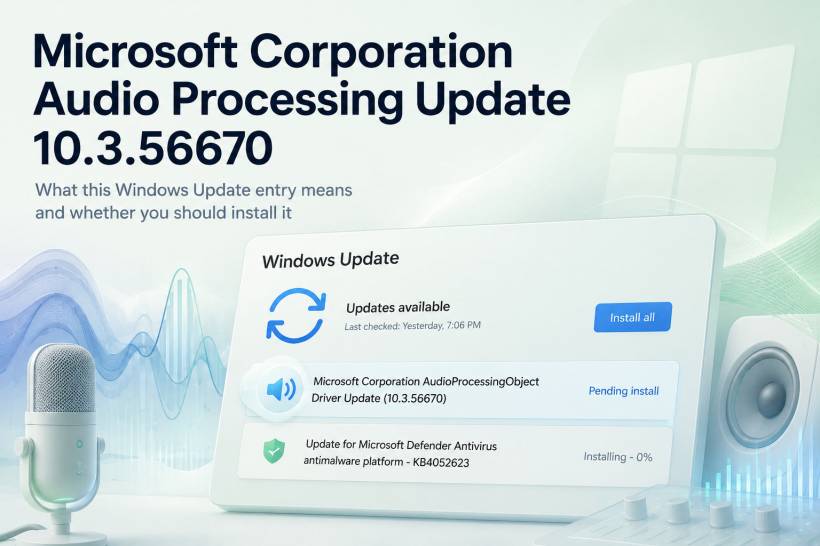
A Windows Update entry named "Microsoft Corporation AudioProcessingObject Driver Update (10.3.56670)" may look a little confusing at first. It sounds technical, and it does not clearly say whether it is related to your speaker, microphone, Realtek driver, Intel audio, Dolby processing, or another sound component.
In simple terms, this is an audio-related driver update delivered through Windows Update. It is usually connected to how Windows processes sound, microphone input, speaker output, and audio enhancement features.
What Is an Audio Processing Object Driver?
An Audio Processing Object, often shortened as APO, is part of the Windows audio system. It is not always the main audio driver itself. Instead, it usually works as an extra audio processing layer between Windows, your hardware, and any sound enhancement features used by your device.
Think of it as a background component that helps Windows manage how audio is handled before it reaches your speakers or after it comes through your microphone.
This can include things like:
• Microphone noise reduction
• Echo cancellation
• Voice clarity processing
• Speaker enhancement
• Audio effects
• Spatial audio handling
• Communication app audio improvement
• Compatibility with newer Windows sound features
That is why this type of update may appear even when your speakers and microphone already seem to be working normally.
Why Is Microsoft Releasing This Update?
Windows Update regularly delivers driver updates for hardware and system components. The Microsoft Corporation AudioProcessingObject Driver Update 10.3.56670 is likely intended to improve compatibility, stability, or audio processing behavior on supported devices.
This does not necessarily mean there is something wrong with your computer. In many cases, Windows is simply updating a background audio component so that it works better with the current version of Windows.
The update may be related to:
• Built-in laptop speakers
• Built-in microphone processing
• Headset or communication audio
• Voice input quality
• Audio enhancement controls
• Manufacturer-specific sound tuning
• Windows 11 audio compatibility
Because the update comes through Windows Update, it is being distributed through Microsoft's official driver delivery channel.
Is This the Same as a Realtek or Intel Audio Driver?
Not exactly.
A traditional audio driver usually controls the actual audio hardware. For example, many laptops and desktops use Realtek, Intel, AMD, NVIDIA, or device-manufacturer audio drivers.
An Audio Processing Object driver is more focused on what happens to the sound after the basic hardware driver is already involved. It can help process, enhance, clean up, or modify audio behavior depending on the device and Windows configuration.
So, even if your PC uses Realtek audio, you may still receive a Microsoft audio processing update because Windows uses multiple layers to manage audio.
Should You Install It?
For most users, yes, it should be safe to install. Since the update is delivered through Windows Update, it is not a random third-party download or suspicious installer.
However, audio-related updates can sometimes slightly change how sound behaves. After installation, you may notice small differences in speaker volume, microphone sensitivity, audio enhancements, or how communication apps handle voice input.
A practical approach is to install it if:
• You are having microphone or speaker issues
• Your audio sounds distorted, unclear, or inconsistent
• Apps like Teams, Zoom, Discord, or WhatsApp Desktop have microphone problems
• Windows Update is already offering it as a normal driver update
• You want to keep your system drivers current
You may want to delay it briefly if your current audio setup is very specific, such as using external DACs, professional audio software, tuned EQ settings, or production equipment.
What Could Change After Installation?
Most users probably will not notice anything obvious after installing the update. This type of driver update usually works quietly in the background.
Possible improvements may include better audio stability, improved voice processing, fewer microphone glitches, better compatibility with Windows audio enhancements, or fixes for device-specific sound issues.
In some cases, Windows may reset or adjust certain audio settings after the update. For example, your default output device, input device, spatial sound setting, or enhancement option may need to be checked again.
What To Check After Installing
After installing the update, restart your PC first. Driver updates often need a reboot before they fully apply.
Then, check your audio settings:
• Go to Settings > System > Sound
• Confirm the correct output device is selected
• Confirm the correct microphone is selected
• Test speaker volume
• Test microphone input level
• Check whether Audio Enhancements are enabled or disabled
• Test your usual apps such as Teams, Zoom, browser audio, or media players
If everything sounds normal, then no further action is needed.
What If Audio Sounds Different After the Update?
If your audio behaves differently after installing the update, do not panic. Most issues can be fixed by checking Windows sound settings.
You can try the following:
• Restart the computer again
• Re-select your speaker or headphone output device
• Re-select your microphone input device
• Toggle Audio Enhancements off or on
• Check volume mixer settings
• Reconnect Bluetooth headphones or USB audio devices
• Open Device Manager and check the audio-related devices
If the problem started immediately after the update, you may also be able to roll back the driver through Device Manager, depending on how Windows installed it.
Is It a Major Windows Update?
No, this is not a major Windows feature update. It is a smaller driver-level update related to audio processing.
That means it should not change your desktop layout, apps, files, or general Windows experience. Its purpose is more specific: to update how Windows handles certain audio processing functions on compatible devices.
Final Thoughts
The Microsoft Corporation AudioProcessingObject Driver Update 10.3.56670 may look technical, but it is basically a Windows audio processing driver update. It is likely designed to improve how Windows handles microphone input, speaker output, audio enhancements, and voice-related processing.
For most users, it is fine to install. It comes through Windows Update and should apply automatically without needing manual driver downloads.
The only users who may want to be more careful are those with highly customized audio setups, professional audio tools, or very specific speaker and microphone configurations. For everyone else, this is a normal maintenance update that helps keep the Windows audio system current.











Comments