

If you build anything serious in JavaScript land, you already know the uncomfortable truth: your app is not just your code. It is also whatever you pulled in from npm last week (and whatever those packages pulled in too). That is why this small-looking change on npm is actually a big deal.
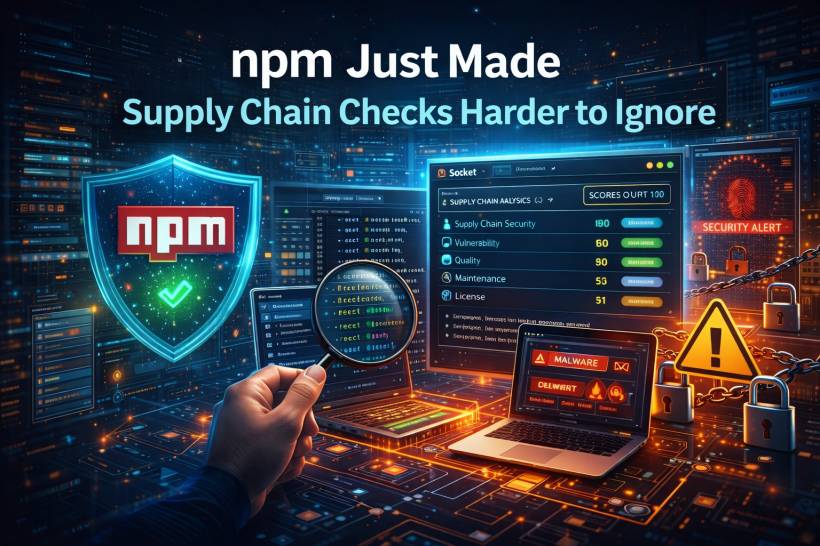
npm package pages now include a direct link to Socket's security analysis, right there in the sidebar, so you can inspect a dependency's risk profile before you install it.
Why This Matters More Than It Sounds
Most teams still evaluate packages during "discovery mode." You are skimming a package page, checking downloads, scanning the README, and glancing at the repo link. That helps you understand popularity and activity, but it does not really answer the question you care about:
Is this safe to ship into production?
The default npm view has always been useful as a quick snapshot (versions, downloads, license, size, collaborators, repo link), but it is not designed to surface deeper supply chain risks at the moment you are deciding whether to adopt a package.
The Problem With "Just Google It" Security
A lot of developers (understandably) fall back to search results and quick AI summaries when they are trying to sanity-check a dependency. The problem is that this can be unreliable, and in the worst cases it can steer people toward the wrong package entirely, including malicious lookalikes.
So the big win here is not that Socket exists. It is that npm is putting the "security context" closer to the click that matters: the moment someone is about to install something.

What the "Analyze Security With Socket" Button Actually Does
On npm, the new button routes you to Socket's package profile for that dependency.
From there, Socket presents a score-based overview (out of 100) across several categories such as supply chain security, vulnerabilities, quality, maintenance, and license. This is meant to give you instant "risk posture" context before you dive deeper.
And the deeper part is the real value: Socket highlights dependency details, maintainer information, version browsing, and risk signals that can be easy to miss when you are only reading README files.

Why Maintainership and Dependencies Are a Big Part of Trust
When a package has lots of dependencies, you are not just trusting one project. You are trusting an entire tree of projects. Seeing how big that tree is, and who maintains key pieces, is practical information for engineering teams who care about reliability and long-term sustainability.
Socket's interface is built around making that kind of context easier to spot without turning the evaluation process into a full-time job.
Comparing Alternatives Without Tab Chaos
Real-world engineering is rarely "pick package A, done." It is usually "React vs Preact vs Vue," or "library X vs library Y," especially when you are choosing foundational tools.
Socket includes a way to look at similar packages and compare scores side-by-side, so the decision is not purely vibes and GitHub stars.
Where This Gets Serious: Catching Red Flags Before They Land in Your Repo
Supply chain attacks are not theoretical anymore, and npm has been a frequent target. Malicious packages often rely on patterns like:
• Obfuscated code meant to hide behavior
• Fresh maintainer accounts or suspicious ownership changes
Socket is designed to surface these kinds of signals as alerts, which gives platform and security teams earlier opportunities to block bad dependencies before they spread through an organization.
The important part is the timing. Earlier is cheaper. Catching a bad dependency during discovery or code review is far less painful than discovering it after it ships.
Taking It Into CI: Socket for GitHub
The "package page" link helps at discovery time. But what about when dependencies sneak in during a busy sprint, a quick fix, or a drive-by PR?
Socket's GitHub App watches for changes in dependency manifest files (like package.json and lockfiles). When a PR introduces or updates a dependency, it analyzes the package and can comment on risks directly in the pull request.
This is the governance sweet spot for many teams because it keeps checks inside the workflow developers already use, instead of creating a separate security gate that everyone tries to avoid.
The Bigger Picture: Shifting Security Left Without Slowing Developers Down
A lot of "secure the supply chain" initiatives fail because they show up too late and feel like friction. They create extra steps right when developers are trying to ship.
This npm + Socket integration nudges the process in the opposite direction: make security visible earlier, make it easier to compare options, and catch the worst problems before they become incidents.
Final Thoughts
This is one of those changes that looks minor on paper but can quietly improve the health of the whole ecosystem. Putting a security analysis link directly on npm package pages makes it much harder to say "we didn't think about it" when adopting third-party code.
If your team is serious about reducing supply chain risk, the best time to evaluate a dependency is before it becomes a dependency. This update makes that moment easier to act on, and that alone is a win.











Comments 0