

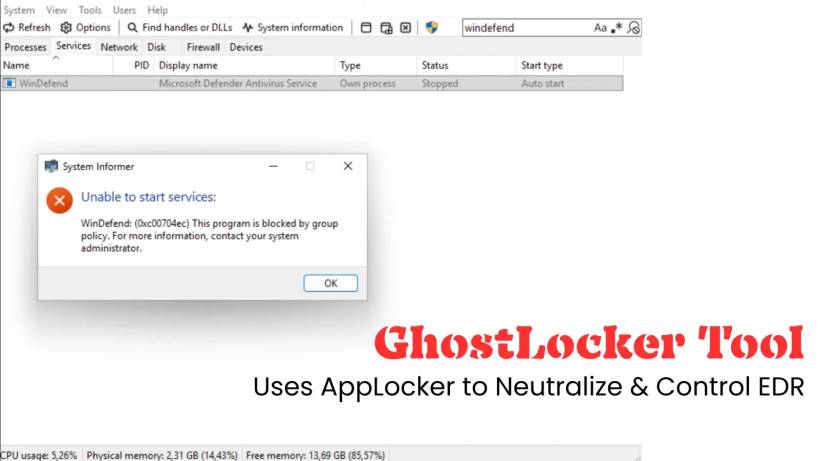
A new tool called GhostLocker is turning heads in the cybersecurity world — not because it exploits a bug, but because it cleverly uses a legitimate Windows security feature to silently cripple Endpoint Detection and Response (EDR) tools. Instead of exploiting vulnerabilities or hacking deep into the system, GhostLocker uses something built right into Windows itself: AppLocker.
How GhostLocker Turns AppLocker Against Security Tools
GhostLocker was developed by security researcher zero2504, and it shines a spotlight on a weakness many organizations didn't realize existed. Most modern EDR platforms depend heavily on their user-mode (userland) components to analyze threats, log events, and communicate with the cloud. That dependency turns out to be a big problem.
Rather than attacking kernel drivers or performing complicated memory injections like many traditional EDR bypass tools, GhostLocker takes a smarter — and simpler — route. It uses AppLocker, Microsoft's built-in application whitelisting technology introduced back in Windows 7, to block the EDR's own executables from running.
In other words, GhostLocker doesn't hack the defender… it politely tells Windows to stop letting the defender run at all.
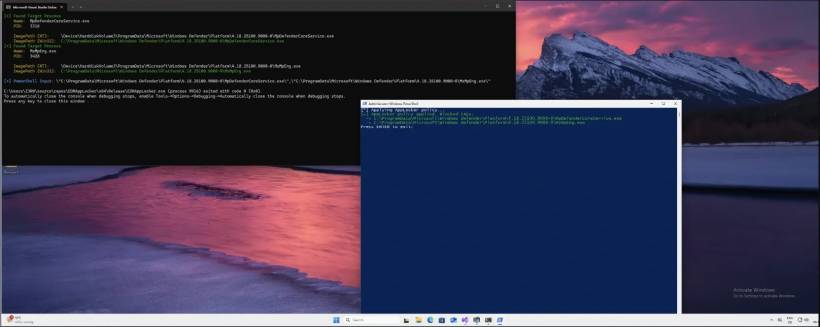
Why This Works Shockingly Well
Administrators legitimately have the power to control what runs in their environment. GhostLocker simply automates the process of creating AppLocker policies that deny execution for EDR services, preventing them from launching or restarting.
The tool offers two flexible approaches:
• A static mode that uses wildcard paths like
*\MsMpEng.exe to block known security tools without scanning firstThere is one limitation: AppLocker cannot kill an already running EDR process. But after a reboot? The EDR fails to come back online — at least not in any meaningful way.
The "Eyes Are Open, But the Brain Is Gone" Problem
Interestingly, GhostLocker doesn't touch the kernel drivers at all. Those still load. They still register callbacks. They still collect telemetry. But none of that matters.
Because without the user-mode services — the part that correlates events, analyzes behavior, detects attacks, and reports threats — the telemetry becomes useless. The system technically sees threats, but it can't understand them or report them.
So the EDR looks alive. In reality, it's blind.
Even Worse: Security Dashboards Still Show "Protected"
During testing, GhostLocker was used against multiple commercial EDR platforms — and the results were worrying. The EDR agents often still appeared healthy and online in management dashboards. Heartbeat services kept running, giving administrators false confidence that protection was active.
Meanwhile, malicious behavior and even code injection attempts went completely unnoticed because the detection engines were quietly disabled.
Why AppLocker Makes This Even More Dangerous than WDAC Attacks
GhostLocker also highlights why this approach is particularly attractive to attackers. Unlike Windows Defender Application Control (WDAC), which operates at the kernel level, AppLocker works in userland, making it easier and more flexible to deploy selectively.
It allows attackers to disrupt protection without breaking the system or triggering obvious red flags.
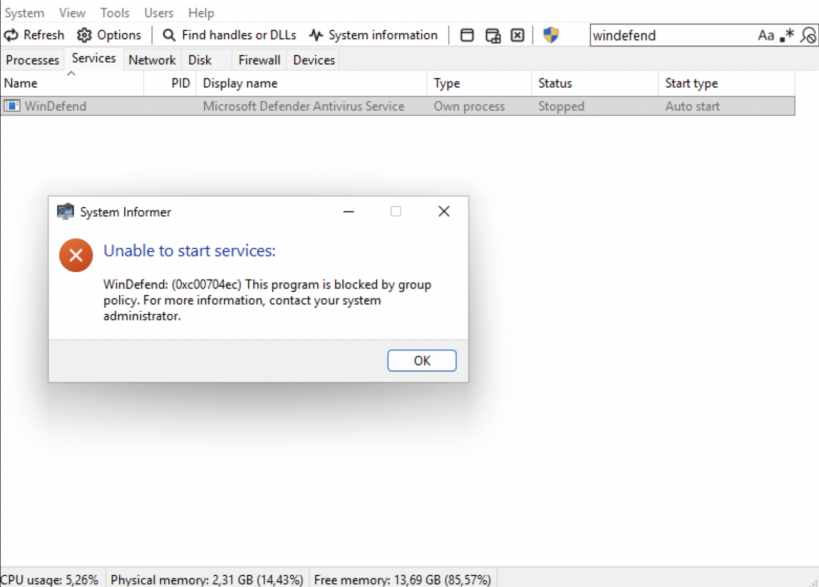
This Isn't a "Hack" — and That Makes It Scarier
GhostLocker isn't abusing a vulnerability. It isn't running an exploit. It uses legitimate Windows functionality exactly as designed, which makes defending against it tricky.
To reduce risk, organizations should:
• Track AppID.sys events or IOCTL activity
• Ensure security products validate their ability to execute using the
Get-AppLockerFileInformation APIBecause if attackers apply GhostLocker successfully, your EDR may still appear to be protecting you — while silently doing nothing.











Comments 0