

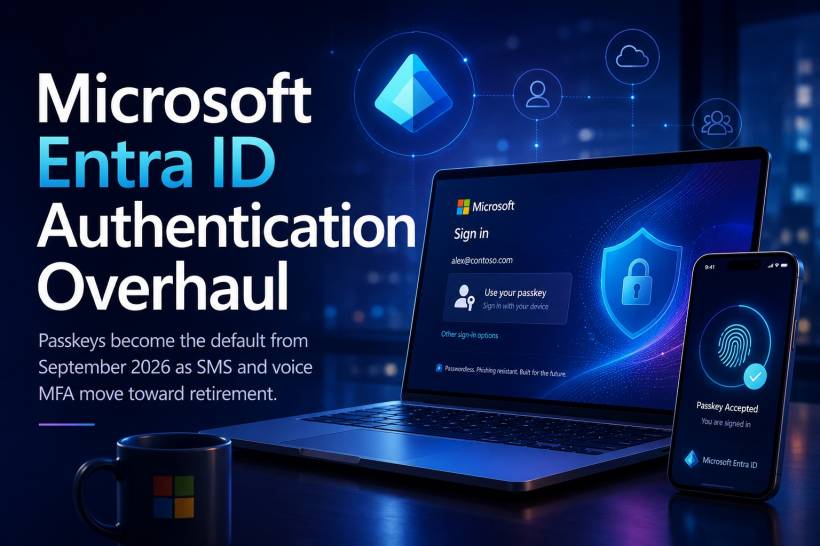
Microsoft is preparing a major change to how organisations protect user sign-ins through Microsoft Entra ID. Beginning on September 1, 2026, passkeys will start becoming the default authentication method for public-cloud tenants, gradually replacing the familiar SMS codes and automated voice calls many users still rely on for multi-factor authentication.
The transition will happen in stages, but Microsoft has made one point clear: organisations will not be able to avoid the move indefinitely. By early 2027, users who continue using SMS or voice authentication will need to register a passkey before they can sign in.
Passkey Registration Prompts Begin in September 2026
From September 1, organisations that currently allow SMS or voice verification will automatically have passkey registration enabled. The next time an affected user completes an MFA challenge, Microsoft Entra ID will prompt them to create a passkey. This means the transition will become part of the normal sign-in process rather than requiring every user to visit a separate registration portal manually. For organisations with thousands of users, this approach may help spread the migration over time. Employees will register passkeys as they authenticate, reducing the need for one large enrolment exercise on a single day. However, it also means administrators need to prepare users before the prompts begin. Without advance communication, staff may mistake the registration screen for an unexpected change, ignore it or contact the helpdesk because they are unsure what to do.
Passkeys Become Mandatory in February 2027
The second and more significant deadline arrives on February 1, 2027. From that date, users who still depend on SMS or voice calls for MFA will be required to register a passkey before completing the sign-in process. Microsoft also plans to introduce automatic passkey registration prompts for users across all tenants. Organisations will not be given an option to disable the requirement.
This changes passkey adoption from a recommended security improvement into an enforced platform direction. For IT departments, waiting until January 2027 would be risky. Users who have not registered in advance may suddenly encounter additional steps when trying to access email, Teams, business applications or administrative portals. A phased preparation programme will be much easier to manage than dealing with a surge of locked-out or confused users near the deadline.
Why Microsoft Is Prioritising Passkeys
Microsoft's decision reflects the growing weakness of traditional authentication methods. SMS verification codes can be intercepted through SIM-swapping attacks, social engineering, mobile-network weaknesses or malicious forwarding. Voice-based authentication carries similar risks, especially when attackers manipulate telecom providers or persuade victims to approve unexpected calls. Passkeys are designed to be more resistant to phishing because they are cryptographically tied to the legitimate service or website. A user cannot simply enter a passkey into a convincing fake login page in the same way they might type a password or one-time code. The device verifies the destination before completing the authentication. This makes passkeys especially useful against credential-stealing websites and adversary-in-the-middle phishing campaigns that attempt to capture passwords, MFA codes or session tokens.
What a Passkey Actually Is
A passkey is a modern sign-in credential stored securely on a device, password manager or supported hardware authenticator. Instead of remembering a password and then entering a separate MFA code, the user typically confirms their identity through a fingerprint, facial recognition, device PIN or physical security key. The cryptographic key itself is not revealed to the website during login. One part remains securely stored on the user's device, while the service keeps a corresponding public key. Authentication succeeds only when the two work together correctly. For users, the experience may feel simpler than conventional MFA. For organisations, it can provide stronger protection against credential theft and phishing.
Microsoft Will Retire Native SMS and Voice Delivery
Microsoft is not only promoting passkeys. It also plans to stop providing SMS and voice authentication as native Entra ID services. This means Microsoft will eventually retire its own telecom delivery infrastructure for sending verification messages and making automated authentication calls. Organisations with regulatory, technical or operational reasons for retaining SMS or voice will still have an alternative, but it will no longer be managed directly by Microsoft. Instead, customers will need to select a supported third-party telecom provider through the Microsoft Security Store.
Third-Party Providers Will Handle Remaining SMS and Voice Needs
Organisations that continue using telecom-based authentication will need to establish a direct commercial relationship with a supported provider. The organisation will be responsible for configuring the service, managing the provider relationship and paying any SMS or voice charges imposed by that company. Microsoft plans to publish information about supported providers, technical documentation, deployment guidance, pricing and commercial arrangements on September 18, 2026. Administrators are expected to gain the ability to select and configure a supported provider beginning October 30, 2026.
These dates give organisations a limited preparation window between receiving the final provider information and Microsoft's stronger enforcement of passkeys in February 2027.
Keeping SMS May Become More Complicated and Expensive
For organisations that retain SMS or voice authentication, the change may introduce additional cost and administrative overhead. Today, many customers treat telecom authentication as part of the standard Microsoft Entra experience. Under the future model, they may need to evaluate providers, sign separate contracts, configure integrations and monitor usage charges. That could make SMS less attractive even in environments where it remains technically possible. This appears to be part of Microsoft's wider effort to move organisations toward authentication methods that are both more secure and less dependent on mobile-network infrastructure.
The Change Will Affect More Than End Users
The transition will require preparation across several areas of the organisation. Helpdesk staff will need instructions for assisting users with passkey registration, lost devices and replacement phones. Security teams will need to define which passkey types are allowed. Application owners should confirm that older systems do not depend on legacy authentication methods. Privileged accounts deserve particular attention. Administrators, service owners and other high-risk users should ideally move to phishing-resistant authentication before the broader workforce. Their accounts can provide extensive access if compromised and are frequently targeted by attackers.
Organisations may also need fallback procedures for users who lose access to their registered device or cannot use biometric authentication.
Device Readiness Will Matter
Passkey adoption depends on the devices and platforms available to users. Modern Windows, Android, iOS and macOS devices generally provide passkey capabilities, but compatibility may differ across hardware, browser versions and device-management policies. Shared workstations, frontline devices and specialised clinical or industrial environments may require more careful planning. A user working from a personally assigned laptop can usually register a passkey more easily than an employee who signs in from a shared terminal used by multiple people. Organisations should therefore identify user groups that may need hardware security keys, managed mobile devices or alternative approved authentication arrangements.
Recovery Processes Must Be Designed Carefully
Stronger authentication can still create operational problems if account recovery is poorly planned. Employees lose phones, replace laptops, forget device PINs or leave the organisation. If the only registered passkey becomes unavailable, the user needs a secure way to regain access. Recovery must be convenient enough to support legitimate users but not so weak that attackers can bypass passkey protection through the helpdesk.
Identity verification procedures, temporary access passes and administrator-assisted recovery may all play a role. Helpdesk teams should also be trained to recognise social-engineering attempts involving claims of lost devices or urgent access requirements.
Organisations Should Start With an Authentication Inventory
Before the rollout begins, IT teams should understand how authentication is currently being used. This includes identifying users who rely on SMS, voice calls, authenticator applications, hardware tokens or certificate-based authentication. Administrators should also determine which groups may face difficulties adopting passkeys, such as contractors, frontline workers, shared-device users or employees without compatible hardware. An inventory makes it easier to create a realistic migration plan rather than assuming every user will follow the same process.
Communication Will Be Essential
The technical change may be straightforward for many users, but the communication surrounding it will determine how smoothly the transition proceeds. Employees should be told what a passkey is, why Microsoft is introducing it and what they will see during registration. They should also be warned not to approve unexpected enrolment requests or follow links from unofficial emails claiming to help them create a passkey. Cybercriminals often take advantage of major platform changes by sending fake migration notices. A legitimate security upgrade can therefore become a theme for new phishing campaigns.
Organisations should direct users to approved internal guidance and clearly explain where registration should take place.
A Practical Preparation Timeline
Organisations should use the months before September 2026 to review their authentication environment, test passkeys with a pilot group and prepare support materials. Privileged users and IT teams can be migrated first, followed by departments with modern managed devices and simpler working arrangements. More complicated groups, including shared-device users and legacy-system operators, should be assessed separately. By the time automatic prompts begin, most users should already understand the process. The period between September 2026 and February 2027 can then be used to identify anyone who has not completed registration and address exceptions before enforcement begins.
Final Thoughts
Microsoft's Entra ID authentication overhaul represents one of its clearest moves away from traditional SMS and voice-based MFA. Beginning in September 2026, users relying on those methods will start receiving automatic passkey registration prompts. From February 2027, passkey registration will become mandatory before affected users can sign in, and organisations will not be able to opt out. SMS and voice authentication will not disappear completely, but Microsoft will stop providing the telecom delivery itself. Organisations that still require those methods will need to use supported third-party providers and pay the associated charges.
The move should improve protection against phishing and credential theft, but it will require more than enabling a new setting. Organisations need compatible devices, secure recovery procedures, clear user communication and a carefully planned migration. Passkeys may ultimately make authentication both safer and simpler. The transition will be successful only if organisations begin preparing before the registration prompts start appearing.











Comments