

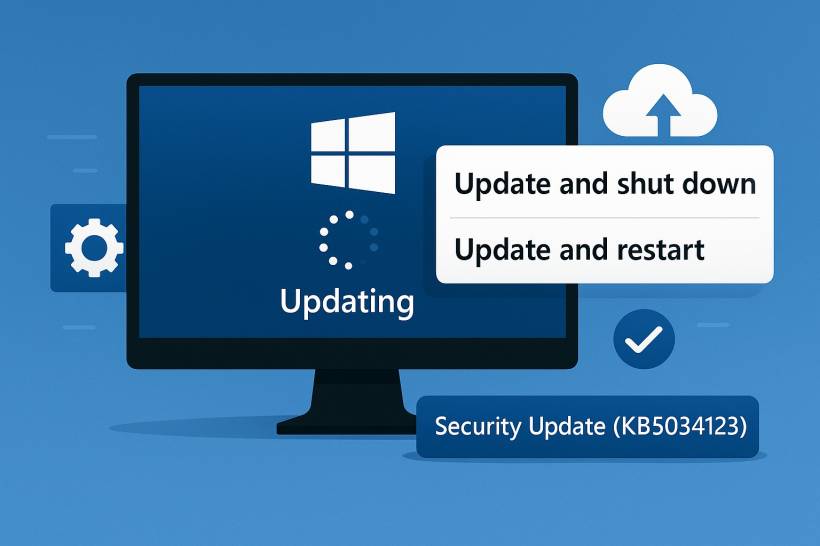
For years, Windows users have rolled their eyes at a long-standing quirk: choosing "Update and Shut Down" only for the PC to restart instead. This behavior, which frustrated both Windows 10 and 11 users, has finally been acknowledged — and fixed — by Microsoft. Alongside that fix, the company is rolling out a new, more intuitive naming convention for Windows updates.
The Bug That Wouldn't Die
If you've ever wrapped up a late-night project, clicked "Update and Shut Down," and returned in the morning to find your laptop still glowing on the login screen — you're not alone.
This problem has been lurking in Windows for years. Users assumed it was a minor glitch or their own mistake, but Microsoft has now confirmed it was indeed a system-level issue. The company's engineers describe it as a "decades-old bug" that persisted quietly since the Windows 10 era.
Starting with Windows 11 25H2 Build 26200.7019 and newer, selecting "Update and Shut Down" will finally do exactly that — shut down. Microsoft officially confirmed that the October 2025 optional update (KB5067036) contains the fix.
Why It Mattered More Than You Think
While desktop users might consider this an inconvenience, it became a real headache for laptop owners. Imagine initiating a shutdown before bed, expecting your laptop to power off, only to find it still running hours later — battery drained and updates unfinished. For anyone who travels, uses limited power, or works remotely, this bug wasn't just annoying; it was disruptive.
Making Windows Updates Easier to Understand
The fix for "Update and Shut Down" isn't the only improvement Microsoft is delivering. The company is also modernizing the way update titles are presented — aiming for clarity, simplicity, and consistency.
Previously, Windows update names were a confusing mix of codes, build numbers, and architecture details that only IT administrators could decipher. Now, Microsoft says it wants to make updates "more intuitive and user-friendly" for everyone.
According to the official explanation:
Examples of the New Update Titles
Microsoft has begun rolling out the new naming convention, dropping unnecessary technical jargon while keeping key identifiers like KB numbers and build versions. Below is an official example of how update titles will now appear:
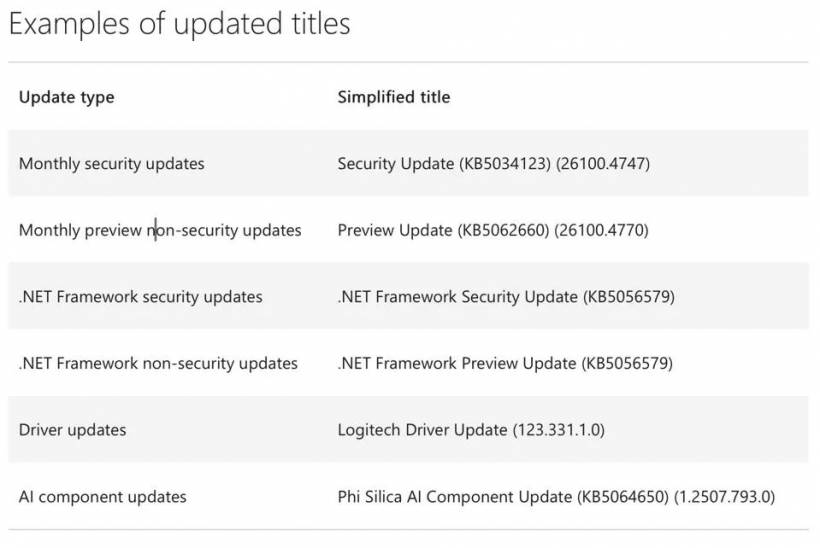
For instance:
This naming refresh may seem subtle, but it's a major usability step — especially for users and administrators managing multiple systems.
Not Every Issue Is Resolved Yet
Despite these improvements, Windows isn't entirely bug-free. Microsoft has acknowledged that the 0x80070103 driver update error still persists for some Windows 11 users. This issue occurs when Windows tries to reinstall a driver that's already present, triggering a failed update notice.
Although an October 2025 patch reduces how often this happens, Microsoft admits it hasn't been fully resolved. The company's advice remains the same — users can safely ignore the error for now.
Looking Ahead
Between retiring Windows 10 security updates and refining how updates are delivered and described, Microsoft is clearly moving toward a more streamlined experience. The long-awaited fix for "Update and Shut Down" and the simplified update titles mark small but meaningful quality-of-life improvements.
After years of confusing names and stubborn quirks, Windows updates might finally be something users can both understand — and trust — to behave as expected.











Comments