

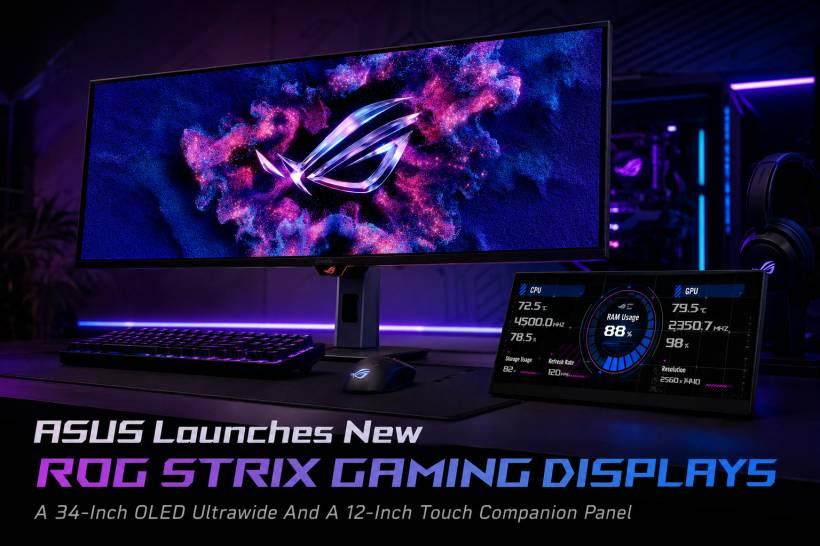
ASUS has expanded its ROG Strix gaming display lineup with two very different products aimed at different types of users. One is a proper high-end ultrawide OLED gaming monitor built for immersive desktop gaming, while the other is a compact secondary touchscreen display designed more for control, multitasking, and streamer-style workflows.
The two models are the ROG Strix OLED XG34WCDMS and the ROG Strix XG129C. At first glance, both sit under the same ROG Strix branding, but they serve very different purposes. The XG34WCDMS is clearly the main gaming display, while the XG129C feels more like an accessory panel for users who want extra controls, app shortcuts, monitoring tools, or a dedicated space for streaming-related functions.
Together, they show how ASUS is not only focusing on bigger, faster, and better-looking gaming monitors, but also exploring how additional screens can improve the overall desktop experience.
ROG Strix OLED XG34WCDMS: A Premium Ultrawide OLED Monitor
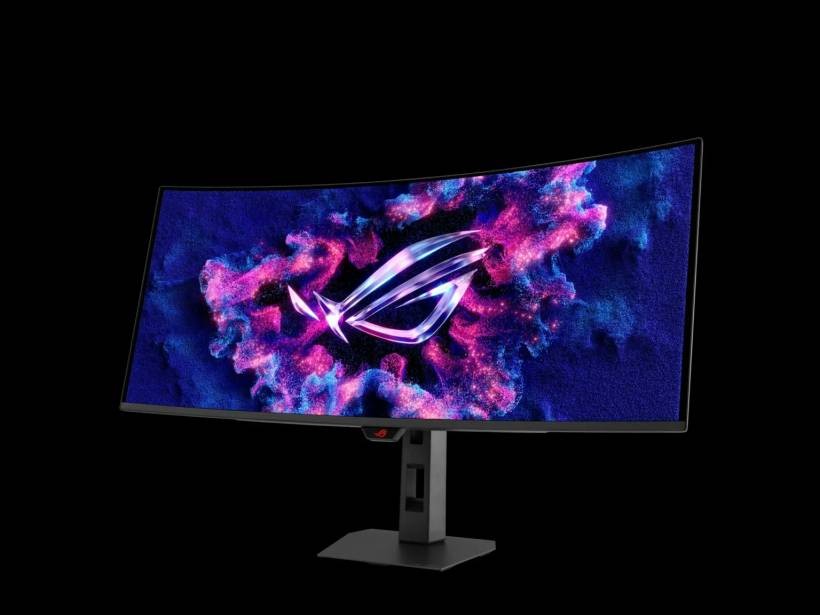
The main highlight is the ROG Strix OLED XG34WCDMS, a 34-inch ultrawide gaming monitor designed for players who want a more cinematic and immersive screen. It comes with a WQHD resolution of 3,440 x 1,440, which is a popular format for ultrawide gaming because it offers more horizontal space without becoming as demanding as full 4K.
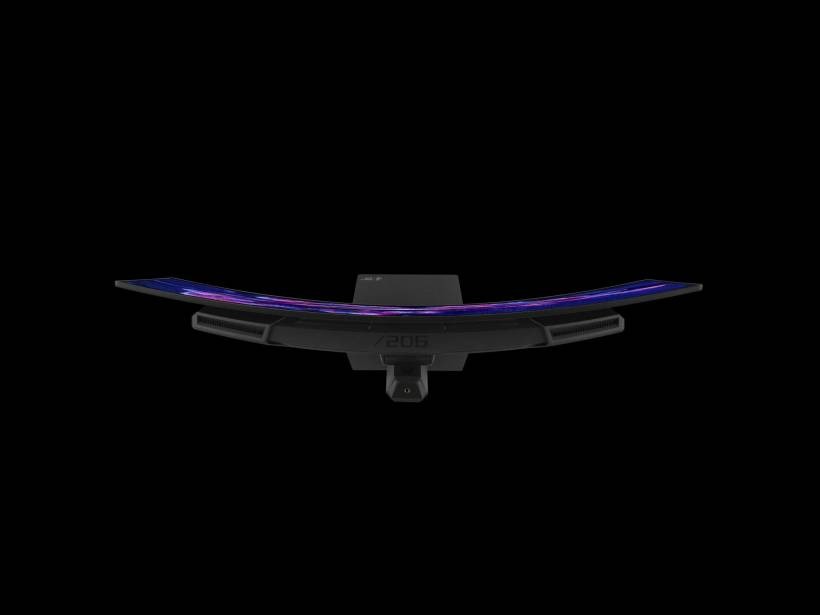
The display also features an 1800R curve, which helps wrap the screen slightly around the user's field of view. For racing games, RPGs, open-world titles, simulators, and productivity work, this kind of curvature can make the experience feel more natural and engaging.
What makes this monitor especially interesting is its RGB Tandem QD-OLED panel. OLED gaming monitors are already known for deep blacks, fast response times, and strong contrast, but RGB Tandem QD-OLED is still not something commonly seen in curved gaming displays. This gives the monitor a more premium positioning within ASUS' ROG lineup.
Built For Speed With 280Hz Refresh Rate
Gaming performance is clearly one of the major selling points of the XG34WCDMS. The monitor supports a 280Hz refresh rate, which is extremely fast for an ultrawide OLED display. For competitive players, a higher refresh rate can make motion feel smoother and more responsive, especially in fast-paced games where reaction time matters.
It also offers a 0.03ms GTG response time. This is one of OLED's biggest strengths compared with many traditional LCD panels. Faster response times help reduce motion blur and ghosting, making moving objects look cleaner on screen.
Of course, not every user will fully need 280Hz, especially if their PC hardware cannot push very high frame rates at 3,440 x 1,440 resolution. But for users with powerful gaming systems, this monitor is clearly aimed at delivering a high-end experience that balances resolution, speed, and OLED image quality.
Improved Durability And Better Black Levels
ASUS has also added what it calls BlackShield Film to the XG34WCDMS. According to ASUS, this layer improves the panel's hardness and provides 2.5 times better scratch resistance. That is worth noting because OLED panels are often treated as premium and delicate hardware, so any improvement in surface durability is welcome.
The same film is also said to improve perceived black levels by up to 40% compared with previous-generation QD-OLED monitors from ASUS. Since black levels are one of the main reasons users choose OLED in the first place, this enhancement could make dark scenes look richer and more convincing, especially in games with heavy shadows, night environments, or cinematic lighting.
The monitor also carries a VESA DisplayHDR 500 True Black rating, which fits well with the OLED focus. Unlike traditional HDR claims that rely heavily on brightness numbers, True Black certification is especially relevant for OLED displays because it reflects their ability to show deep blacks and strong contrast.
Colour Performance And Connectivity
For users who also do creative work, the XG34WCDMS offers a 99% DCI-P3 colour gamut, true 10-bit colour depth, and a Delta E below 2 colour difference rating. This means the display is not just built for gaming, but may also appeal to users who edit photos, videos, thumbnails, graphics, or other visual content.
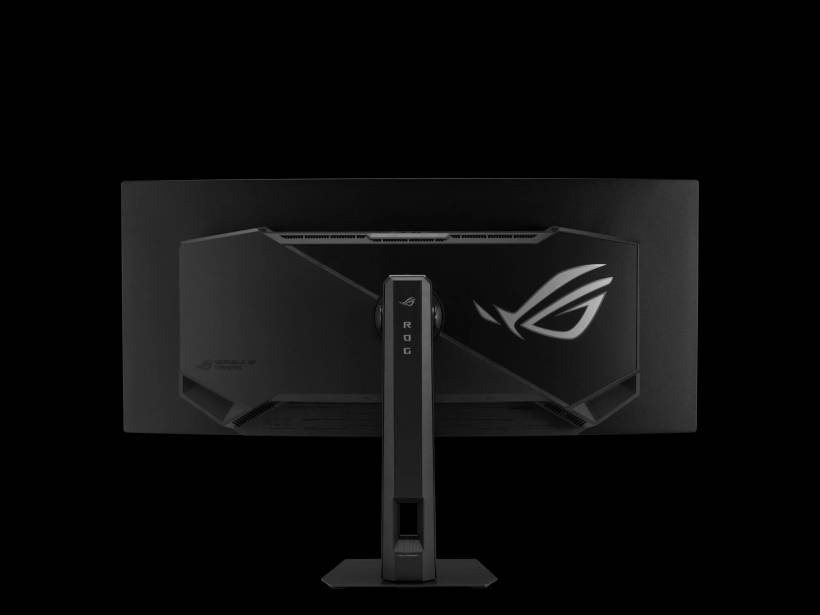
In terms of ports, ASUS has equipped the monitor with DisplayPort 1.4 with Display Stream Compression, two HDMI 2.1 ports, two USB-A 3.2 Gen 1 ports, one USB-C port with 14W power delivery, and a built-in earphone jack. The inclusion of HDMI 2.1 is useful for modern gaming devices and high-bandwidth connections, while USB-C adds some convenience, although the 14W charging output is relatively modest compared with laptop-focused USB-C monitors.
Overall, the XG34WCDMS looks like a monitor aimed at users who want one main premium screen for both gaming and media use, especially if they are already invested in a high-performance PC setup.
ROG Strix XG129C: A Compact Touchscreen Companion Display
The second product, the ROG Strix XG129C, is very different. Instead of being a main gaming monitor, it is a compact 12.3-inch secondary touchscreen display. ASUS appears to be positioning it as a companion screen for users who want extra controls on their desk.
It uses an IPS panel with a 24:9 aspect ratio and a resolution of 1,920 x 720. That unusual aspect ratio makes the display wide and short, which helps it fit neatly under or near a main monitor without taking up too much vertical space. ASUS also says the format helps minimise black bars at the top and bottom of the screen.
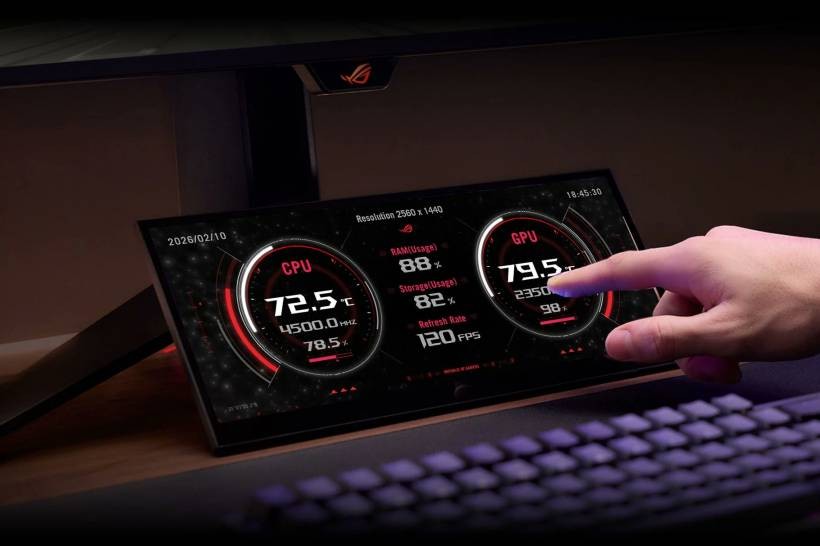
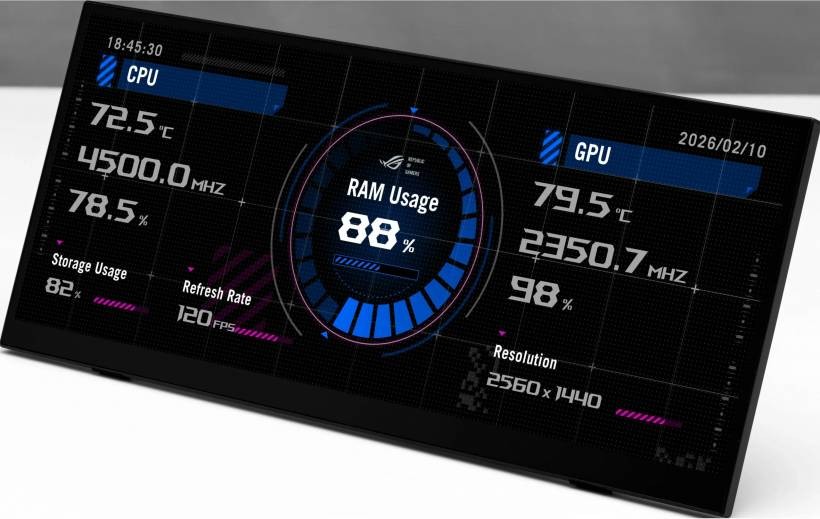
This kind of display may not be for everyone, but it makes sense for streamers, multitaskers, content creators, and gamers who like having extra controls always visible. It can be used for quick shortcuts, monitoring software, chat windows, app controls, system stats, or streaming tools.
Touch Controls For Quick Interaction
The XG129C supports 10-point touch controls, which means it can respond to multiple fingers at the same time. This allows users to interact with on-screen controls more naturally, especially for quick OSD adjustments, hotkeys, app management, or custom control layouts.
In practical terms, this makes the XG129C feel closer to a desktop command panel than a normal portable monitor. For streamers, it could function like a control surface for managing scenes, audio, chat, or other tools. For productivity users, it could become a dedicated space for shortcuts, media controls, monitoring dashboards, or reference panels.
The value of a device like this depends heavily on how well users integrate it into their workflow. For casual users, it may seem unnecessary. But for those who already use multiple screens or rely on many background tools, a compact touchscreen panel can be surprisingly useful.
Connectivity And Desk-Friendly Design
For connectivity, the ROG Strix XG129C supports HDMI 1.2 and also includes two USB-C ports. Both USB-C ports support DisplayPort Alt Mode, but only one supports 20W power delivery, while the other supports DC input. This gives users some flexibility depending on how they want to connect it to their PC setup.
ASUS has also built an adjustable kickstand into the chassis, which is important for a secondary display like this. Since users may place it at different angles depending on desk layout, monitor height, keyboard position, or streaming setup, the built-in stand should make it easier to position comfortably.
This kind of small display could be useful when placed below a main monitor, beside a keyboard, or next to a streaming console. It is not meant to replace a full second monitor, but rather to provide a more compact and direct control surface.
Two Displays For Two Very Different Users
What makes this launch interesting is that ASUS is addressing two very different types of display needs. The ROG Strix OLED XG34WCDMS is for users who want a premium visual experience, high refresh rate, deep OLED contrast, and ultrawide immersion. It is the kind of monitor that becomes the centrepiece of a gaming desk.
The ROG Strix XG129C, on the other hand, is more about workflow. It is not trying to be the biggest or most powerful screen. Instead, it is designed to support what happens around the main screen. For streamers and multitaskers, that may be just as important as the primary monitor itself.
This reflects a wider trend in gaming setups. Many users no longer rely on one display for everything. They may have a main monitor for gaming, a second monitor for chat or browser windows, and smaller devices for controls, monitoring, or shortcuts. ASUS seems to be leaning into that ecosystem approach.
Local Pricing And Availability Still Unknown
At the time of writing, ASUS Malaysia has not announced local pricing or availability for either display. That means Malaysian buyers will have to wait a little longer to know how much the ROG Strix OLED XG34WCDMS and ROG Strix XG129C will cost locally.
Pricing will be especially important for the 34-inch OLED model because premium ultrawide OLED monitors usually sit in a higher price range. The XG129C will also need to be priced carefully, since compact secondary displays are useful but still considered optional accessories for many users.
Final Thoughts
ASUS' new ROG Strix displays show two different sides of modern gaming hardware. The ROG Strix OLED XG34WCDMS is all about premium immersion, fast response, OLED contrast, and high-refresh ultrawide gaming. It is clearly designed for users who want a serious main monitor for their gaming setup.
The ROG Strix XG129C is more specialised, but also interesting in its own way. As a compact touchscreen companion display, it could appeal to streamers, creators, and power users who want quick access to controls and apps without cluttering their main screen.
Both products may not target the same buyer, but they point to the same direction: gaming setups are becoming more flexible, more personalised, and more display-heavy. Whether users want a stunning main screen or a smaller control panel, ASUS appears to be building around the idea that the modern gaming desk is no longer just about one monitor.











Comments 0