

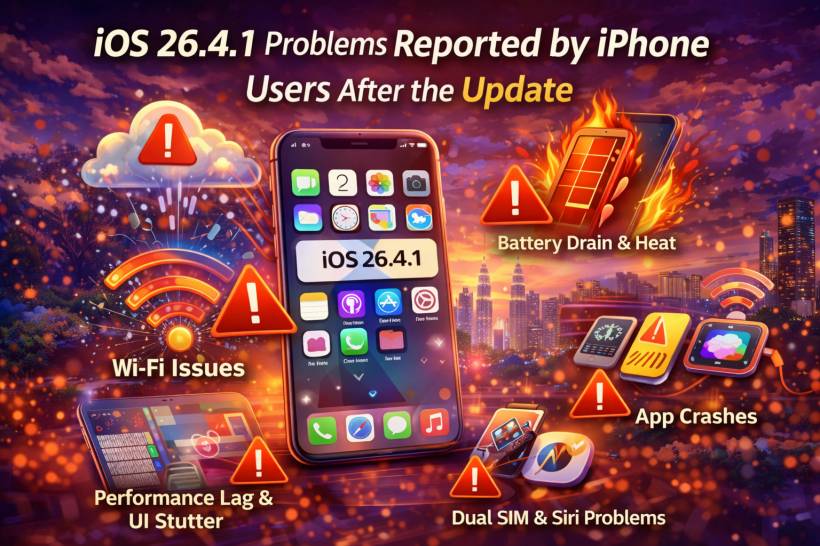
Apple pushed out iOS 26.4.1 as a quick follow-up release, mainly to deal with a serious iCloud syncing issue that had started causing headaches across both Apple apps and third-party apps. On paper, it looked like one of those smaller cleanup updates that quietly fixes a major bug and gets things back on track.
But as often happens with these mid-cycle iPhone updates, the real-world experience seems a lot more mixed.
Some users say iOS 26.4.1 is definitely better than iOS 26.4, especially in areas where the earlier version felt unstable or messy. Others, however, say the update still leaves behind several annoying issues, and in some cases introduces fresh frustration. The overall picture so far is not exactly a disaster, but it also does not sound like the kind of update that makes everyone breathe a sigh of relief.
The Main Fix Was Important, but It Did Not Solve Everything
The biggest reason iOS 26.4.1 arrived so quickly appears to be the iCloud and CloudKit syncing issue. That bug was serious because it affected how data moved between devices, which meant some users were seeing outdated information, missing changes, or apps that were simply not staying properly in sync.
That kind of problem is more than just a minor annoyance. When passwords, app data, or cloud-based information stop syncing the way users expect, confidence in the whole system takes a hit.
The good news is that this seems to be the area where Apple actually made meaningful progress. Reports suggest the major syncing problem has largely been addressed. The less good news is that smaller sync oddities still seem to linger for some people, including delays, temporary mismatches between devices, and situations where apps need a manual refresh before everything looks correct.
So yes, the main fire seems to have been put out. But there is still some smoke in the room.
Wi-Fi Complaints Are Still Hanging Around
One of the most repeated complaints after the update is Wi-Fi instability. For some users, the update does not appear to have fully resolved the connection problems that were already being discussed earlier.
The pattern sounds familiar: random Wi-Fi drops, difficulty staying connected to home networks, and situations where a hotspot seems more stable than the router sitting just a few metres away. That last part is what makes these reports especially frustrating, because it suggests the issue may not always be with the network itself.
And that is often the point where users start doing all the usual rituals. Restart the phone. Restart the router. Reset network settings. Forget the network and reconnect. Then repeat it all again when nothing clearly changes.
At the moment, it sounds like iOS 26.4.1 may have improved things for some users, but it certainly has not completely put the Wi-Fi discussion to rest.
Performance Still Depends a Lot on Which iPhone You Are Using
Another theme running through user feedback is performance inconsistency. That is probably the best way to describe it, because the update does not seem equally smooth across all devices.
Some users say iOS 26.4.1 feels more stable than iOS 26.4, particularly on phones that had been freezing or lagging badly before. Others continue to report interface stutter, app-opening delays, choppy animations, and the kind of occasional slowdown that makes the phone feel less refined than iOS usually does.
Older iPhones appear to be feeling this more strongly. That is not exactly surprising, but it is still worth noting. A newer model may brush off small inefficiencies more easily, while an older device tends to expose every little problem in memory handling, background processing, and animation performance.
So the update does seem to help in some cases, but not consistently enough to call it a clean fix.
Battery Drain and Heating Are Still Part of the Conversation
Anytime an iPhone update lands, battery complaints are almost guaranteed to follow. Sometimes those reports calm down after a day or two, especially once indexing and background optimization finish. Sometimes they do not.
With iOS 26.4.1, users are again talking about faster battery drain and phones getting warmer than expected. For some, this seems temporary. For others, it feels persistent enough to notice during normal daily use.
This part can be tricky to judge because post-update battery behavior is often messy for a short while. Apple has long indicated that updates can trigger background activity that temporarily affects battery life and performance. That explanation probably covers at least some of what users are seeing here.
Still, when enough people start noticing the same thing, it becomes difficult to dismiss entirely as routine post-update settling.
Multitasking and Memory Management Do Not Feel Quite Right
A lot of complaints also point toward RAM management and background app behavior. In plain terms, users feel like apps are being pushed out of memory too aggressively.
That leads to the usual symptoms: reopening an app only to find it has restarted, losing your place in a task, and getting the sense that multitasking is not as reliable as it should be. On older iPhones especially, this can make the phone feel more limited even when the hardware itself was previously handling the same workload without much drama.
This kind of issue tends to be less flashy than a crash, but it chips away at the overall experience in a very noticeable way.
Small Visual Bugs Still Make the System Feel Less Polished
Beyond the bigger complaints, there is also the usual layer of smaller visual annoyances that users tend to spot very quickly.
Some are reporting icon redraw glitches, flickering, animation delays, and minor interface oddities while swiping around the home screen or moving between apps. These are not catastrophic issues, but they do affect how polished the software feels.
That matters because one of Apple's biggest strengths has always been presentation. Even when things are not perfect underneath, iOS usually tries to feel smooth and deliberate on the surface. Once visual glitches start stacking up, that polished impression weakens fast.
Typing Has Improved, but It Is Still Not Perfect
There does seem to be some improvement in keyboard behavior, at least compared to earlier versions. Typing accuracy appears better for some users, especially where missed characters were previously becoming annoying.
But the keyboard is still not completely free of complaints. Some users continue to mention slight response delays, occasional missed taps, and odd behavior with emoji or quick typing. So while this looks like an area where Apple has made progress, it still does not sound fully sorted.
Dual SIM, Notifications, Siri, and Dictation Are Still Messy for Some Users
Then there is the category of issues that may not affect everyone, but are still showing up often enough to be worth mentioning.
Dual SIM users are reporting confusing automatic switching between lines, which can be especially frustrating for people who travel often or live near border areas where network changes happen easily. Notification behavior also seems inconsistent for some users, with delays, missed alerts, or awkward clearing animations.
Siri and dictation do not escape the list either. Feedback suggests that voice features are still behaving unevenly, with command failures, lag, and inconsistent dictation accuracy still being part of the experience.
None of these are brand-new iOS problems in the broader sense, but iOS 26.4.1 does not appear to have resolved them cleanly.
Newer iPhones Seem to Be Handling It Better
One of the clearest patterns in the feedback is that device age matters a lot.
Older models, particularly around the iPhone 12 and 13 generation, appear more likely to show lag, multitasking issues, and battery complaints. Newer iPhones seem to handle the update better overall, though even they are not completely free from bugs.
That does not mean newer devices are perfect. It just means they seem to have more headroom to absorb whatever inefficiencies are still present in the update.
Final Thoughts
iOS 26.4.1 feels like the kind of update that fixes an important problem without fully restoring confidence. The iCloud syncing bug was serious enough that Apple clearly needed to move quickly, and by most accounts, that particular issue has improved.
But outside of that, the update still sounds like a stabilization patch rather than a truly polished cleanup release. Wi-Fi trouble, uneven performance, battery complaints, memory issues, small UI glitches, and inconsistent Siri or notification behavior all suggest that iOS 26.4.1 is still carrying a fair bit of unfinished business.
For users on newer iPhones, it may be manageable. For users on older devices, it may feel like one more update that improves one thing while leaving several others annoyingly unresolved.











Comments 0