

Microsoft Excel has long been the default tool for countless students, office workers, analysts, and anyone who needs to wrangle data. And while Excel keeps evolving with new formulas, automation features, and integrations, one particular irritation has quietly lingered for Windows users — until now.
Error Messages in Excel Have Been a Long-Time Headache
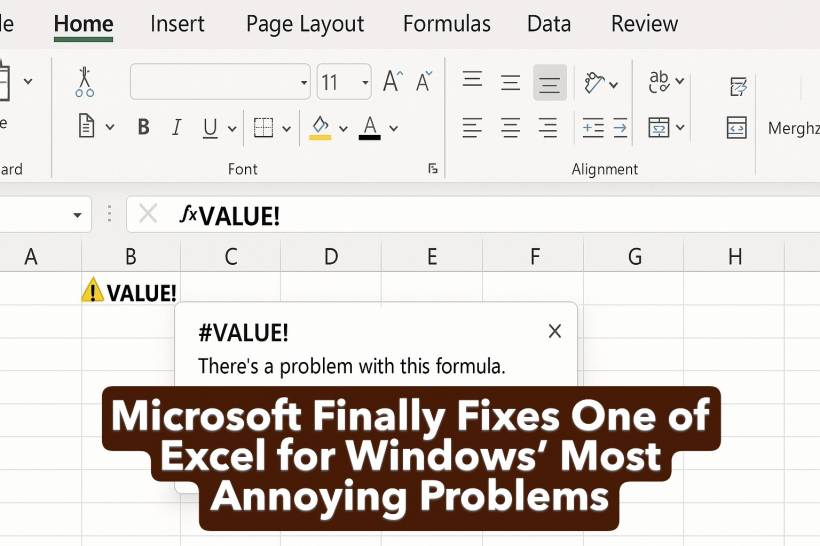
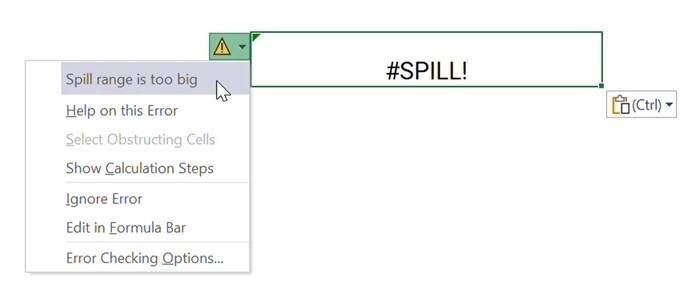
Anyone who uses Excel regularly on Windows has surely run into cryptic errors like #VALUE!, #NUM!, or the infamous #SPILL!. Hovering over these warnings usually displays a very short, unhelpful message that often pushes you toward a Bing or Google search to figure out what went wrong.
It's a frustrating break in workflow and, over time, adds up to a surprising amount of lost productivity — especially when you're troubleshooting large spreadsheets or complicated formulas.
Microsoft fixed this problem for Excel on the web almost six years ago by introducing detailed error cards that provide clearer explanations and potential fixes. But Windows users were left behind… until now.
Updated Error Cards Are Finally Coming to Excel for Windows
Microsoft has confirmed that these descriptive error cards are finally rolling out to Excel for Windows, giving users the same level of clarity enjoyed by Excel for the web.
In the latest Microsoft 365 Insider Beta Channel release — specifically Version 2512 (Build 19502.20000) or later — you can now test the improved error experience yourself. Instead of vague alerts, Excel will now show a card that describes the issue in plain English and offers troubleshooting steps.
For example, entering a formula like:
will trigger a #NUM! error. With the new system, you can click "Show Calculation Steps" for a breakdown of what went wrong and how to fix it.
When Will This Feature Reach All Users?
There's no confirmed date yet for the rollout to the Current Channel, but given that the feature has already matured on the web version — and its clear usefulness — it's expected to arrive soon.
Microsoft also encourages users to provide feedback directly inside Excel by going to:
This helps the team refine the experience and prioritize what improvements matter most to everyday users.
A Small Update That Will Save a Lot of Time
While this update may not be as flashy as new functions or AI-assisted formulas, it directly tackles a pain point that has affected millions of Excel users. By making error messages more intuitive and actionable, Microsoft is smoothing out one of the most disruptive parts of working with spreadsheets — and bringing Windows closer to feature parity with Excel on the web.











Comments