

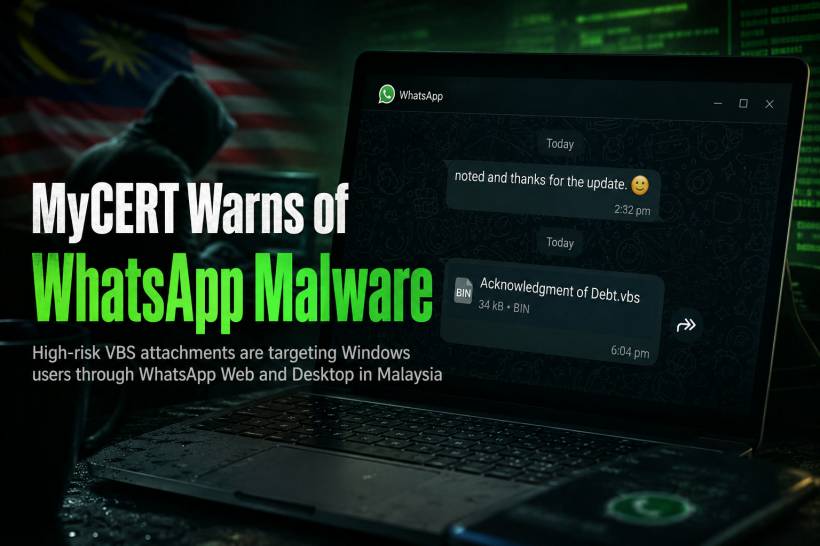
WhatsApp is often treated as a trusted channel, especially when messages appear to come from a colleague, client, supplier, friend, or family member. That is exactly what makes the latest malware campaign highlighted by Malaysia Computer Emergency Response Team (MyCERT) particularly concerning.
The campaign targets Windows users who access WhatsApp through WhatsApp Web or the desktop application. Instead of relying on obviously suspicious links, attackers are sending files that look like routine business, finance, legal, or administrative documents. A quick glance may make the attachment seem harmless, but opening it could give criminals a way into the computer.
The Danger Is Hidden Behind Familiar File Names
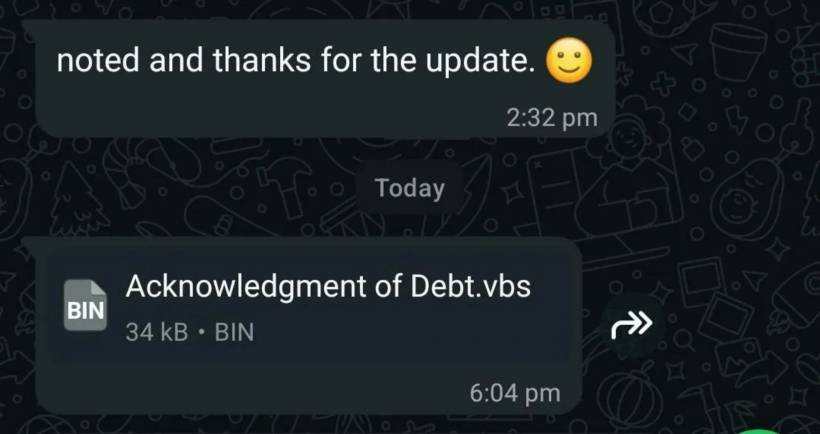
The malicious files seen in this campaign use names designed to create urgency or curiosity. Examples include files resembling debt acknowledgements, billing notices, account statements, and reconciliation documents.
Some of the filenames reported include:
At a glance, these may look like documents that need immediate attention. A message asking someone to review a bill, confirm a payment, or check an account statement can easily catch a person off guard, particularly during a busy workday.
However, the key warning sign is the file extension: .vbs.
Why a .VBS File Is Not a Normal Document
A .vbs file is a Visual Basic Script file. It is not a PDF, Word document, Excel spreadsheet, or standard invoice attachment. Instead, it contains instructions that Windows can execute.
When a victim opens one of these files, the script may begin running silently in the background. This can trigger the installation of additional malicious software without the user realising what has happened.
Attackers often rely on file names that look business-related because people are more likely to open something labelled as an invoice, statement, bill, legal letter, or payment-related document. The file may even be sent from a WhatsApp account belonging to someone the victim knows, especially if that account has already been compromised.
How the Malware Can Take Control of a Computer
According to the alert, the malware may install a Remote Access Trojan, commonly known as a RAT. This type of malware can allow an attacker to remotely access and control the affected Windows computer.
Once a device is compromised, the attacker may be able to monitor activity on the system, collect sensitive information, and potentially maintain access even after the computer has been restarted.
That is especially worrying for users who use the same device for online banking, work systems, email, cloud storage, business applications, or personal accounts. Information displayed or entered on the device could potentially be exposed, including passwords, banking details, PINs, and one-time passwords.
Some variants may also attempt to reduce security warnings or avoid detection by ordinary antivirus scans. This means a computer can appear normal while malicious activity continues quietly in the background.
Why WhatsApp Web and Desktop Users Should Be More Alert
The campaign appears to focus on WhatsApp Web and WhatsApp Desktop users running Windows. These versions are often used in offices because they make it easier to share documents, communicate with customers, and manage work messages while using a computer.
That convenience also creates an opportunity for attackers. People are more likely to receive files through WhatsApp during work hours, and a document sent through a familiar contact may not receive the same level of scrutiny as an unexpected email attachment.
A message that says "Please check this bill," "Kindly review this document," or "This is your statement" may feel routine. But when the attachment is a script file, it should be treated as suspicious immediately.
How to Spot a Suspicious WhatsApp Attachment
A simple rule can prevent many of these attacks: do not open .vbs files received through WhatsApp.
Legitimate invoices and statements are usually sent as PDF, Word, Excel, or image files. A .vbs attachment is not something most users should ever need to open.
Be especially cautious when:
.vbs, .js, .bat, .cmd, or .exe.When in doubt, contact the sender through another method, such as a phone call or a separate message, and ask whether they genuinely sent the file.
What To Do If You Opened One
Anyone who has opened a suspicious attachment should act quickly. Disconnect the computer from the internet where possible, stop using it for sensitive activities, and inform the relevant IT or cybersecurity team.
For personal users, it is important to run a trusted security scan and change passwords from a separate, clean device. Priority should be given to email, banking, WhatsApp, cloud storage, and work-related accounts.
Businesses should treat the incident seriously, particularly if the device has access to corporate systems, shared drives, financial records, patient information, customer data, or administrative platforms.
Final Thoughts
The biggest lesson from this campaign is that cyber threats do not always arrive through suspicious-looking emails or fake websites. Sometimes they arrive through a WhatsApp message from a familiar contact, carrying a file that looks like an ordinary invoice or document.
A few extra seconds spent checking a filename can make a major difference. On Windows, a .vbs attachment should never be treated as a normal document. When a message feels unexpected, urgent, or slightly unusual, pause before opening anything.
In cybersecurity, hesitation is often safer than assumption.











Comments 0