

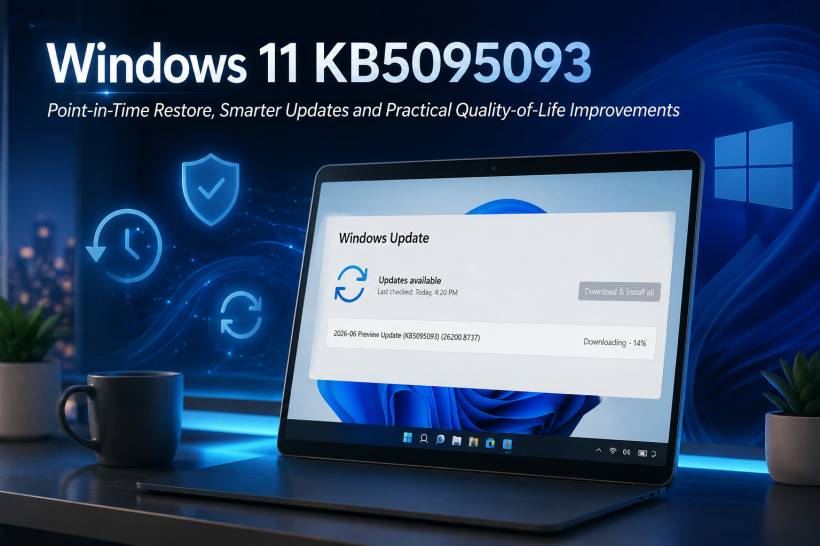
Microsoft has released the June 2026 Preview Update for Windows 11, identified as KB5095093. The update is shown in Windows Update as OS Build 26200.8737 for Windows 11 version 25H2, while version 24H2 receives build 26100.8737. Unlike the usual mandatory Patch Tuesday release, this is an optional non-security preview update that lets users receive upcoming improvements early.
This particular update is more interesting than the usual collection of background fixes. It introduces a new recovery feature, improves File Explorer, refines Bluetooth behaviour, adds accessibility improvements, and gives users clearer control over pausing Windows updates.
Point-in-Time Restore: A More Complete Recovery Option
The standout addition in KB5095093 is Point-in-Time Restore for Windows. Think of it as a more capable recovery checkpoint that can roll the entire PC back to a recent state, including installed applications, Windows settings, and personal files stored locally on the device.
Windows can create these restore points automatically, typically around every 24 hours. Microsoft says the feature is designed to help users recover from a troublesome driver, faulty app installation, broken update, or configuration issue without going through lengthy troubleshooting steps. Restore points are stored locally and generally kept for up to 72 hours, depending on available disk space.
There are a few things to keep in mind. Restoring the PC will remove changes made after the chosen restore point, including recently edited local files, installed apps, settings changes, passwords, certificates, and updates. OneDrive files are not directly rolled back because they remain stored in the cloud. During the preview stage, recovery is started through the Windows Recovery Environment, and BitLocker-protected systems may require the BitLocker recovery key.
For home users, this could become one of the most useful Windows 11 recovery features in years. It offers a middle ground between traditional System Restore and a full Windows reset.
Windows Update Gets a Proper Calendar
KB5095093 also makes pausing updates easier to understand. Instead of choosing a vague time period, Windows Update now provides a calendar-style experience where users can select an exact date for updates to resume.
Updates can be paused for up to 35 days, and the pause period can later be extended by choosing another date. This is particularly useful before travelling, preparing for a presentation, working on a major project, or simply wanting to wait a little longer before installing the next monthly update.
A Quieter Widgets Experience
Widgets are receiving a more restrained approach in this update. Windows will no longer automatically open the Widgets board when the pointer passes over it, which should help prevent accidental pop-ups.
Notifications and taskbar badges are also reduced by default, while the Widgets dashboard now opens directly when first launched. Microsoft has also improved responsiveness, visual quality, and notification behaviour across the experience.
For users who found Widgets distracting, this is a welcome change. The feature is still there for news, weather, finance, and quick updates, but it should now feel less intrusive.
File Explorer Receives Practical Improvements
File Explorer is getting several useful refinements rather than a major redesign. Launch performance has been improved, and mounting disk images should now feel more responsive. The address bar is also better at handling paths containing double backslashes and quotation marks, which is especially helpful when working with network locations, scripts, or copied command paths.
Microsoft has also addressed several annoying File Explorer issues, including duplicated OneDrive items in Favorites, unreliable address-bar suggestions, rename behaviour that repeatedly selected text, and case-only file-name changes that did not immediately refresh in folder views.
Users signed in with work or school accounts may also see quick actions when hovering over a file in File Explorer Home, including options such as opening its location or asking Copilot about it. Microsoft notes that this feature is unavailable in the European Economic Area and may vary by device and region.
Better Bluetooth Audio and Phone Link Calls
Bluetooth receives a substantial batch of improvements in this release. Windows can now keep microphone mute status synchronized between the audio mixer and compatible Bluetooth headset controls, helping mute buttons and headset indicators behave more consistently.
The update also improves Bluetooth audio reliability, reconnect speeds after hibernation, LE Audio streaming recovery, and voice-call stability. Microsoft specifically mentions faster AirPods pairing behaviour and improved microphone reliability for Beats Studio Pro headphones.
Phone Link call routing has also been refined. When making a call through a paired phone, audio remains on the phone while it rings and moves to the PC only after the call is answered from the computer. Incoming calls should also remain quiet on the PC when Do Not Disturb is enabled.
New Accessibility Features
Microsoft continues to expand accessibility options in Windows 11. This update introduces a screen tint feature that applies a full-screen colour overlay to reduce eye strain and improve readability. Users can choose preset colours, adjust intensity, and configure the feature through Accessibility settings.
Magnifier is also becoming more precise, allowing users to type a specific zoom percentage and change zoom increments directly from the Magnifier toolbar instead of repeatedly opening Settings.
Voice Access and Voice Typing are gaining improved support for French, German, and Spanish. On Copilot+ PCs, Windows can help correct grammar, punctuation, recognition errors, and clarity while dictating.
Printing, Touchpad, Networking and Graphics Changes
Several smaller but practical changes are included in KB5095093:
• New printer installations will use Internet Printing Protocol by default when supported, through Windows Ready Print.
• Touchpad users can now adjust the size of the bottom-right right-click zone.
• Windows Subsystem for Linux receives improvements for mirrored networking when using VPN connections.
• Multi-monitor rendering reliability and colour-profile persistence have been improved.
• Systems with more than 32 GB of RAM receive updated graphics memory-management behaviour intended to support larger local AI models.
• Windows networking reliability has been improved for Wi-Fi power behaviour, WWAN connectivity, IPv6 VPN support, Hyper-V networking, and third-party VPN compatibility.
Important Fixes Included in KB5095093
Microsoft has fixed a number of issues that users may have noticed in recent builds.
One of the more visible fixes addresses the Recycle Bin confirmation dialog, which could sometimes display an internal system filename instead of the original file name when permanently deleting an item. The update also improves notification badge behaviour, fixes unexpected User Account Control prompts triggered by some installers after an earlier update, and improves reliability when connecting to shared network resources.
The Emoji Panel is also switching from Google's Tenor service to GIPHY for GIF search results. Microsoft says users need the latest Windows update from June 30 onward to continue using GIFs through the Emoji Panel.
One Known Issue to Watch
There is one important known issue, particularly for business users. Microsoft says certain third-party applications may fail to launch Microsoft Office apps or open Office documents after Windows updates released on or after June 9, 2026.
The problem affects some applications that use OLE automation to interact with Word, Excel, PowerPoint, Access, and other Office applications. Microsoft lists examples such as CCH Engagement, Workpaper Manager, Dentrix, Softdent, and Zotero. The temporary workaround is to open the Office application or document directly rather than launching it through the affected third-party software.
Should You Install This Preview Update?
For home users and enthusiasts, KB5095093 is worth considering because of the new Point-in-Time Restore feature, File Explorer fixes, Bluetooth improvements, and more flexible update controls.
However, because this is an optional preview release, there is no urgent need to install it on a stable work machine. Most of the fixes and improvements are expected to arrive in a later regular cumulative update. Users who rely heavily on specialised Office-integrated software, healthcare systems, accounting platforms, or document-management tools may prefer to wait until Microsoft resolves the Office OLE automation issue.
It is also worth remembering that several new features are being released gradually. Installing KB5095093 does not guarantee that every new option will immediately appear on every PC.
Final Thoughts
KB5095093 is one of the more meaningful Windows 11 preview updates in recent months. Point-in-Time Restore alone has the potential to save users from a lot of frustration when an update, driver, app, or setting breaks something important.
Combined with quieter Widgets, better Bluetooth reliability, File Explorer improvements, stronger accessibility options, and more predictable update pause controls, the June 2026 Preview Update feels like a practical quality-of-life release rather than a collection of invisible background patches.











Comments