

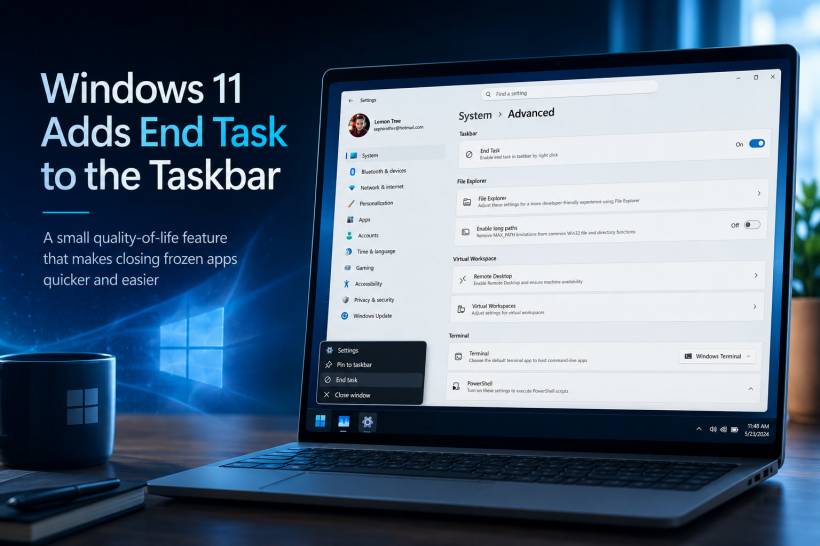
Windows 11 has introduced a genuinely useful quality-of-life feature for anyone who occasionally deals with an application that hangs, freezes, or simply refuses to close properly. The new End Task option lets users force-close an open application directly from its taskbar icon, reducing the need to open Task Manager just to terminate one unresponsive program.
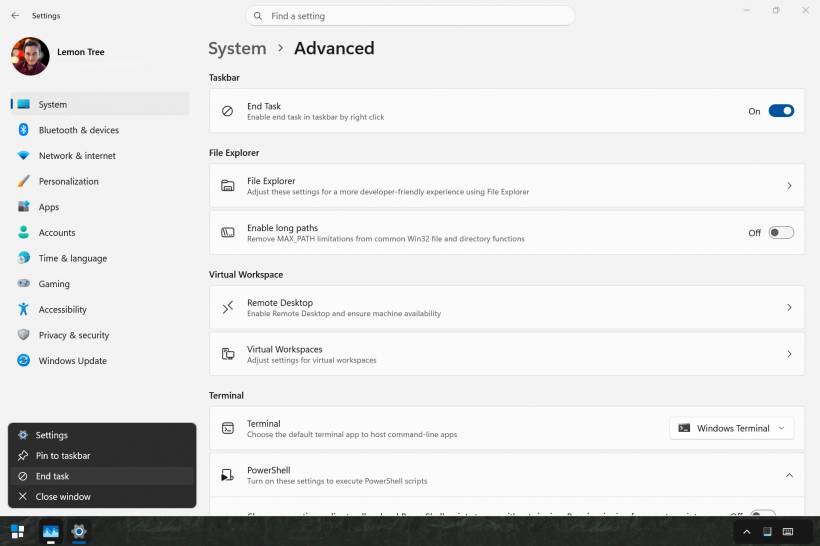
As shown in the screenshot, the option can be enabled from Settings > System > Advanced, where Windows now groups several tools previously found under the "For developers" area. Once enabled, right-clicking an open app on the taskbar adds an End task option alongside the usual controls such as Settings, Pin to taskbar, and Close window. Microsoft describes the feature as a way to enable ending a task directly through the taskbar's right-click menu.
A Small Feature That Removes an Annoying Extra Step
Normally, when an app becomes unresponsive, the usual process is to try closing its window, wait for Windows to react, then open Task Manager with Ctrl + Shift + Esc, locate the application, and select End task.
That process is not difficult, but it becomes unnecessarily slow when the problem is obvious. Maybe a browser tab has locked up, a game has stopped responding, a software update has frozen, or an application is sitting in the background and refusing to disappear.
With the taskbar option enabled, the process becomes much simpler:
• Select End task
• Windows immediately terminates the app
It is a much more direct approach, especially when you already know exactly which application is causing the problem.
Why This Is Especially Helpful for Everyday Users
Task Manager is still an important troubleshooting tool, particularly when you need to identify background processes, check CPU or RAM usage, or investigate a system-wide slowdown. However, opening it just to close one clearly frozen application can feel excessive.
The taskbar-based End Task feature works well because it keeps the action close to where users already interact with running applications. The taskbar is where we launch apps, switch between windows, check notifications, and close programs, so adding a force-close shortcut there feels like a natural improvement.
It is also useful when an app window is completely blank, stuck on a loading screen, or no longer reacts to mouse clicks. Instead of trying to bring the window forward repeatedly, users can simply right-click its taskbar icon and end it.
Personally, This Is a Feature I Really Like
Personally, I like this addition because it greatly improves the ease of terminating a hanging or frozen app. There have been many situations where an application is clearly not recovering, but opening Task Manager feels like an unnecessary detour just to shut it down.
Having End task directly in the taskbar menu makes the process feel faster and more natural. It is one of those small Windows improvements that may not sound exciting at first, but quickly becomes useful once it is part of your daily workflow.
For users who regularly multitask with browsers, development tools, games, creative software, remote desktop sessions, or large productivity applications, it can save a surprising amount of time and frustration.
How to Enable End Task From the Taskbar
On newer Windows 11 builds, open:
Then turn on Enable end task in taskbar by right click.
On earlier Windows 11 releases, the setting may still appear under:
Microsoft notes that the former "For developers" settings were moved under the newer Advanced page starting with Windows 11 version 25H2.
After enabling it, right-click an open application icon on the taskbar and the new End task command should appear.
Use It Carefully
Although the feature is convenient, it should still be used carefully. Ending a task forcefully closes the application and may cause unsaved work to be lost. It is best used when an app has genuinely frozen, stopped responding, or cannot be closed normally.
Microsoft has also refined the behaviour so the End Task option can stop an application without first showing the older "not responding" confirmation dialog, making the action quicker when it is needed.
Final Thoughts
Windows 11's taskbar End Task option is a small but meaningful improvement that makes handling frozen applications less frustrating. It does not replace Task Manager, but it removes an unnecessary step when you only need to terminate one problematic app.
For me, this is exactly the kind of feature Windows should continue adding: simple, practical, easy to access, and helpful in real everyday situations.











Comments