

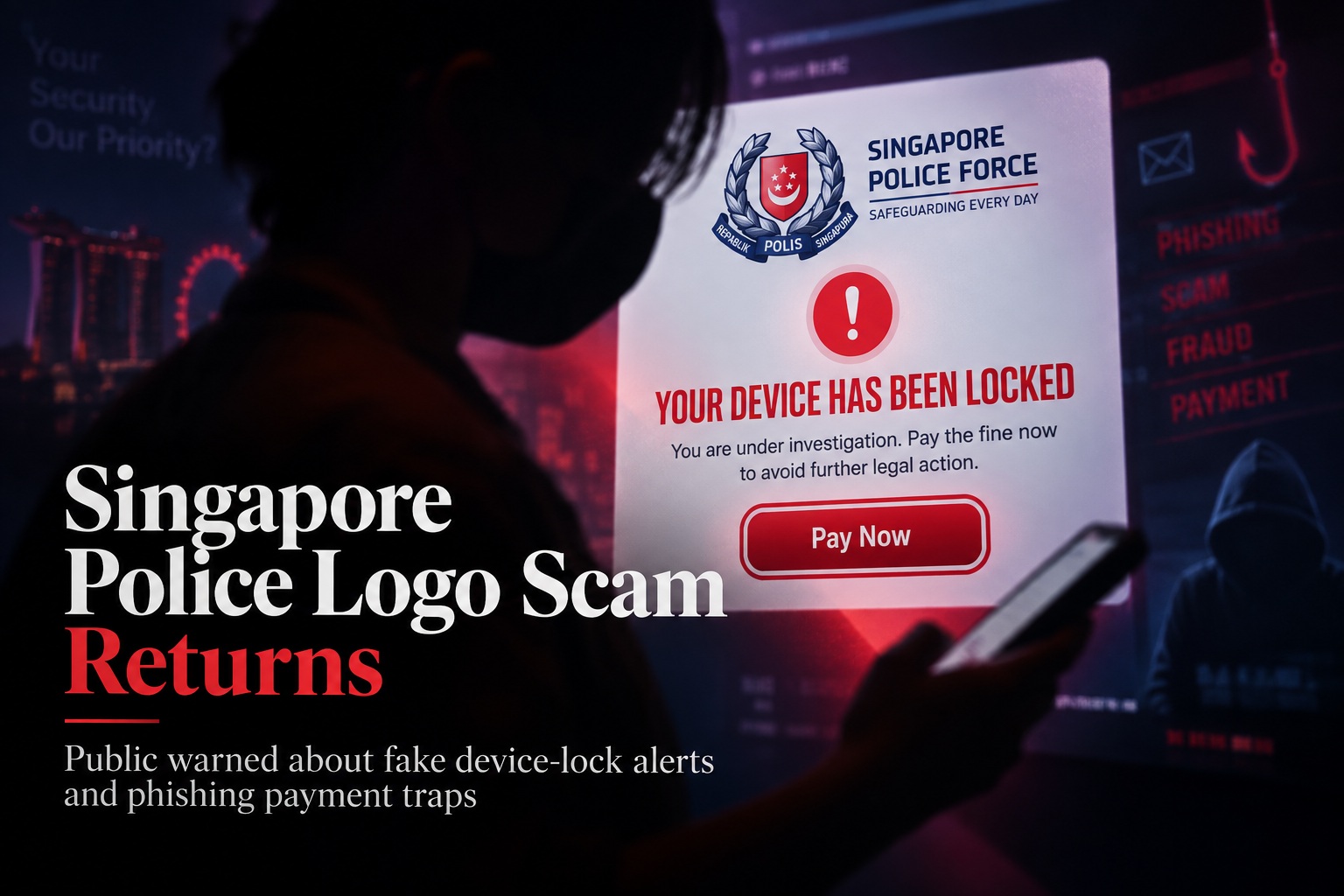
A familiar phishing scam is making the rounds again in Singapore, and this time scammers are impersonating the Singapore Police Force (SPF) to frighten victims into handing over their bank card details. The scam appears as a pop-up alert on a computer or other device, carrying the SPF logo and claiming that the device has been locked because the user repeatedly accessed websites containing illegal material. The message is designed to look official enough to create panic before the victim has time to question whether the warning is genuine.
According to a police advisory issued on 20 September, victims are told that they must pay an outstanding fine within a limited period to regain access to their device. The pop-up threatens that failure to pay could result in the device being permanently locked and the user facing prosecution. A countdown timer is often displayed as well, adding pressure and encouraging the victim to act immediately rather than stopping to verify the claim.
The Scam Relies on Fear and Urgency
The core tactic is not particularly sophisticated from a technical perspective, but it can be very effective psychologically. Seeing a police logo alongside accusations of accessing illegal material can immediately trigger fear, embarrassment, and concern about legal consequences. Scammers deliberately exploit those emotions because frightened users are less likely to carefully inspect the message or question why a police agency would suddenly demand payment through a browser pop-up.
The countdown timer makes that pressure worse. When victims believe they have only minutes or hours to prevent prosecution or permanent loss of access to their computer, they may rush through the payment process without verifying whether the warning is legitimate. This is a common pattern in phishing and fraud campaigns: create urgency first, then ask for sensitive information before the victim has time to think.
Victims Are Asked to Enter Their Bank Card Details
The fake alert directs users to make payment for the supposed fine, typically by entering their bank card information into a payment form controlled by the scammers. Once those details are submitted, the criminals can attempt additional transactions using the stolen card information.
Victims often realise something is wrong only after noticing unauthorised foreign-currency charges on their bank cards. These fraudulent transactions can exceed the amount of the fake fine itself, meaning the initial payment request is really just a way to capture card details for further abuse.
The fact that the charges may appear in foreign currency is another clue that the transaction is not connected to any legitimate Singapore government payment system. By that stage, however, the card details may already have been exposed and additional action may be needed to prevent further loss.
The Singapore Police Do Not Lock Personal Devices Remotely
The most important point in the advisory is straightforward: the Singapore Police Force does not remotely lock personal computers, laptops, or other devices through browser pop-ups. It also does not demand payment of fines through sudden on-screen alerts.
That means any message claiming that a personal device has been locked by the police and can only be restored after immediate payment should be treated as fraudulent. Legitimate law-enforcement communication does not work through random browser windows accompanied by countdown timers and urgent payment forms.
This is worth remembering because scammers often rely on official logos, colours, and formal language to imitate trusted organisations. A familiar emblem can make an alert look convincing at first glance, but the way the message behaves is often the real warning sign.
A Countdown Timer Is a Major Red Flag
Countdown timers are particularly common in scams because they are designed to interfere with rational decision-making. The victim is encouraged to focus on the shrinking clock rather than the suspicious nature of the request.
Legitimate organisations generally do not need to pressure someone into providing payment-card details within minutes through a web browser. Even when there is a real fine or official payment deadline, users normally have established channels where they can check the notice independently before paying.
If a message claims that something terrible will happen immediately unless money is sent, that should be a reason to slow down rather than act faster.
Do Not Enter Payment Details Into Unexpected Pop-Ups
If one of these alerts appears, users should avoid entering card information, clicking additional payment links, or following instructions contained in the message. Closing the browser window and checking the situation through official channels is far safer than interacting with the warning.
If the page refuses to close normally, users can quit the browser, disconnect temporarily from the internet if necessary, and reopen it without restoring the suspicious page. Clearing browser data or running a trusted security scan may also be appropriate if the pop-up repeatedly returns.
The important thing is not to let the appearance of an official logo convince you that the page itself is legitimate. Logos and branding can be copied easily, and criminals often reproduce government or banking designs precisely because people recognise and trust them.
Act Quickly If You Already Entered Your Card Details
Anyone who has already submitted banking or card information should contact their bank as soon as possible. The card may need to be blocked or replaced, and suspicious transactions should be reported immediately.
Users should also review recent account activity for unfamiliar purchases, particularly foreign-currency transactions. Reporting the incident quickly gives the bank a better chance of preventing additional charges or investigating transactions that have already occurred.
Changing relevant passwords may also be sensible if the phishing page requested other information beyond card details. Even when the immediate scam focuses on payments, criminals may try to collect additional personal information that can be reused in later fraud attempts.
Use ScamShield When You Are Unsure
The police have reminded members of the public that they can contact the ScamShield Helpline at 1799 when they are uncertain whether a message, call, website, or payment request is genuine. Checking before acting can prevent a moment of panic from becoming a much larger financial problem.
This is particularly useful with scams that impersonate government agencies because the emotional pressure can make it difficult to judge the situation objectively. Speaking with someone through an official anti-scam channel provides an independent way to verify whether the warning makes sense.
The same principle applies beyond this particular scam. If a message creates fear, urgency, or pressure and immediately asks for money or personal information, verify it through a separate trusted channel before doing anything else.
Final Thoughts
The resurfacing of fake SPF device-lock alerts shows that scammers do not always need complicated malware to steal money. Sometimes a convincing logo, an intimidating accusation, and a countdown timer are enough to make people act before they have time to think.
The warning signs are fairly clear once you know what to look for: an unexpected police-branded pop-up, claims that your device has been remotely locked, threats of immediate prosecution, a short payment deadline, and a request for bank card information. None of those behaviours matches how the Singapore Police Force handles enforcement or fines.
The safest response is simple: do not pay, do not enter your card details, and do not let the countdown timer rush you. Close the alert, verify the situation through official channels, and call ScamShield at 1799 if you are unsure.
Scammers succeed by creating panic. Taking a few extra minutes to verify what you are seeing is often enough to break the entire scam.











Comments 0