

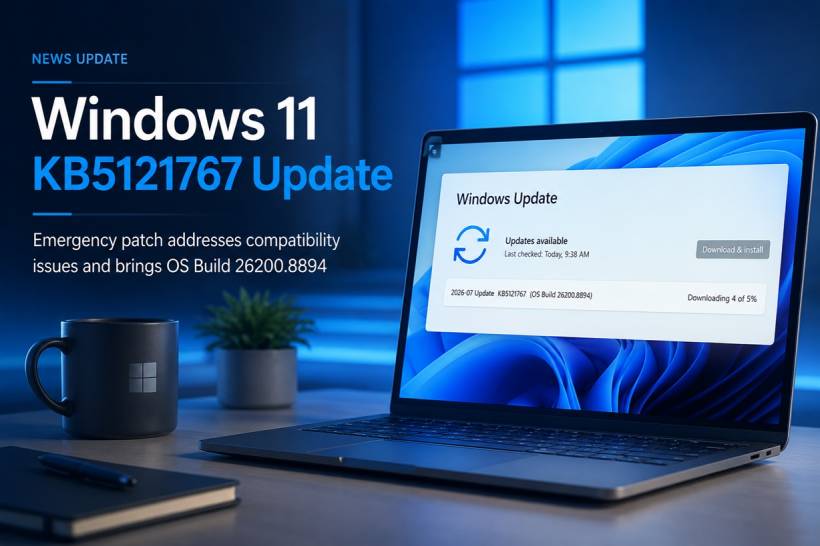
Another Windows update has appeared just days after Microsoft's regular July 2026 security rollout. The update shown in the screenshot is KB5121767, which moves Windows 11 version 25H2 to OS Build 26200.8894. Rather than being a normal monthly release, this is an out-of-band update designed to correct a specific performance and power-management problem affecting a limited number of computers.
Why Microsoft Released Another Update So Quickly
Microsoft released its main July security update, KB5101650, on July 14. However, the company discovered an incompatibility involving certain Dell computers that use an Intel Innovation Platform Framework, or Intel IPF, driver.
Because of that incompatibility, Microsoft temporarily prevented the July security update from reaching some affected Dell devices. The problem could cause noticeable changes in system performance, power consumption or general system behaviour after recent Windows updates were installed. KB5121767 was therefore released separately to allow those machines to receive the July security improvements without triggering the Intel IPF problem.
In practical terms, an affected laptop might feel slower than usual, consume more battery, run its fans more aggressively or behave unpredictably under different workloads. Some reports have also connected the underlying problem with overheating, unexpected shutdowns and unusually high battery drain, although Microsoft's official description uses the broader terms of performance, power consumption and system behaviour.
What Is the Intel Innovation Platform Framework?
The Intel Innovation Platform Framework is part of the collection of technologies used by computer manufacturers to manage how Intel-powered systems balance performance, heat and battery life.
On a modern laptop, Windows does not simply allow the processor to run at maximum speed continuously. The operating system, firmware and hardware drivers work together to decide when the processor should boost its speed, reduce power consumption, increase cooling or enter a lower-power state.
That coordination is especially important for thin laptops and mobile workstations. A compatibility problem affecting this layer could explain why a machine suddenly becomes hotter, slower, louder or less efficient even when the hardware itself has not changed.
KB5121767 Is a Cumulative Update
Although KB5121767 focuses on one particular compatibility issue, it is still a cumulative Windows update. This means it includes the previous security and non-security improvements released for supported Windows 11 systems, together with the new Intel IPF fix.
After installation, the resulting Windows builds are:
Windows 11 version 24H2: OS Build 26100.8894
The build number shown in the screenshot, 26200.8894, therefore indicates that the computer is running Windows 11 version 25H2.
Why the Update May Appear on an Unaffected Computer
Microsoft states that KB5121767 is recommended only for computers affected by the Intel IPF incompatibility. According to the company, devices that are not affected do not require any action.
However, the update may still appear in Windows Update. Microsoft explains that computers with "Get the latest updates as soon as they're available" enabled can automatically receive the out-of-band release. When that option is disabled, the update may instead be offered through a manual Download & Install action.
This helps explain why some users may see KB5121767 downloading even though they are not using one of the affected Dell systems. It does not necessarily mean that Windows has detected a serious problem with their computer; it may simply be offering the latest cumulative package because early update delivery is enabled.
Additional Components Included in the Package
The update also contains servicing stack update KB5120102, which improves the reliability of the Windows update installation process. Servicing stack updates maintain the underlying Windows components responsible for downloading, installing and removing updates.
Microsoft has also updated several Windows AI components to version 1.2605.856.0, including Image Search, Content Extraction, Semantic Analysis and the Settings Model. These AI component packages apply only to compatible Copilot+ PCs and will not install on ordinary Windows PCs that do not support them.
These additions do not mean KB5121767 is primarily an AI feature update. They are simply part of the cumulative servicing package distributed alongside the main compatibility fix.
Should You Install KB5121767?
Owners of affected Dell computers should install the update, particularly when they have experienced unexplained battery drain, abnormal heat, louder fans, performance changes or unusual shutdown behaviour following recent Windows updates.
For unaffected computers, Microsoft says that no action is required. Nevertheless, if Windows Update has already offered or downloaded the package, installing it should bring the system to the latest cumulative build. As always, users should save their work before restarting and ensure laptops are connected to power during installation.
For business environments, IT administrators may prefer to test the update on a small group of representative Dell devices before deploying it more widely. After installation, administrators should monitor battery behaviour, CPU performance, thermal activity, fan operation, sleep and resume reliability, especially on systems previously affected by the July update.
How to Confirm the Update Was Installed
Once the update has finished and Windows has restarted, users can open:
Under Windows specifications, the OS build should display either 26200.8894 for Windows 11 25H2 or 26100.8894 for Windows 11 24H2.
The installation can also be confirmed through:
KB5121767 should appear among the recently installed Windows updates.
Final Thoughts
KB5121767 is not a large feature release filled with visible interface changes. Instead, it is a targeted emergency update that highlights how closely modern Windows laptops depend on cooperation between the operating system, manufacturer drivers and Intel's power-management technologies.
For affected Dell users, the update could make a meaningful difference by restoring normal performance, battery usage and system behaviour. For everyone else, it mainly serves as a cumulative replacement containing the latest Windows fixes. The unusual part is not what users will see after installation, but how quickly Microsoft responded once the Intel IPF compatibility issue was identified.











Comments