

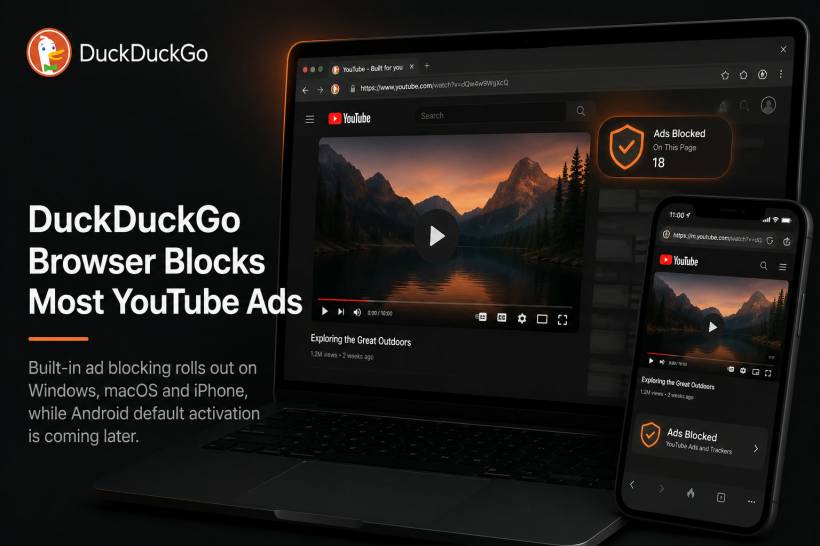
DuckDuckGo is giving its browser users a more seamless way to watch YouTube with fewer interruptions. The company has introduced a new feature that blocks most YouTube video ads directly inside the DuckDuckGo Browser, without users needing to install a separate ad-blocking extension.
The feature is designed to keep the normal YouTube experience intact. That means users can still browse, search, and watch videos through the standard YouTube website, but with fewer ads appearing before or during playback.
Available on Desktop and iPhone First
The new YouTube ad-blocking feature is rolling out to the DuckDuckGo Browser on Windows, macOS, and iPhone. For most users on these platforms, it should be enabled by default as long as they are using the latest browser version.
Android users are also included, but the rollout is slightly different. For now, they can manually enable the feature through the browser's ad-blocking settings. DuckDuckGo says default activation for Android will come through a future update.
This makes the feature more convenient than traditional ad blockers, especially for users who do not want to manage extensions or additional browser tools.
Powered by uBlock Origin Community Filter Lists
DuckDuckGo says the feature relies on open-source community filter lists maintained by the uBlock Origin project. These lists are widely used to identify and block advertising elements across websites.
The company may also apply its own additional rules to improve compatibility and reduce problems during playback. This is important because blocking YouTube ads is not always straightforward. Platforms can change how ads are delivered, and ad-blocking tools often need regular updates to remain effective.
Users who prefer not to use the feature can switch it off at any time in the browser settings. On desktop, DuckDuckGo also provides a quick control through a video icon near the browser's privacy shield when watching YouTube.
It Only Works Inside the DuckDuckGo Browser
There is one major limitation: this feature only works when YouTube is opened through the YouTube website inside DuckDuckGo Browser.
It does not block ads inside the official YouTube mobile app, smart TV app, or other third-party apps. So, users who mainly watch YouTube through the official app will not see the same benefit unless they switch to watching through DuckDuckGo Browser.
DuckDuckGo also clarified that this is separate from Duck Player, its privacy-focused YouTube viewing feature. Duck Player is designed to reduce tracking and personalised advertising by playing videos in a cleaner embedded environment, while the new ad-blocking feature works directly on the standard YouTube website.
Why This Matters
The timing is interesting because YouTube has been actively pushing back against ad blockers while encouraging users to subscribe to YouTube Premium. Over the past few years, many users have reported stricter detection, warning messages, and changes that make ad blocking less reliable.
DuckDuckGo's move puts it in a more direct position within this ongoing tension between browser-level privacy tools, ad-supported platforms, and paid subscription models.
For users, the appeal is obvious. Many people want fewer interruptions, especially when watching shorter videos, tutorials, or music content. A built-in browser feature also feels simpler than installing an extension, checking permissions, and worrying about whether the tool is still maintained.
Some Playback Issues May Still Happen
DuckDuckGo has warned that the feature may not work perfectly every time. Some users may occasionally experience longer buffering before a video starts, and ad-blocking effectiveness could change as YouTube updates its systems.
That means this is not necessarily a permanent or flawless solution. Like most ad-blocking tools, it will likely need ongoing adjustments to remain reliable.
Final Thoughts
DuckDuckGo's built-in YouTube ad-blocking feature gives users another reason to try its browser, especially those who already value privacy and a cleaner browsing experience.
The feature does not replace YouTube Premium, and it does not work inside the official YouTube app. Still, for people who watch YouTube through a browser, it offers a more convenient way to reduce video ads without installing extra extensions.
The bigger question is how long the feature will remain consistently effective. YouTube continues to evolve its ad delivery and ad-blocker detection, so this may become an ongoing back-and-forth between browser makers, filter-list communities, and the platform itself.











Comments