

Microsoft has issued an important warning for Windows users, and this one is not just about another routine monthly update. The company has confirmed that Secure Boot certificate expiration, which begins in June, will affect most Windows devices. Because of that, Microsoft is asking users and organisations to make sure their systems receive the latest updates before the deadline to avoid possible boot or security-related issues.
For everyday users, the message is simple: install the latest Windows update and restart your PC when prompted. In some cases, Windows may need one or two reboots to complete the Secure Boot certificate update properly. It may not sound dramatic, but this is one of those background security changes that matters because Secure Boot plays an important role in ensuring that Windows starts using trusted, verified components.
Why Secure Boot Certificates Matter
Secure Boot is designed to protect the startup process of a PC. When a Windows device turns on, Secure Boot helps verify that the firmware, bootloader, and related startup components have not been tampered with. It is one of the security layers that helps prevent certain low-level threats from loading before Windows itself starts.
To do this, Secure Boot depends on certificates. These certificates act like trust records that allow the system to know which boot components are legitimate. When certificates expire or need to be replaced, Windows and device manufacturers must refresh them properly. If that process is not handled in time, some devices may run into problems with secure startup or future update delivery.
This is why Microsoft is asking users to update in advance. The issue is not necessarily that PCs will suddenly stop working overnight, but that devices without the updated certificates may face trouble receiving or applying future security updates tied to Secure Boot.
Most Windows Devices Could Be Affected
Microsoft has stated that the certificate expiration affects most Windows devices. That is a broad warning, and it explains why the company is treating this as an important update rather than a small technical note for enterprise administrators only.
The update is being delivered through Windows quality updates, and Microsoft says the process includes improved device targeting data to expand coverage for systems eligible to automatically receive the new Secure Boot certificates. In simpler terms, Microsoft is trying to identify more devices that are ready for the certificate update and deliver it in a controlled way.
However, the rollout is still phased. Microsoft says devices will only receive the new certificates after showing enough successful update signals. That wording may sound technical, but it likely means Microsoft wants to avoid pushing the certificate change too aggressively to systems that may not be ready, reducing the risk of widespread boot issues.
A New SecureBoot Folder Has Appeared On Windows PCs
One of the more noticeable changes from the recent Windows update is the appearance of a new SecureBoot folder. Microsoft has clarified that this folder is expected behaviour and is not a bug or known issue.
Some users may find the folder and wonder whether it should be deleted. The safer answer is no. The folder is part of the Secure Boot certificate update process and appears to contain resources related to deployment and management. For most home users, it does not require any manual action.
Reports note that the folder has appeared even on Windows 11 Home systems and test machines where newer Secure Boot certificates were already applied. That may seem strange, but it appears Microsoft is rolling the folder out broadly rather than limiting it only to enterprise devices.
Why Microsoft Added Scripts To The Folder
The SecureBoot folder reportedly includes Microsoft-authored scripts intended mainly for IT administrators. These scripts are designed to help check the current Secure Boot certificate status and schedule updates where required.
This is more relevant to businesses, schools, hospitals, and organisations managing many Windows devices. For IT teams, having centralised deployment scripts can make it easier to automate the rollout through tools such as Group Policy and monitor whether machines have successfully applied the required Secure Boot changes.
For home users, the scripts are not something that needs to be touched. They are simply part of the broader update package. Nothing else on the PC should change just because the folder exists.
Why Rebooting Matters This Time
A normal Windows update often requires a restart, but in this case the reboot is especially important because Secure Boot changes are tied to the startup process. Microsoft and Windows-focused reports suggest that users may need to reboot once or twice for the update to fully apply.
That does not mean something is wrong with the PC. It simply means the certificate update may need to complete in stages. After the update is installed, Windows may perform a one-time restart process to load the new certificates properly.
This is why users should avoid constantly delaying restarts after installing the latest update. If Windows is waiting to finish applying Secure Boot changes, postponing the reboot may leave the system in a partially updated state.
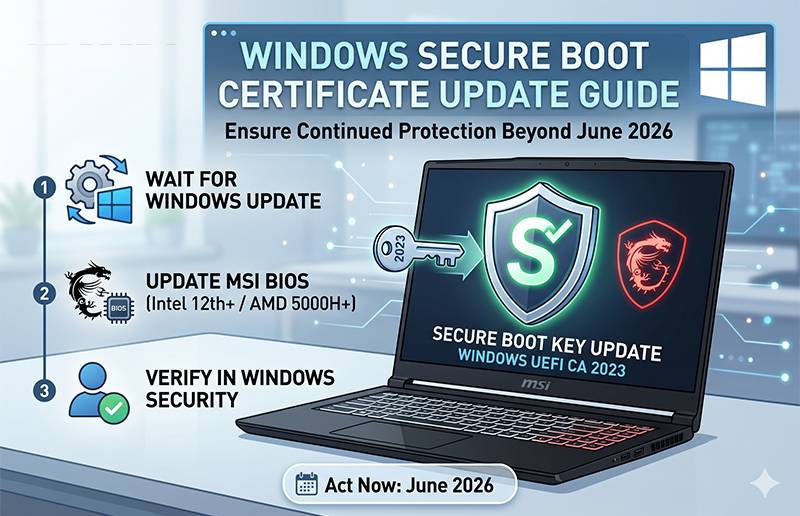
Possible Warning Signs In Windows Security
Microsoft has also warned that some issues could appear as early as June if a device has not received the updated certificate. If a security update cannot be delivered because the device's current boot configuration is not ready, Windows Security may show a Secure Boot badge changing to a red stop icon.
That warning would indicate that Windows has detected a problem related to Secure Boot readiness or update delivery. For users, this is a sign not to ignore the issue. It may require checking Windows Update, restarting the PC, or waiting for Microsoft's phased rollout to complete.
The challenge is that Microsoft's explanation is not exactly written in a user-friendly way. Terms like "high confidence device targeting data" and "successful update signals" may make sense internally, but they are not very comforting for regular users who simply want to know whether their PC is safe and updated.
The Update May Fail For Some Users
Adding to the confusion, Microsoft has also warned that this critical update may fail to install on some systems. In many cases, the suggested workaround appears to involve restarting the PC, although reports note that this may roll back the update in certain scenarios.
That creates an awkward situation. Users need the update installed before the Secure Boot certificate timeline becomes a bigger issue, but some users may also encounter installation failures. For now, the practical advice remains to keep Windows Update enabled, install the latest available updates, and restart when required.
For organisations, this is more complicated. IT teams may need to monitor affected devices, confirm certificate status, and make sure managed PCs complete the rollout before the deadline.
What Home Users Should Do
For normal Windows users, there is no need to panic or manually delete anything. The most important steps are straightforward. Make sure Windows Update is enabled, install the latest updates, and reboot your PC when Windows asks you to do so.
If you notice the new SecureBoot folder, leave it alone. It is part of the expected update behaviour. If you see any Secure Boot warning inside Windows Security, then it is worth checking for updates again and restarting the device.
In most cases, users should not need to run any scripts manually. Those tools are mainly intended for administrators managing many systems.
Final Thoughts
Microsoft's Secure Boot certificate update is one of those Windows maintenance changes that happens mostly in the background, but it is still important. Secure Boot helps protect the startup process of Windows devices, and expired or outdated certificates could create problems if they are not replaced in time.
The appearance of the new SecureBoot folder may look unusual, but Microsoft says it is expected. For home users, the main action is simple: update Windows and restart the PC. For IT administrators, the new folder and included scripts may help manage the rollout across larger device fleets.
The only frustrating part is the messaging. Microsoft's technical explanation may leave some users confused, especially when the update is described as critical but also possibly subject to phased rollout or installation failures. Still, the practical takeaway is clear enough. Before June, Windows users should make sure their devices are fully updated and properly restarted so the new Secure Boot certificates can be applied safely.











Comments