

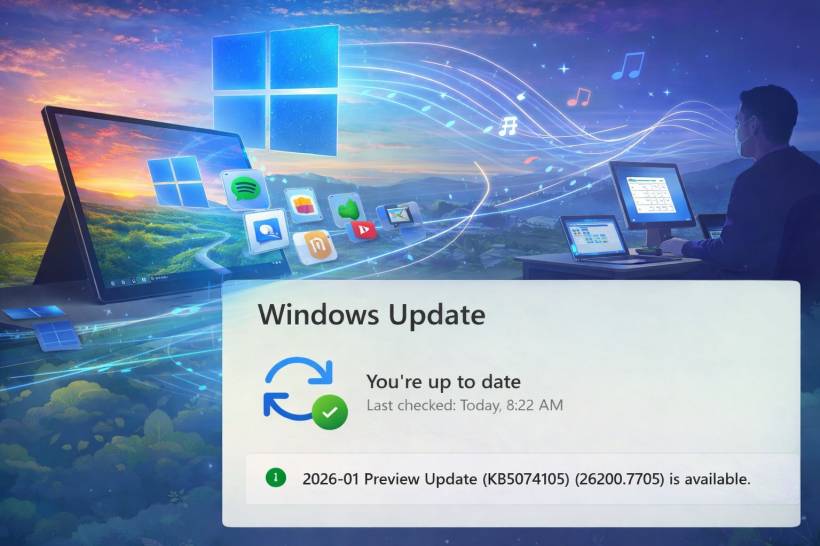
That "2026-01 Preview Update (KB5074105) (26200.7705)" you're seeing isn't a typical Patch Tuesday security drop. It's a non-security preview update for Windows 11 (listed for version 25H2 and 24H2) that focuses on new features plus a long list of reliability fixes.
If you install it, you're basically choosing to get next month's improvements early.
The headline features you'll actually notice Cross-Device Resume gets more practical
This update expands Cross-Device Resume so your PC can pick up certain activities that started on your Android phone. The examples Microsoft calls out include resuming Spotify playback, continuing work in Microsoft 365 apps like Word/Excel/PowerPoint, and continuing a browsing session (with specific support mentioned for some phone brands and browsers).
In plain terms, it's Windows leaning harder into "your phone and PC are one workflow" instead of two separate worlds.
Windows MIDI Services: a real upgrade for music people
If you do anything with MIDI devices (keyboards, controllers, audio tools), this is a meaningful change. Microsoft says KB5074105 improves MIDI support with better handling for MIDI 1.0 and MIDI 2.0, including shared MIDI ports across apps, custom port names, loopback/app-to-app MIDI, plus performance improvements and bug fixes.
Even if you're not a musician, this matters because MIDI in Windows has historically been "it works… until it doesn't." This aims to make it less fragile.
Accessibility improvements that reduce friction
Narrator gets new controls to customize what it announces and in what order, so it can be less chatty and more useful depending on how you navigate apps. There's also a fix later in the notes for cases where Narrator might not start during Windows installation from an ISO, which is niche but important when it hits.
Easier setup for voice features
Voice Access gets a streamlined setup flow (download language model, pick microphone, and learn capabilities), and Voice Typing adds a "Wait time before acting" setting so you can tune the delay before commands run.
Security and admin-focused changes (the "quiet but important" section) Storage settings now trigger UAC
Microsoft added a User Account Control prompt when you open Storage settings (Settings > System > Storage). The idea is to reduce the chance that someone casually digs into system-file related areas on a shared machine without proper permission.
Secure Boot and certificate prep
Microsoft repeats a bigger warning: Secure Boot certificates used by many Windows devices start expiring from June 2026, and they recommend preparing ahead of time. Also, for Windows 11 24H2, this update can replace an older Boot Manager file signed in 2011 with a 2023-signed version on devices that already have the Windows UEFI CA 2023 certificate in their Secure Boot DB, and Microsoft notes rare "Secure Boot violation" edge cases if Secure Boot settings are reset/toggled.
Stronger DPAPI domain key handling
For domain environments, Microsoft adds a DPAPI feature to allow admins to set how often backup keys rotate automatically, with the stated goal of strengthening cryptographic security and reducing reliance on older algorithms.
Fixes aimed at the problems people actually complain about Start Menu and taskbar weirdness
KB5074105 fixes a Start menu shutdown warning message that could be cut off when multiple users are signed in, and fixes a case where the Start menu might open on the wrong side of the screen in certain RTL languages when taskbar icons aren't centered. It also fixes a "hide this pane" behavior in the mobile device side panel that didn't properly lead to hiding the pane for some users.
File Explorer responsiveness (especially on networks)
Microsoft says there are underlying changes to improve File Explorer responsiveness when navigating network locations. There's also a very specific fix that matters if you rely on localized/custom folder names: folder renaming involving desktop.ini could fail to reflect the LocalizedResourceName setting properly, so custom folder names wouldn't show as expected.
First sign-in hangs and "taskbar disappeared" moments
One nasty issue listed: Explorer.exe could hang the first time you sign in if certain startup apps were configured, which could make the taskbar not appear. KB5074105 includes a fix for that.
Activation and license migration reliability
If you upgrade and expect your digital license to migrate cleanly, Microsoft notes a fix for cases where valid license migration could fail because the device couldn't register with the activation server, forcing users to run the troubleshooter.
Graphics and black screen issues
Two notable graphics-related fixes show up in the release notes:
It also addresses a dxgmms2.sys-related system error that could lead to KERNEL_SECURITY_CHECK_FAILURE on certain GPU configurations.
Security updates earlier in the month were widely reported to cause black screens for some people, so it makes sense Microsoft is trying to stabilize graphics behavior quickly in the preview track.
Boot and startup reliability (enterprise-adjacent, but real)
A few fixes here are very "you only care when it breaks":
An iSCSI boot failure that could show "Inaccessible Boot Device."
Windows Sandbox startup hang with error 0x800705b4.
Any known issues?
Microsoft states they're not currently aware of any known issues with this update.
So what's the practical takeaway?
KB5074105 is a "big polish pass" preview update: it adds a few user-facing features (Cross-Device Resume, MIDI improvements, Narrator controls, voice setup tweaks, Windows Hello ESS peripheral fingerprint support), and it targets a bunch of stability pain points (Explorer/taskbar hangs, activation migration failures, network Explorer responsiveness, black screens, GPU crash paths).
If your PC is running perfectly and you prefer maximum stability, waiting is still a totally reasonable move for a preview update. But if you've been hit by any of the specific issues above (especially Explorer hangs, taskbar not appearing, activation weirdness, or black screens), this is exactly the kind of optional update that can be worth installing early











Comments