

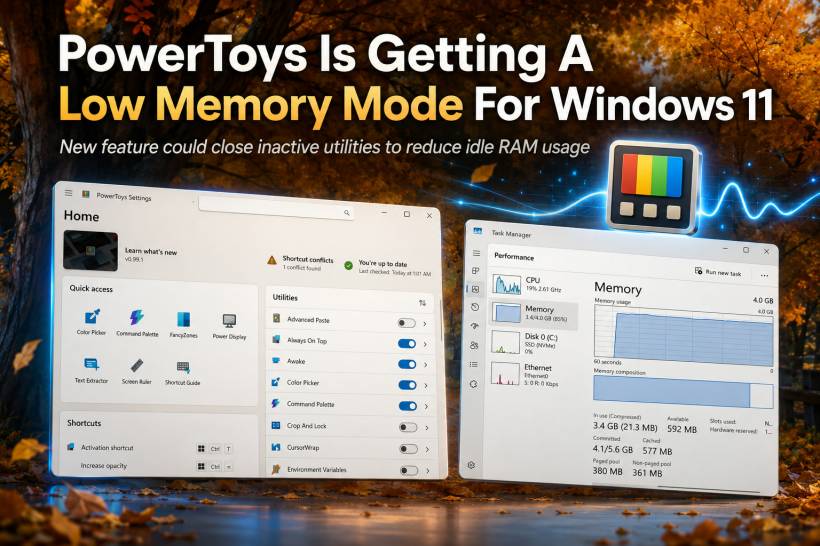
Microsoft PowerToys has become one of those tools that many Windows 11 power users install almost automatically. It brings a collection of useful utilities into one place, including Color Picker, Text Extractor, Advanced Paste, Peek, window management tools, and many other small features that make daily work smoother.
The downside is that keeping these tools ready in the background can use more memory than expected. Some PowerToys utilities keep helper or user interface processes running even when they are not actively being used. This allows them to open quickly when triggered by a shortcut, but it also means system RAM can be occupied by tools that may only be used occasionally.
That is where the upcoming low memory mode comes in. A community-developed improvement is being worked on to let supported PowerToys modules close themselves when inactive, helping reduce idle memory usage on Windows 11 systems.
Why This Feature Matters
On modern PCs with plenty of RAM, PowerToys using extra memory may not feel like a serious issue. However, not every Windows 11 device has 16GB or 32GB of RAM. Many users are still working with 8GB systems, and some newer premium laptops are still being sold with limited memory configurations.
In that kind of environment, every background process matters. A utility sitting idle while consuming a large amount of memory may not break the system by itself, but it contributes to the overall pressure. Once browsers, office apps, chat apps, cloud sync tools, antivirus software, and creative tools are all running together, small memory savings can become useful.
The issue becomes more noticeable because PowerToys keeps growing. As Microsoft adds more utilities and deeper Windows integration, managing background resource usage becomes more important.
How The Low Memory Mode Works
The proposed feature works in a simple way. When enabled, supported PowerToys utilities will close their background helper process when they are not being used. When the user needs the tool again, pressing the normal shortcut will relaunch it on demand.
The trade-off is that the first launch may be slightly slower. Instead of opening instantly from a warm background process, the utility has to start fresh. For many users, that small delay may be worth it if it means saving RAM throughout the day.
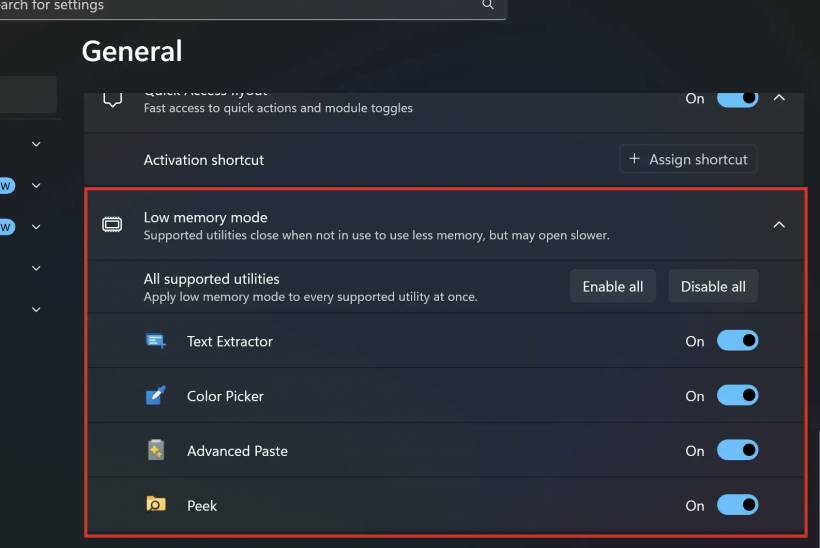
The first set of tools expected to support this behaviour includes Text Extractor, Color Picker, Advanced Paste, and Peek. These are the kind of utilities that many people use occasionally rather than continuously, so they make sense as early candidates for idle closing.

A More User-Friendly Name
During development, the feature was originally referred to as low memory mode. However, Microsoft collaborators suggested a clearer label: "Close apps when inactive." That wording is easier for everyday users to understand because it describes exactly what the setting does.
The setting is expected to appear in PowerToys' General Settings area as an expandable section, with a leaf-style icon similar in spirit to Windows 11's Efficiency mode indicator in Task Manager. Users should be able to enable the behaviour for all supported tools at once or turn it on only for specific modules.
Each supported utility may also show the option inside its own settings page, with a note explaining that the app will close when not in use to save memory and may open slower.
Default Behaviour Will Stay The Same
Importantly, this memory-saving mode will not become the default behaviour. PowerToys will continue keeping supported tools warm in the background by default so users still get the fast launch experience they are used to.
That is a sensible approach because not everyone needs to save memory. Some users prefer instant response, especially if they use these tools many times throughout the day. Others may prefer a lighter background footprint, especially on lower-memory machines.
By making the feature optional, Microsoft gives users more control instead of forcing one behaviour on everyone.
Final Thoughts
PowerToys' upcoming low memory mode is a practical improvement rather than a flashy new feature, but it is the kind of change that makes the toolkit feel more mature. As PowerToys continues to expand, it also needs to become smarter about how it uses system resources.
For users with plenty of RAM, this setting may not make a big difference. But for Windows 11 users on 8GB machines, older laptops, or systems already loaded with background apps, the ability to close idle PowerToys utilities could be genuinely helpful.
The best part is that it does not remove the fast experience for those who want it. Users who prefer instant launches can leave things as they are, while users who want to reclaim memory can opt in. That balance makes this a thoughtful update for one of Windows 11's most useful power-user tools.











Comments