

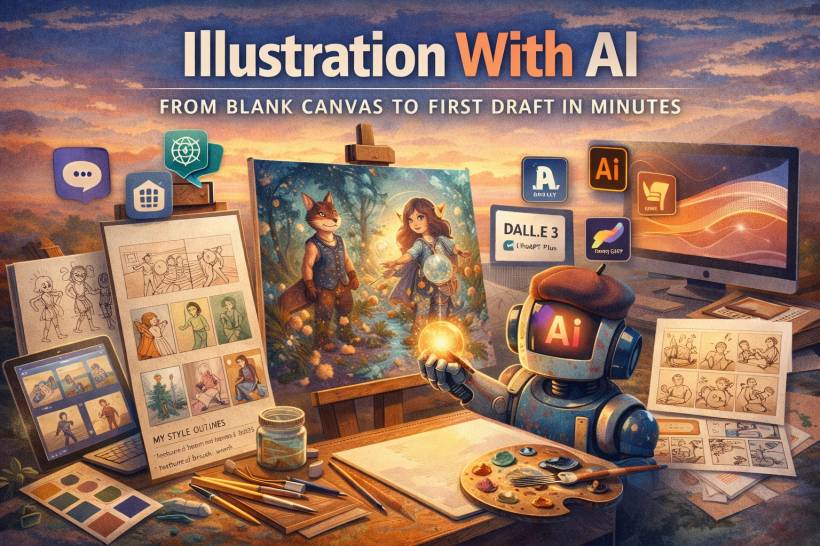
Every illustrator knows that awkward standoff with a blank page. You've got a deadline, you've got a client waiting, and your brain decides this is the perfect time to forget how creativity works. Even worse is when the brief is vague in that dangerous way, like "surprise us with your style." You want to deliver something exciting, but suddenly your own style feels like it's hiding from you.
This is where AI can be genuinely helpful, not as a replacement for your hand, but as a kickstarter for momentum. Think of it like a sketchbook that fights back in a good way. It throws options at you, helps you explore directions faster, and makes it easier to get from "I have nothing" to "I have a strong first draft."
The illustrator's AI toolkit (what each tool is best at)
Different tools are better at different phases of illustration, so it helps to treat them like a workflow rather than a single magic button.
Making AI outputs look like you (not like "generic AI art")
The most common criticism of AI illustration is that it has a same-y vibe. That usually happens when people rely on default aesthetics instead of building a consistent personal "recipe." If you want AI to support your style, you need to teach it the language of what you already do.
A solid starting move is building a style reference sheet. Pull together a small collection of your own favorite pieces, then use AI to extract keywords that describe what you repeatedly do well. You'll start noticing patterns in your work that you might not consciously think about, such as limited palettes, bold outlines, textured brushwork, specific lighting moods, or the way you simplify shapes. Once you have those recurring descriptors, they become your "base prompt," which you reuse across projects so your outputs feel consistent.
The "assembly line" method (the cheat code for originality)
One of the best ways to keep results feeling like your work is to stop generating complete illustrations in one go. Instead, generate components separately, then assemble them like a collage you art-direct.
You might generate a character on its own, then generate a background separately, then generate props or supporting elements as individual pieces. After that, you bring everything into Photoshop or Illustrator and do what illustrators do best: you design the relationships between the elements. You adjust scale, lighting, perspective, and color harmony. You redraw parts that need intention. You add hand-drawn overlays and texture.
The end result can be something like 60% AI-generated components and 40% your own drawing and paintover, but it reads as 100% your style because the composition, storytelling, and finishing choices come from you.
A practical workflow: editorial illustration in half the time
Let's say you're assigned an illustration for an article titled "The Future of Remote Work." Traditionally, you might spend hours researching, sketching, waiting for approval, and then rendering the final. That classic pipeline works, but it can be heavy when timelines are tight.
With AI in the mix, your first hour becomes concept storming. You use ChatGPT like a brainstorming partner to generate metaphorical ideas that fit editorial illustration. Instead of staring at the blank canvas, you get a list of visual metaphors you can immediately react to. From there, you generate quick thumbnail-style variations so the client can choose direction early, before you commit to heavy rendering.
Next, you generate assets based on the chosen concept. If the idea is something abstract like "a network of home offices," you can generate variations of that visual theme and pull the best parts. You can also generate supporting elements separately, such as characters, UI overlays, or symbolic objects. Then the final stretch is where your real value kicks in: compositing, polishing, repainting, tightening the storytelling, and bringing everything under a consistent color grade and texture language. Done properly, it's faster without looking rushed, and it stays original enough to feel like a real commissioned illustration.

Specialized applications that are surprisingly useful
AI gets extra practical in a few areas illustrators often struggle with under time pressure. Character consistency is one of the big ones. A reliable workflow is to design your "final" character first, then use that image as a reference for future scenes. If the face keeps drifting, a simple professional solution is to trace or redraw key facial features so the character stays stable while still benefiting from AI speed for pose, lighting, and scene variations.
Storyboarding is also a strong use case. If you need a quick four-panel concept to pitch an idea, AI can generate a rough storyboard draft with clear emotional beats. You're not using it as the final art, you're using it to communicate the idea faster, especially when clients want to "see it" before they approve budget or direction.
Ethics, transparency, and how to talk about it professionally
If you're using AI in illustration, clarity matters. Not every client needs a long explanation, but it helps to know your own transparency comfort level.
A simple approach is to think in tiers. Sometimes AI is just part of the concept phase and asset generation, and your final illustration is heavily repainted and finished by hand. Other times, AI plays a larger role and you act more like an art director and compositor. There's also a "curation" style where the craft is in selecting, guiding, and combining generations into a final image.
Pricing also changes in an important way. Your value isn't only "hours spent rendering" anymore. Your value is your creative direction, your curation skills, your finishing ability, and the fact that you can interpret what the client actually needs. That's what makes the result professional, cohesive, and usable.
If you want a clean way to explain it to clients, you can frame AI as a concept accelerator. It helps you generate more options quickly, then you refine the best direction into a finished piece using your illustration skills. That reassures them they're still paying for an illustrator's brain and hand, not for a button press.
A simple AI-assisted illustration workflow you can reuse
Here's a balanced structure that keeps you in control while still benefiting from speed:
Action steps to make this real
If you want this to become part of your process instead of a one-time experiment, a few practical moves help:
AI doesn't replace the illustrator. It replaces the dead time between "blank canvas" and "I have a direction." The magic still happens in the gap between a generated draft and the final piece you shape, refine, and sign with your own style.











Comments 0